SCash: Designing the operating system behind everyday commerce

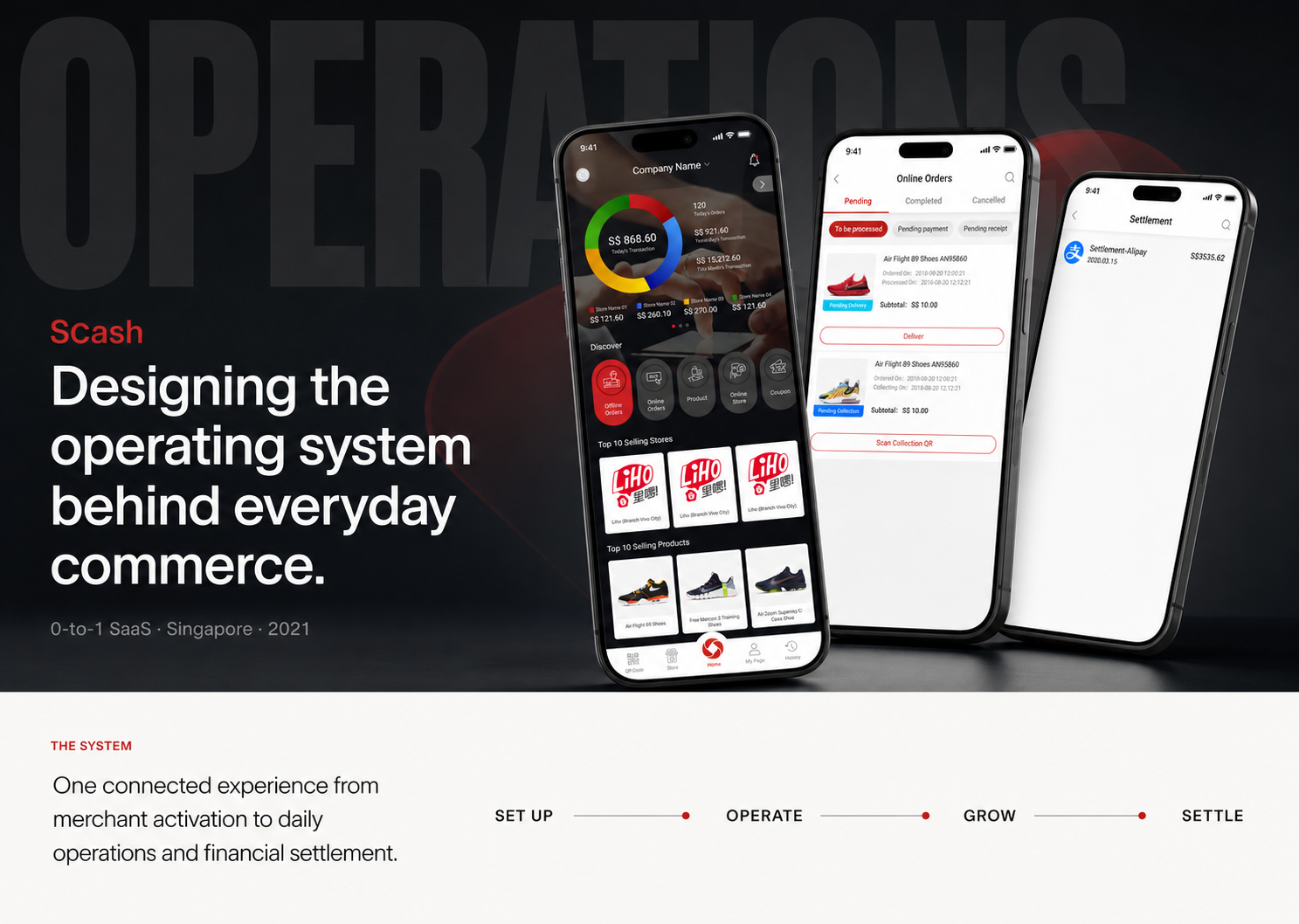
SCash case study hero showing Company Creator, Online Orders, and Settlement screens

SCash

Designing the operating system behind everyday commerce.

0-to-1 SaaS / Singapore / 2021
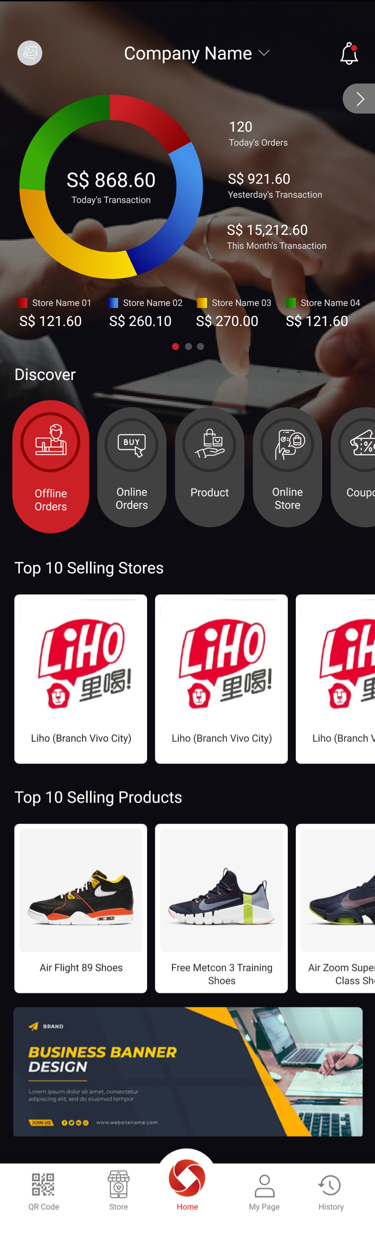
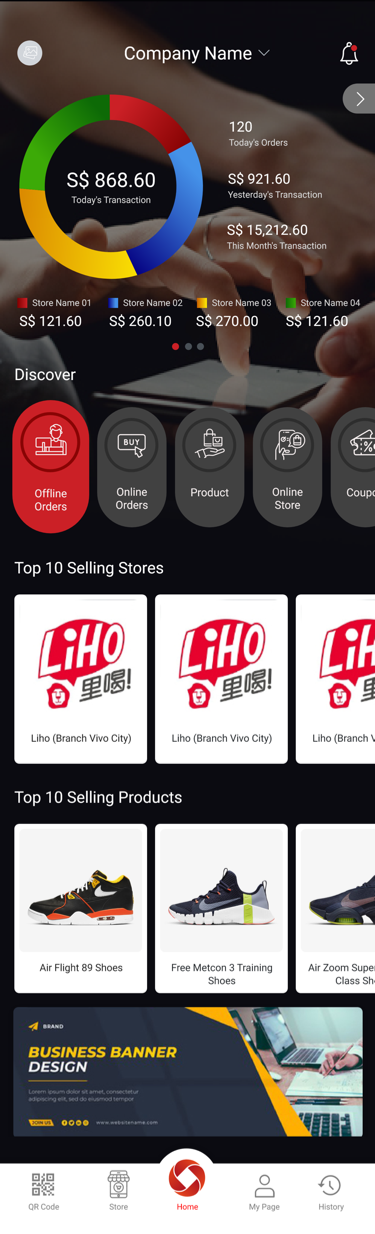
SCash Company Creator dashboard

A commercial platform built from zero to one.

I joined an eight-person cross-functional team as the sole Product Designer. Over four months, I owned the experience from product structure and user flows through high-fidelity UI, prototyping, and developer handoff.

Product
SCash Merchant Operations Platform
Users
Singapore SME owners and store managers
Timeline
April 7, 2021 / 4 months
Role
Sole Product Designer
Team
8 people across product, engineering, QA, and business
Platform
Mobile SaaS
Tools
Sketch, Figma, Photoshop, and Illustrator
Responsibilities
IA, flows, interaction, UI, system, and handoff

This case study documents the version I designed at Shenzhen TD Cloud Co., Ltd. SCash subsequently launched and continued to evolve after I left the company; later product changes are not presented as my work.

An illustrated online storefront surrounded by disconnected order, payment, customer, inventory, analytics, and delivery modules

One online business.
Too many disconnected workflows.

Small and medium-sized merchants often managed payments, orders, products, customers, employees, and financial reconciliation through separate tools or manual processes. SCash was created to connect those activities in one mobile operating platform.

  • Orders
  • Payments
  • Inventory

Make an enterprise-scale system usable from a phone.

Design a scalable platform that supported multiple merchant roles and interconnected workflows without making everyday work feel like system administration.

01

Multi-store

Business visibility across stores and teams.

02

Orders

Online and offline workflows with clear next actions.

03

Products

Catalog, categories, variants, and stock availability.

04

Customers

Profiles, membership, points, and coupons.

05

Payments

Multiple channels, transactions, refunds, and receipts.

06

Finance

Wallet, cards, settlement, and reconciliation.
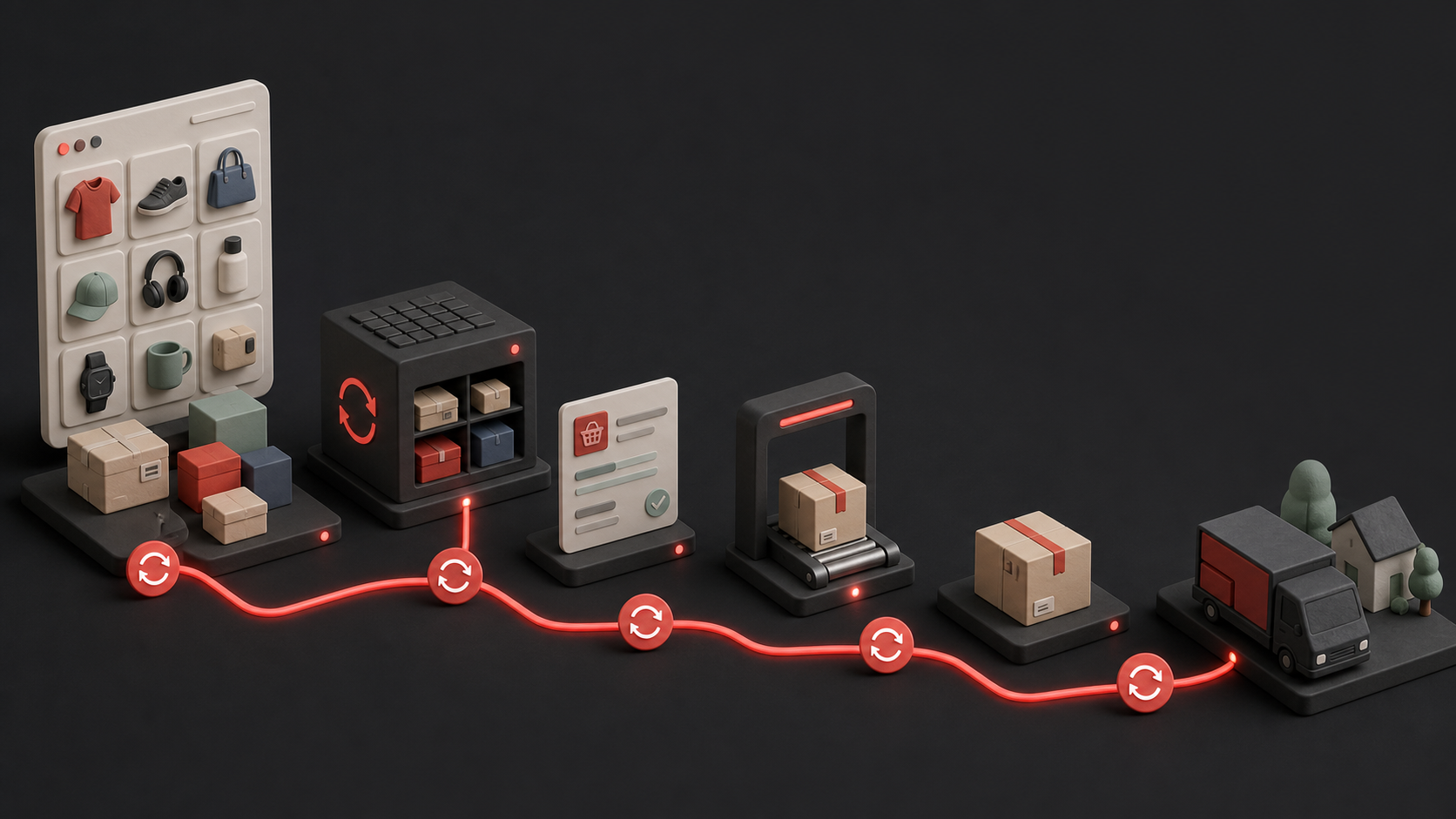
An illustrated commerce synchronization flow connecting product catalog, inventory, orders, barcode scanning, parcels, and delivery
CatalogInventoryOrdersFulfillment

Product and inventory decisions move with every online order.

SCash had to keep catalog, stock, order, customer, and financial states synchronized as the storefront changed in real time.

THE ONLINE OPERATING ENVIRONMENT

Turning a broad business vision into merchant workflows.

The product began as an interconnected set of business capabilities rather than a defined user experience. Discovery focused on identifying actors, business objects, system states, and operational dependencies.

Research inputs

  • Stakeholder discussions01
  • Business requirement workshops02
  • Workflow and state mapping03
  • Competitive analysis04
  • Engineering feasibility reviews05
  • QA workflow reviews06

The original research artifacts were not retained. This case study distinguishes stakeholder and QA validation from formal external usability testing.

Operational pain appears in moments, not abstract feature lists.

An online merchant reviewing incoming orders and preparing a delivery parcel
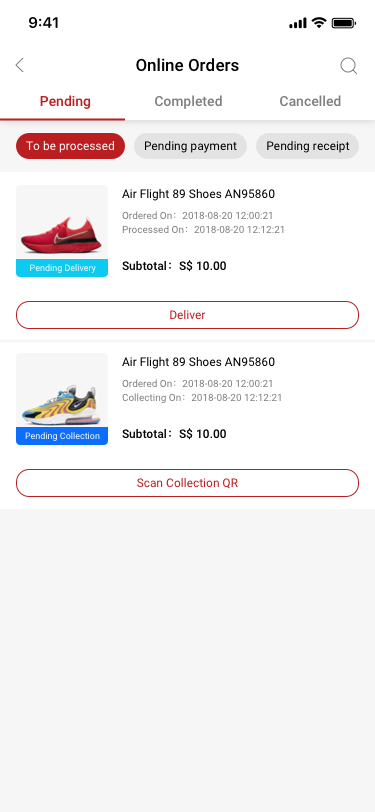
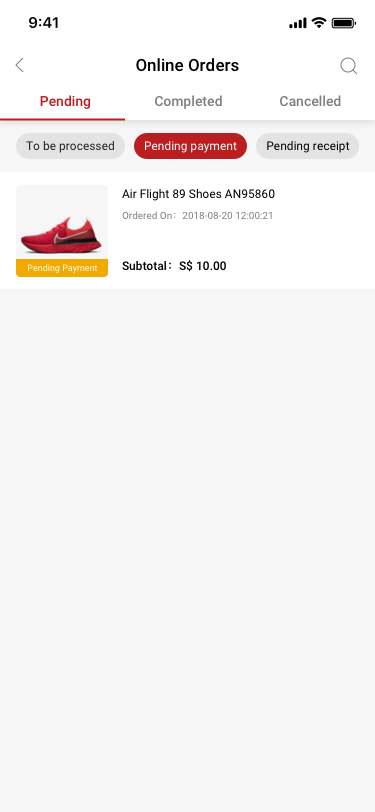
SCash online order status screen
01

Cross-store visibility

Owners needed business-level information while store managers needed a focused view of daily work.

Design implication

Adapt dashboards and controls to each role.

02

Time-sensitive orders

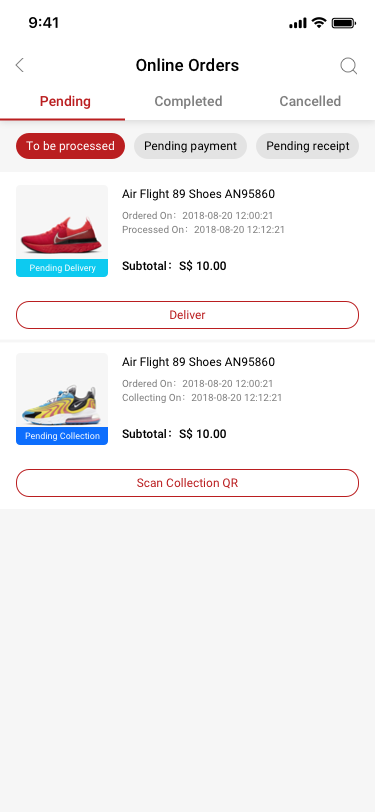
Managers needed to distinguish orders waiting for processing, payment, delivery, or collection without opening each record.

Design implication

Expose status and the next action at list level.

03

Settlement confidence

A successful payment did not automatically tell a merchant whether the money had been recorded and settled.

Design implication

Connect payment, transaction, wallet, and settlement states.

04

Product availability

Stock changes affected both in-store sales and online orders.

Design implication

Make availability visible in product lists and exception states.

Design around responsibility, not demographics.

The retained files did not include formal persona research. These role profiles reconstruct the product model used to separate business oversight from store execution.

Reconstructed from business requirements and production screens; it is not presented as a surviving research artifact.
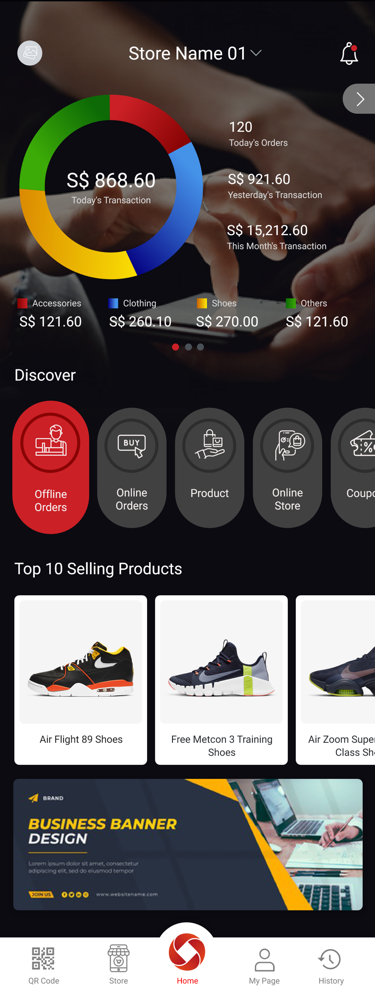
ROLE 01

Company Creator

Context
Runs one or more stores and needs a business-level view.
Goals
Monitor sales, configure services, manage stores and staff, and reconcile funds.
Friction
Important information was fragmented across operational and financial tools.
Company Creator dashboard
ROLE 02

Store Manager

Context
Owns day-to-day execution for a specific store.
Goals
Process orders, manage products, support customers, and resolve exceptions quickly.
Friction
Business-wide settings and irrelevant controls slowed down daily tasks.
Store Manager dashboard

ROLE-BASED JOURNEY

From joining the platform to growing the business.

01

Join

Merchant task

Create an account and verify identity

Tension

Too many forms before value is visible

Design opportunity

Show progress and explain why information is required

02

Set up

Merchant task

Create a store and activate payment services

Tension

Business, store, and compliance data depend on one another

Design opportunity

Sequence dependencies and support recovery

03

Operate

Merchant task

Manage orders, products, stock, and staff

Tension

Urgent work competes with administrative tasks

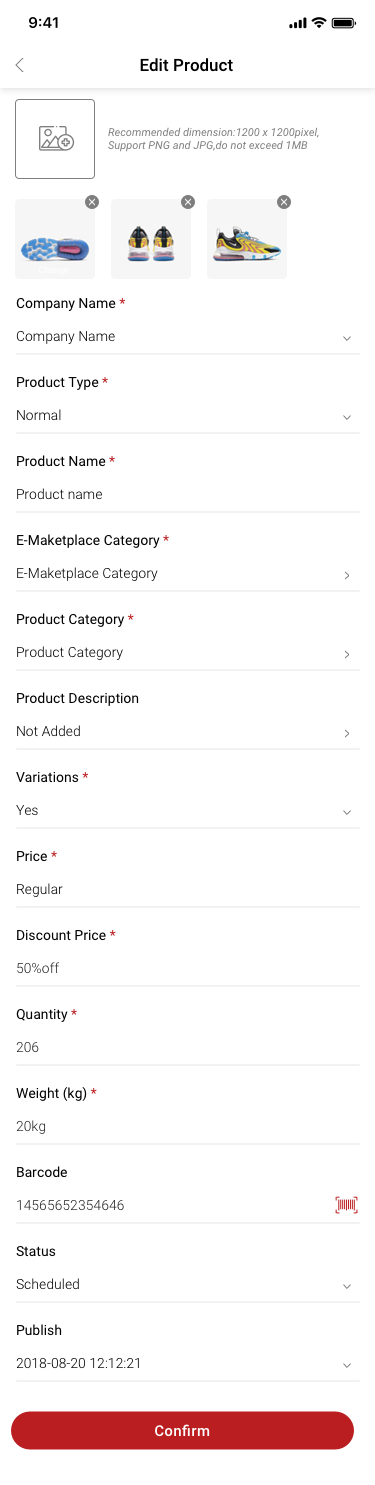
Design opportunity

Prioritize the next action by role and status

04

Reconcile

Merchant task

Trace transactions, wallet movement, and settlement

Tension

Payment success does not equal settlement confidence

Design opportunity

Connect the complete financial lifecycle

05

Grow

Merchant task

Understand customers and run loyalty programs

Tension

Customer tools can become disconnected add-ons

Design opportunity

Use one customer model across points and coupons

Five criteria guided every design decision.

Company Creator dashboard
Store Manager dashboard
  1. 01Reduce

    operational complexity

  2. 02Support

    role-based workflows

  3. 03Increase

    transaction efficiency

  4. 04Clarify

    financial traceability

  5. 05Scale

    navigation and UI patterns

Sequence the operating system before designing its screens.

Before designing individual screens, I defined what merchants needed to run their business successfully and organized capabilities into a scalable system.
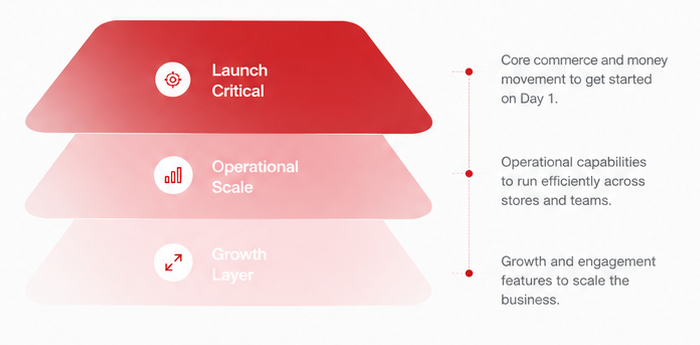
Three SCash product layers: launch critical, operational scale, and growth

Product system layers

01

Launch critical

Essential to start and transact

Account & Store Setup
Orders & Checkout
Payments & Transactions
Settlement & Wallet
02

Operational scale

Run and manage at scale

Products & Inventory
Multi-store & Staff
Customer Management
Analytics & Reports
03

Growth layer

Engage and expand

Membership & Points
Coupons & Promotions
Online Store Sharing
Notifications & Alerts

Platform architecture

SCash Platform

Commerce

  • Checkout
  • Orders
  • Returns
  • Wallet

Inventory

  • Products
  • Stock
  • SKU
  • Suppliers

Payments

  • Transactions
  • Payouts
  • Settlement
  • Reconciliation

Customers

  • Customers
  • Profiles
  • Segmentation
  • Support

Marketing

  • Membership
  • Coupons
  • Campaigns
  • Notifications

Analytics

  • Dashboards
  • Reports
  • Insights
  • Exports

Design decision

Option A

One universal dashboard

Universal dashboard option
Advantage
Lower design and implementation complexity.
Risk
Owners and managers would see irrelevant information and controls.
Option B

Role-aware dashboards

Company Creator dashboard
Store Manager dashboard
Advantage
Priorities and permissions align with responsibility.
Trade-off
More states to design, implement, and maintain.

Selected

Organized around merchant work, not internal feature teams.

Daily actions remained accessible from the dashboard and primary navigation. Detailed management tools lived deeper in the structure, while role-aware entry points supported owners and store managers inside one product.

ROLE-AWARE DASHBOARD
ORDERSPAYMENTSPRODUCTS
CUSTOMERSANALYTICSSTORES
STAFFWALLETSETTINGS
Company Creator dashboard

Company Creator

Cross-store performance, products, finance, staff, and configuration.

Store Manager dashboard

Store Manager

Store-level orders, products, customers, and daily performance.

SCASH MERCHANT OPERATIONS

Two journeys connect setup, daily commerce, and money movement.

Rather than presenting the product as a list of screens, the flow shows how merchants enter the platform, activate their business, process an order, and trace the funds through settlement.
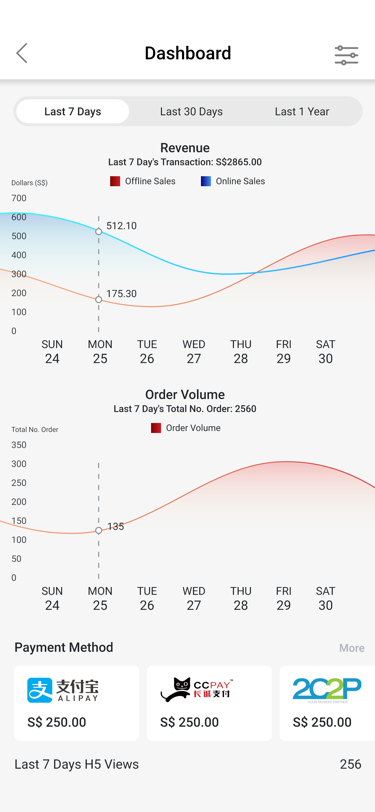
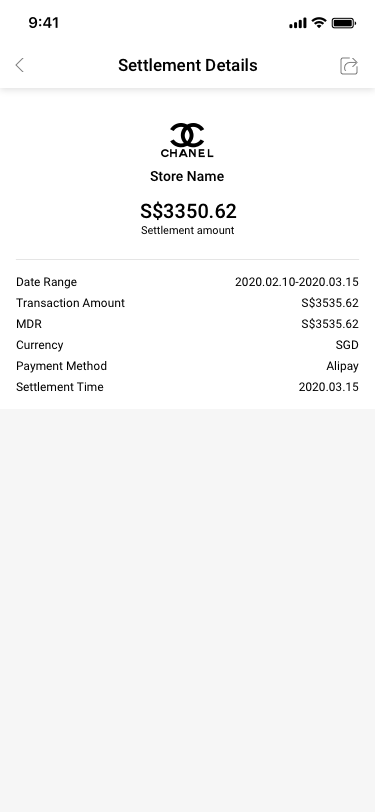
SCash merchant analytics dashboard
SCash Online Orders
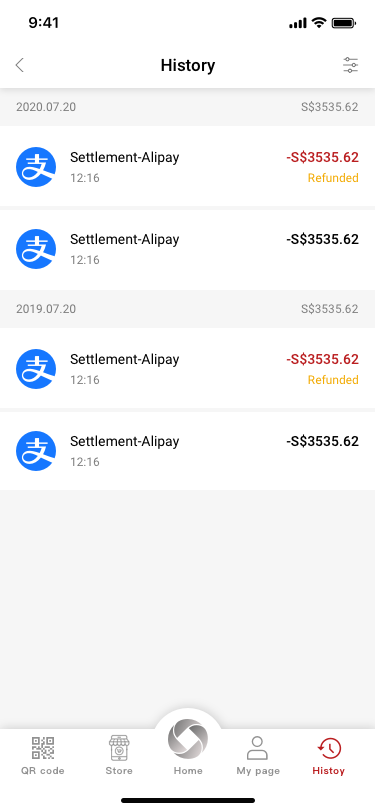
SCash Settlement Details

END-TO-END WORKFLOW

Merchant activation → Order to settlement

FLOW 01

Merchant activation

Account to payment-ready store

  1. 01Create account
  2. 02Verify mobile
  3. 03Add business details
  4. 04Create first store
  5. 05Apply for NIUM
    • More information
    • Rejected
    • Approved
  6. 06Activate services
FLOW 02

Order to settlement

Customer action to reconciliation

  1. 01Receive order
  2. 02Process items
  3. 03Collect payment
    • Cash
    • QR payment
    • Card
  4. 04Record transaction
  5. 05Review settlement
  6. 06Reconcile funds
DESIGN OUTCOME

The same status language and navigation patterns carry merchants from activation through financial reconciliation.
The system was shaped by four connected decisions.

01

Role-aware dashboards

Problem
One universal home could not serve business owners and store managers equally well.
Options
Universal dashboard; fully customizable dashboard; role-aware variants
Trade-off
More design and implementation states in exchange for less irrelevant information and safer access.
Decision
Use a shared visual structure with different content and controls for Company Creators and Store Managers.
Impact
Business oversight and store execution could live in one product without becoming generic.
02

A limited bottom navigation

Problem
SCash contained more major modules than a mobile navigation bar could support.
Options
All modules in navigation; one menu; stable navigation with contextual entry points
Trade-off
Some management features require an extra step, but the primary structure remains predictable and extensible.
Decision
Keep frequent destinations persistent and use role-aware dashboard shortcuts for the broader scope.
Impact
New capabilities could be added without repeatedly restructuring the app.
03

One financial lifecycle

Problem
Checkout alone did not explain whether a payment had been recorded, transferred, or settled.
Options
Independent histories; generic transaction list; connected financial views
Trade-off
A connected model required more status definitions but created stronger traceability.
Decision
Link payment methods, transactions, wallet activity, and settlement through consistent status and detail patterns.
Impact
Merchants could move from sale to reconciliation with clearer context.
04

Edge states as product states

Problem
Pending orders, failed applications, refunds, and empty records were normal operating conditions.
Options
Generic errors; module-specific messages; reusable state and recovery patterns
Trade-off
More initial design scope reduced ambiguity in high-risk moments.
Decision
Define explicit pending, successful, rejected, failed, empty, warning, and recovery states.
Impact
Users could understand what happened and what to do next.

Validate the workflow before polishing the screen.

Task walkthroughs and prototype reviews focused on whether core workflows were understandable, feasible, and complete. Validation involved product, business, engineering, and QA.

Formal external usability-test records were not retained, so no participant count, task-success rate, or quote is invented here.

01
SCash screen reviewed for Create the first store

Create the first store

Success question

Can a new merchant complete business and store setup without assistance?

What we reviewed

Required fields, terminology, form length, and recovery.
02
SCash screen reviewed for Add a product

Add a product

Success question

Can a manager set up a product, category, variation, and stock availability?

What we reviewed

Category selection, SKU understanding, stock states, and confirmation.

03
SCash screen reviewed for Process and reconcile

Process and reconcile

Success question

Can a manager complete an order and later find its financial record?

What we reviewed

Status recognition, payment selection, transaction history, and settlement.

Cross-functional product team reviewing a mobile merchant workflow

CROSS-FUNCTIONAL VALIDATION

Every workflow was reviewed as a business, technical, and QA contract.

As the sole designer, I connected requirement decisions to interaction detail and release readiness.

Design the transition, not only the ideal screen.

The production file captures how the experience responds as services activate, information is requested, and operational records become available.

01 · ACTIVATION

Make unavailable services explainable.

Merchants see what is inactive, why it matters, and what completion unlocks.
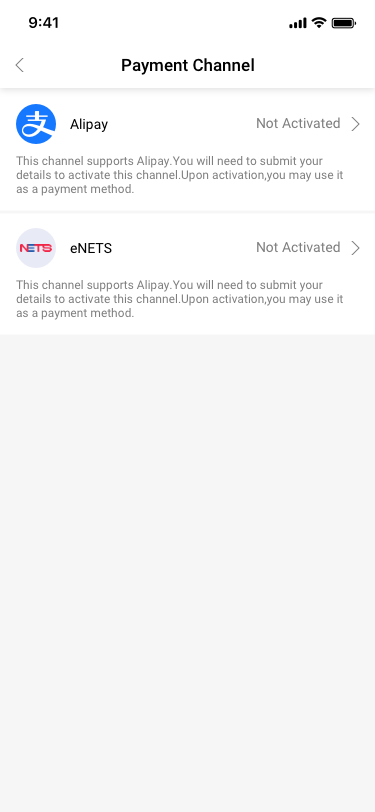
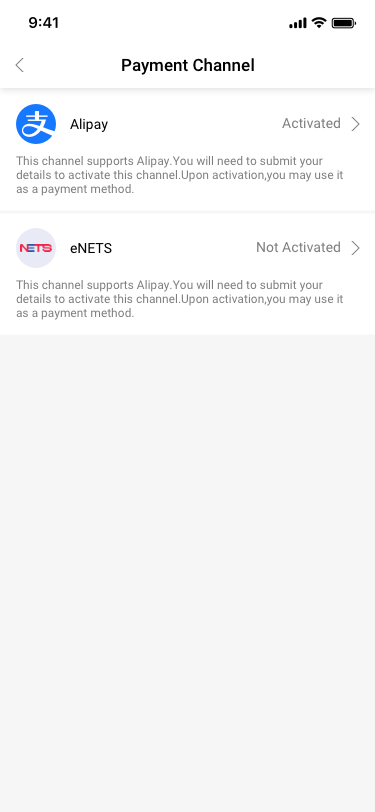
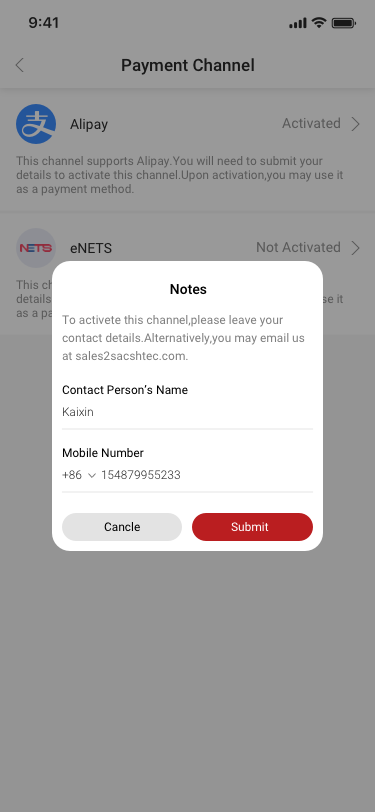
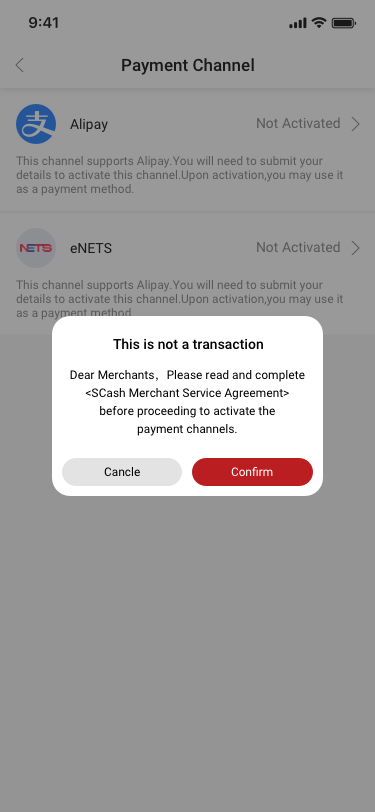
Payment channel not activated
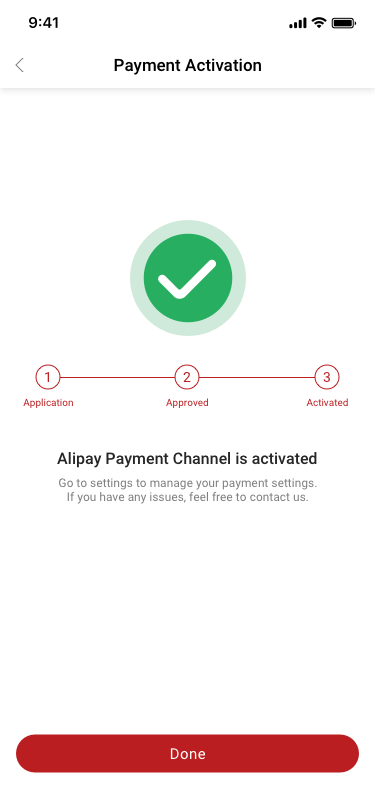
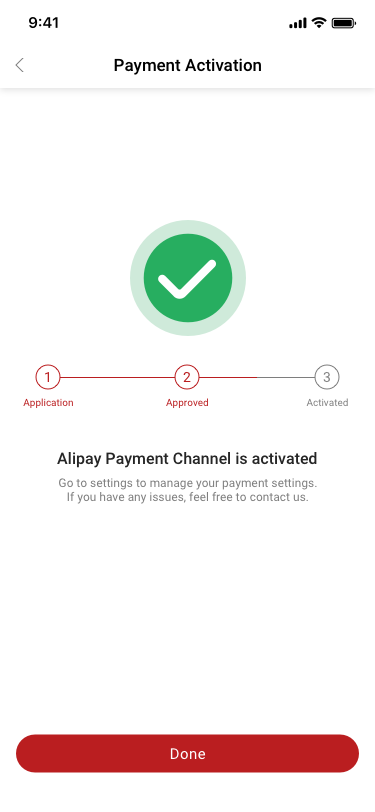
Payment channel activated
02 · RECOVERY

Turn compliance uncertainty into a next step.

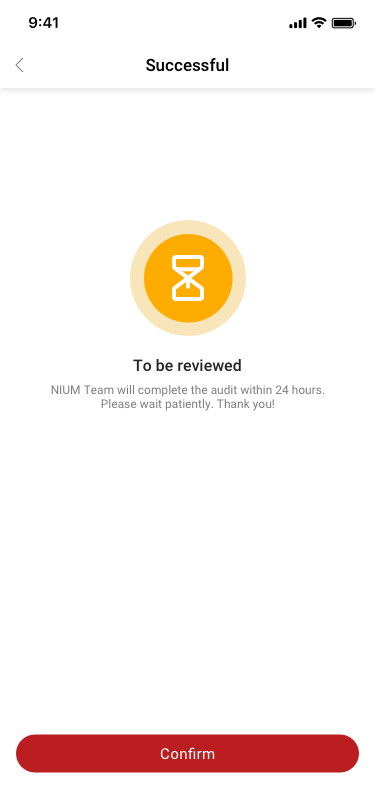
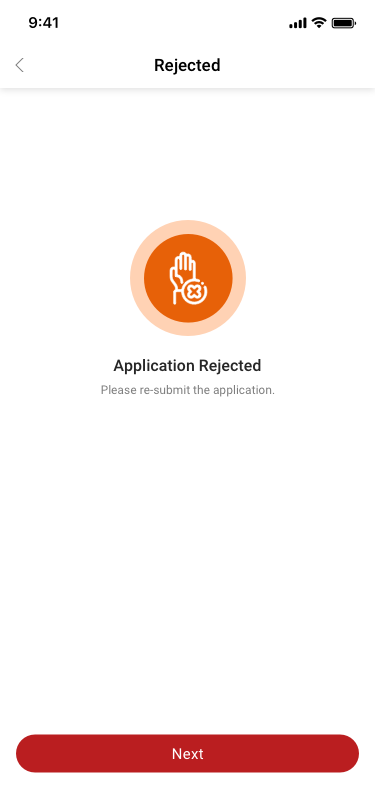
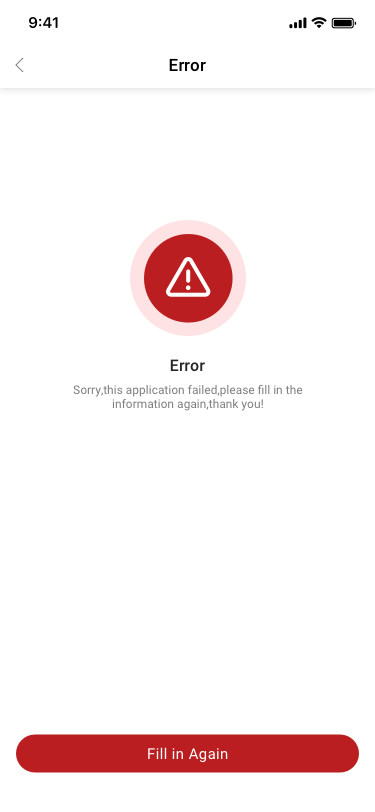
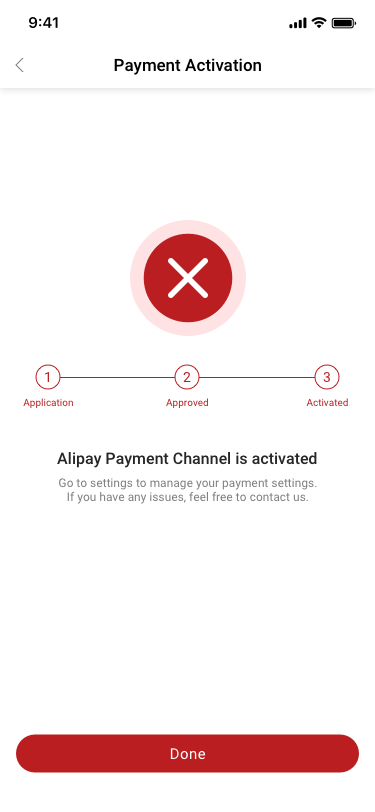
Requested information, review, success, rejection, and error states receive distinct guidance.
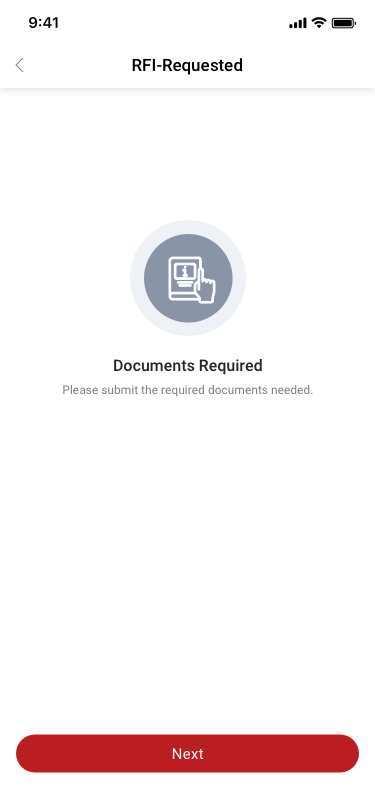
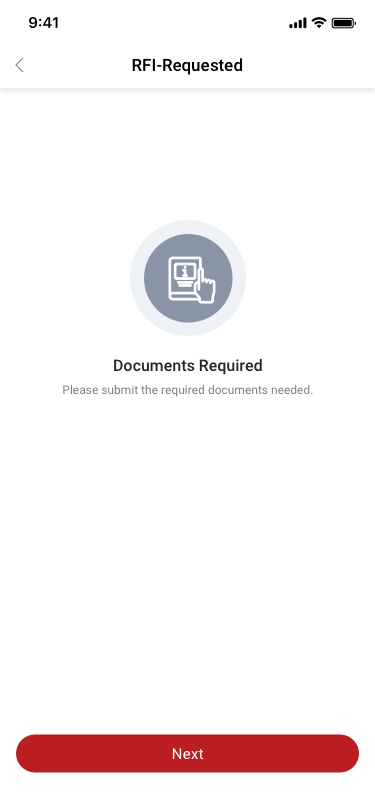
NIUM documents requested
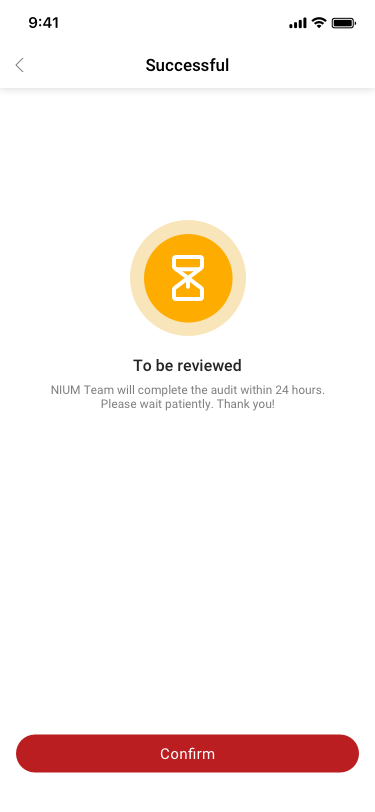
NIUM application successful
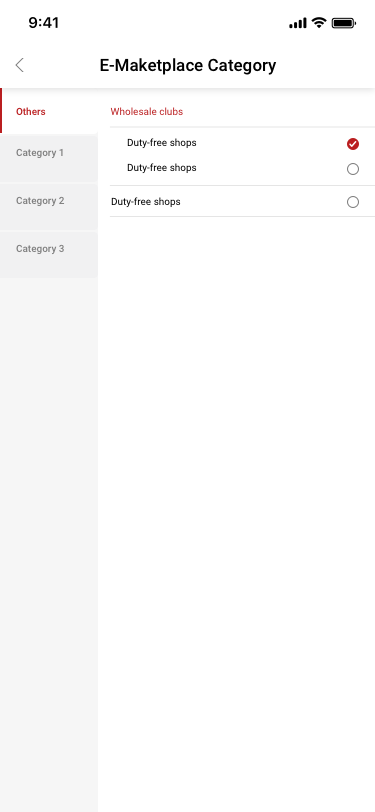
03 · PRODUCT SETUP

Connect classification to sellable inventory.

Category selection feeds product setup, variations, price, and stock status.
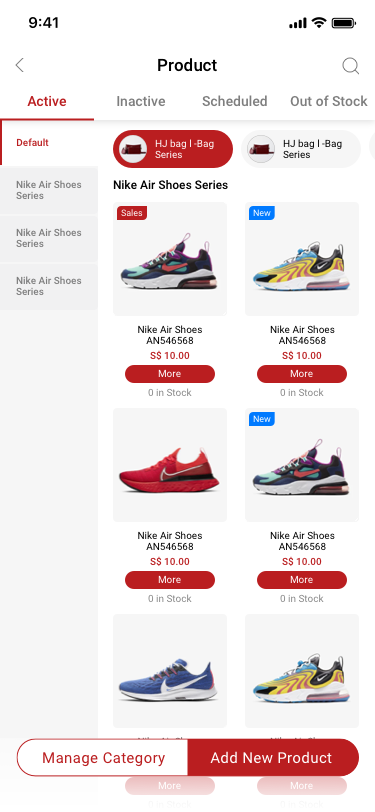
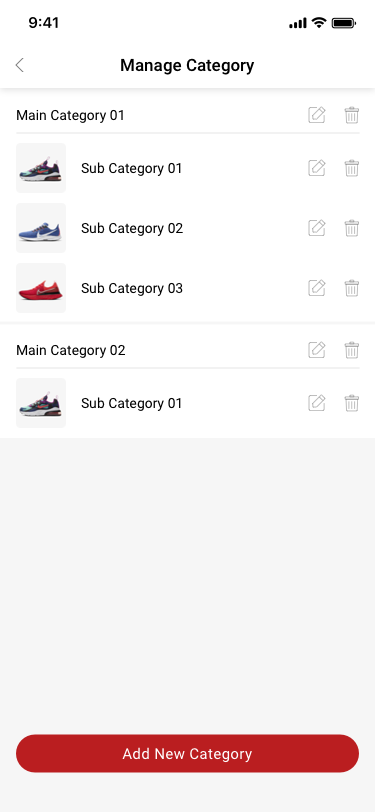
Product category selection
Product inventory list

Five outcomes. One connected merchant experience.

SET UP

From registration to a payment-ready store.

Progressive setup connects account creation, store details, financial services, and recovery states.

Registration form
Store setup form
Successful NIUM application
OPERATE

Role-aware tools keep daily work focused.

Owners and managers can move between orders, products, availability, and store operations without confronting the entire system at once.
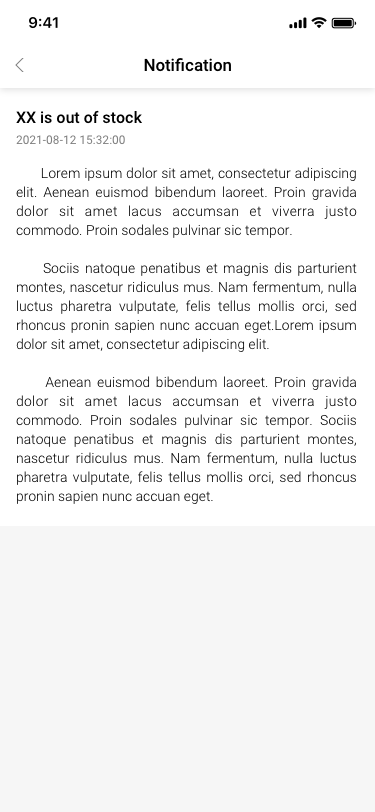

Online order list
Product and stock status list
Out-of-stock notification
A customer completing an online purchase at home using a phone and laptop

THE MOMENT OF ONLINE PURCHASE

Simple for the shopper. Traceable for the merchant.

The experience connects online checkout, order status, payment history, wallet activity, and settlement.
GROW

Customer activity becomes part of operations.

Profiles, membership, points, and coupons share a connected model instead of living in separate marketing tools.
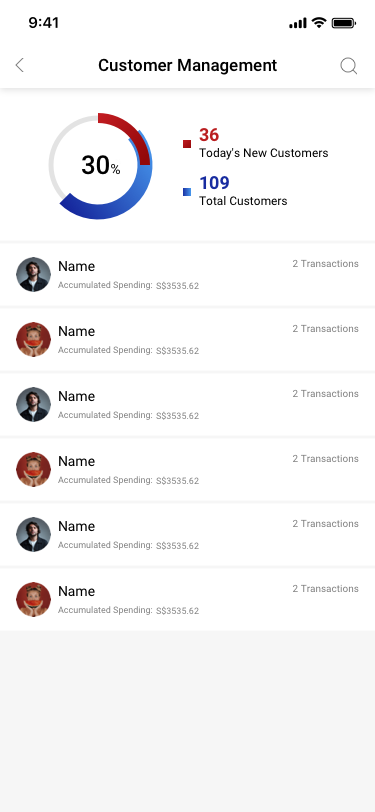
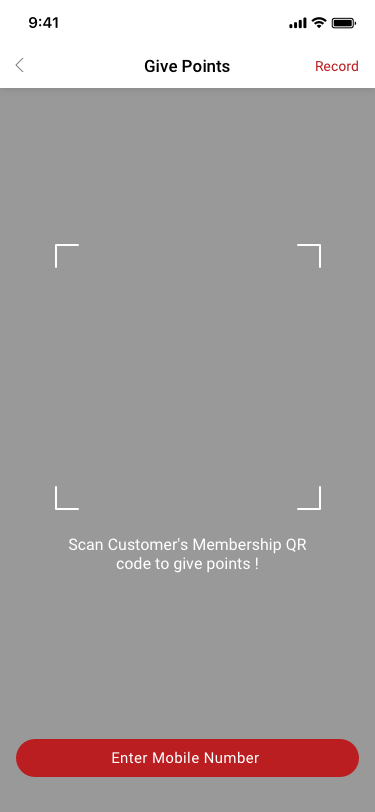
Customer management
Give loyalty points
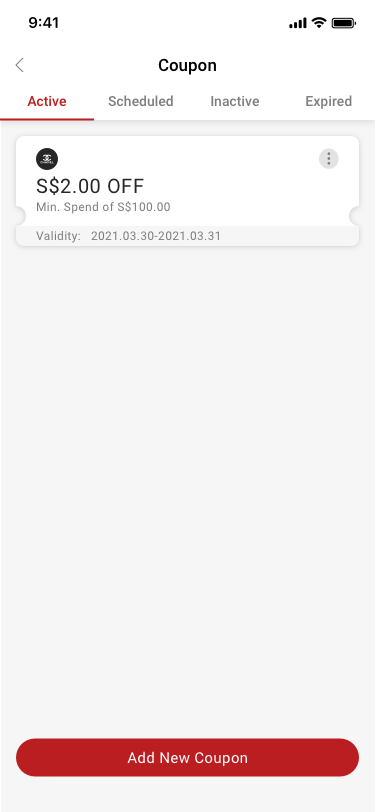
Active coupon list
SETTLE

Money stays traceable after checkout.

Analytics, transactions, wallet, cards, and settlement connect sales activity to financial reconciliation.
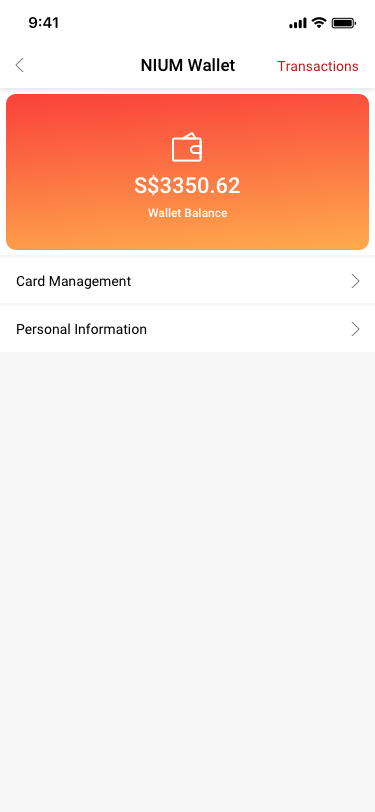
Business analytics
NIUM wallet
Settlement detail

A system designed around roles, states, and reusable decisions.

SCash needed more than visual consistency. I organized foundations, interaction primitives, components, and workflow patterns so merchants could transfer what they learned between commerce, customer, and finance modules while engineering and QA worked from shared rules.

  1. 01Audit

    Inventory retained production UI and identify repeated decisions

  2. 02Define

    Set foundations, component anatomy, variants, and states

  3. 03Compose

    Combine components into views and operational patterns

  4. 04Document

    Capture rationale, usage guidance, and implementation rules

  5. 05Evolve

    Review with product, engineering, and QA as the product grows

01

Basic elements

Colour, typography, sizing, spacing, and iconography

A stable visual vocabulary
02

Components

Forms, buttons, tabs, status, navigation, and list rows

Reusable pieces with defined states
03

Views

Dashboard, setup, overview, and detail compositions

Components working together in context
04

Patterns

Creation, filtering, recovery, and financial tracing

Consistent interaction across modules

Foundations translated brand into implementation rules.

Representative documentation reconstructed from retained production screens.

Semantic colour

Brand / Action#D1202A
Primary Ink#151719
Surface#FFFFFF
Subtle Surface#F2F3F5

Type hierarchy

Page titleMerchant operations
Section titleSettlement details
Body / Data

S$3,535.62 · Completed

LabelTRANSACTION AMOUNT

Spacing and shape

4–8
Inline relationships
12–16
Component padding
24–32
Section grouping
FieldCardStatus

Components document anatomy, variants, and behaviour.

The same interaction grammar supports different objects without forcing every module into an identical screen.

Production pattern library
COMPOSITE COMPONENT

Financial record row

Settlement / AlipayS$3,535.62Completed
123
  1. 1
    Identity

    Object and payment channel

  2. 2
    Primary data

    Tabular amount aligned for scanning

  3. 3
    State

    Text label plus semantic colour

ACTION

Button anatomy and hierarchy

High-emphasis task
Alternative action
Unavailable state
FEEDBACK

Semantic status

PendingCompletedRejected
INPUT

Form anatomy

Required label · persistent value · clear boundary
NAVIGATION

Stateful tabs

ActiveScheduledInactiveOut of Stock
ACTION SYSTEM

Button hierarchy is defined across every interaction state.

Primary and secondary actions share the same dimensions and content rules. Emphasis changes through colour, border, and state—not through changing the button footprint.

VariantDefaultHoverPressedFocusLoadingDisabled
PrimaryOne per task view
SecondaryAlternative action
Height
44 px minimum touch target
Content
Action-led label, optional leading icon
Focus
Visible 3 px keyboard indicator
Loading
Preserve width and communicate progress

One component model, reused across operational contexts.

Reuse was defined by shared behaviour and anatomy, not visual similarity alone.

ComponentApplied inVariantsState rule
Action buttonStore setup, checkout, service activationPrimary / SecondaryDefault / Pressed / Disabled
Status tagOrders, products, applications, settlementPending / Completed / RejectedText and semantic colour
Form fieldOnboarding, store, product, complianceRequired / Optional / Read-onlyDefault / Focus / Error
List rowOrders, customers, transactions, settlementEntity / Summary / FinancialStatus visible before drill-down
Original product assets

Iconography remained recognizable while components carried interaction logic.

Give Points icon from the SCash source file
Give Points
Points Balance icon from the SCash source file
Balance
Top Up Request icon from the SCash source file
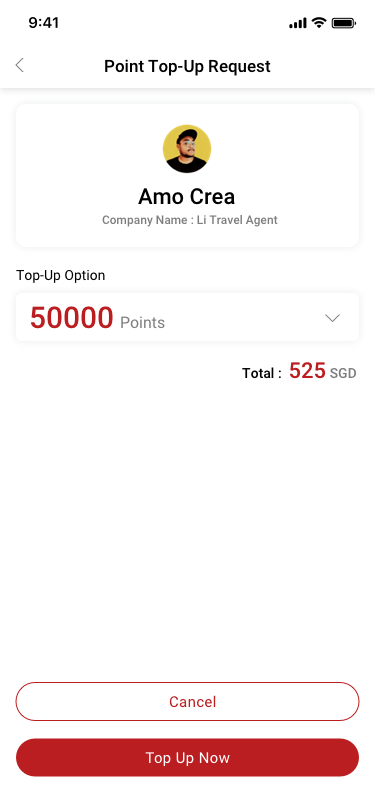
Top Up

Documentation turns a component library into a shared language.

Each reusable decision was prepared for discussion with product, engineering, and QA. The system records what a component is for, how it changes, and how teams know it is implemented correctly.

Rationale
Why the pattern exists and which user problem it solves
Usage
When to use it, when not to use it, and content guidance
Specification
Anatomy, spacing, variants, states, and accessibility behaviour
Delivery
Engineering review, QA acceptance criteria, and ongoing updates

One designer. Continuous cross-functional decisions.

I owned the end-to-end experience while product, engineering, QA, project leadership, and the client-facing lead contributed business, technical, and delivery perspectives.

  1. Business requirements
  2. Product definition
  3. User flows and IA
  4. Engineering review
  5. Design and prototype
  6. Handoff and QA
  7. Release
Company Creator dashboard
Online order workflow
Settlement details
0-to-1Commercial product
Production launch
DELIVERED OUTCOME

From a broad business vision to a production-ready merchant platform.

SCash connected commerce, customer operations, payment services, and financial records into one role-aware mobile system.

  • Separate owner and store-manager experiences
  • End-to-end workflows from activation through settlement
  • Multiple payment-channel and financial-service states
  • Shared UI patterns and developer handoff
DELIVERY IN NUMBERS

Evidence of scope, ownership, and execution.

Only figures that can be supported by the retained source file and project record are shown.

226Retained production artboards

Documented screens and product states remaining after source-file cleanup.

4Months

From product definition through design, handoff, QA, and launch preparation.

1Product Designer

Sole ownership of user flows, IA, interaction design, UI, and developer handoff.

8Team members

Cross-functional collaboration across product, engineering, QA, leadership, and client coordination.

No unverified adoption, revenue, task-time, or satisfaction metrics are included.

Complexity was not one problem. It was a set of connected constraints.

The design had to stay understandable while roles, store scope, payment services, product states, and financial records changed around it.
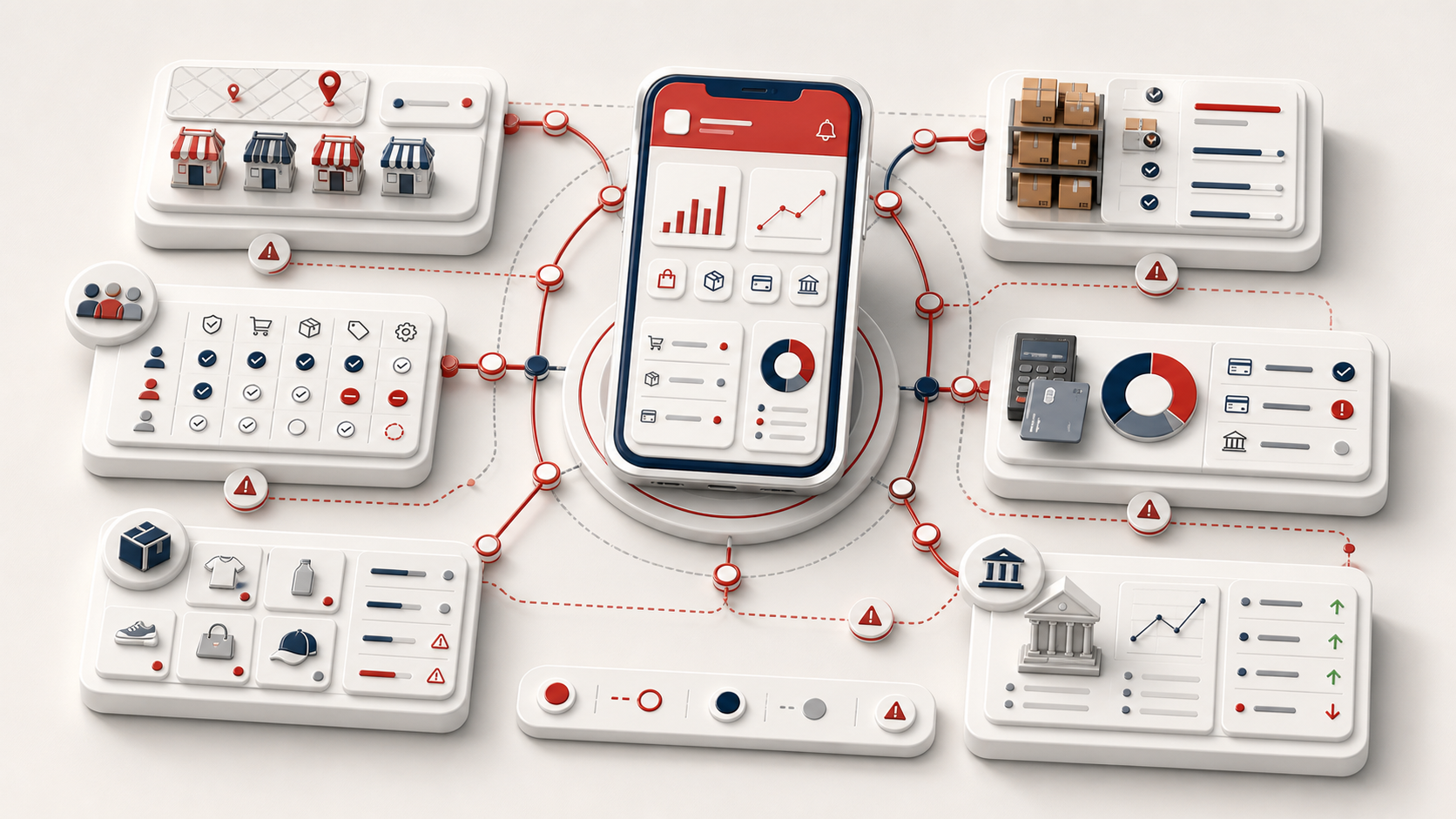
Isometric 3D SCash platform connecting stores, roles, inventory, orders, payments, and settlement constraints
01

Feature breadth

Balance everyday speed with a platform covering commerce, finance, customer, and administration.

02

Role safety

Expose the right level of information and control to Company Creators and Store Managers.

03

Financial states

Represent activation, payment, refund, transaction, wallet, and settlement without ambiguity.

04

Delivery pace

Build a coherent system in four months as the sole designer within an eight-person team.

Measure the operating system, not only individual features.

If continuing the 2021 version, I would validate success at cross-module moments where merchants move between setup, operations, and finance.

  1. 01Merchant activation funnel

    Measure completion and abandonment across account, store, and payment setup.

  2. 02Role-based personalization

    Let owners and managers tune shortcuts without weakening permission clarity.

  3. 03Operational analytics

    Connect product, order, customer, and settlement signals into actionable insights.

  4. 04Cross-device continuity

    Extend key owner workflows to larger-screen reporting and administration.

The most important design was the model connecting the screens.

Store Manager home
SCash wallet
Validated

Role and task state mattered more than a flat feature hierarchy.

Owners and managers required different priorities, information, and controls.

Not fully validated

External merchant evidence was not retained.

The published case study separates stakeholder and QA validation from formal user testing.

Constraints

Four months, one designer, and a large interconnected scope.

Financial dependencies and edge states increased the need for systematic decisions.

Next

Formalize roles, components, and analytics earlier.

Future work would add milestone-based merchant validation and success measurement.

From a broad platform vision to production-ready workflows.

The work progressed through four connected stages. Each stage below uses large screens from the cleaned Sketch file so the interface, state changes, and design decisions remain readable.

  1. 01StructureDefine roles and product scope
  2. 02ExploreSequence core workflows
  3. 03ValidateReview states and recovery
  4. 04DeliverPrepare implementation and QA
STRUCTURE

Separate business oversight from store execution.

I translated the platform scope into two role-aware home experiences. The structure stays familiar, while information and controls change with responsibility.

Business visibility

Revenue, orders, stores, products, and financial services in one overview.

Role-aware access

Company-level tools remain distinct from daily store operations.

Company Creator dashboard used to define role structure
Stable navigation

Frequent destinations remain predictable as the product expands.

Action hierarchy

Primary work appears before lower-frequency administration.

EXPLORE

Make every dependency visible before polishing the UI.

The activation journey connects account creation, store setup, payment-service application, and recovery. Numbered screens make the sequence explicit.

SCash registration screen
01Create account

Establish identity and access.

SCash store creation screen
02Create store

Connect business and operating details.
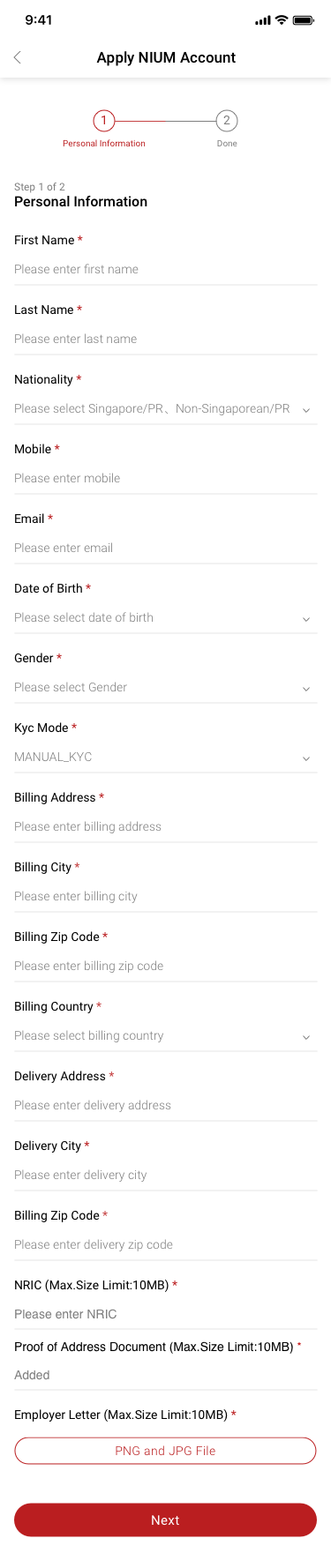
SCash NIUM application screen
03Activate services

Collect the information required for payment readiness.

VALIDATE

Review the non-ideal paths as carefully as the happy path.

Prototype and QA reviews examined what merchants would see when a service was unavailable, more information was required, or an application reached a final state.

Payment channel not activated state

Before activationExplain why the service is unavailable and how to proceed.

NIUM request for information state

Needs attentionTurn compliance uncertainty into a specific next action.

NIUM application success state

ResolvedConfirm completion and return the merchant to operations.

DELIVER

Connect the implementation handoff to the complete financial story.

Final review linked order state, transaction history, and settlement detail. Shared patterns and explicit states gave engineering and QA a common source of truth.

SCash online order queue
01Process

Recognize status and take the next action.

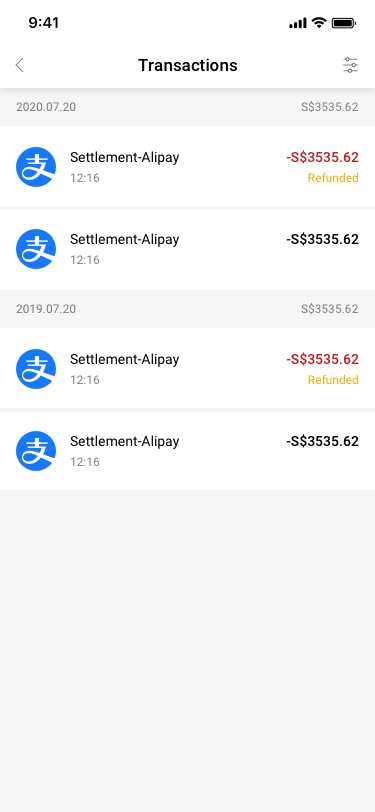
SCash transaction history
02Trace

Find the recorded payment and refund state.

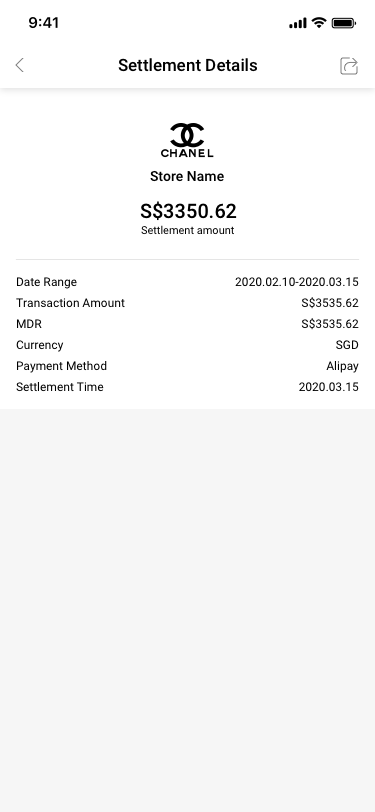
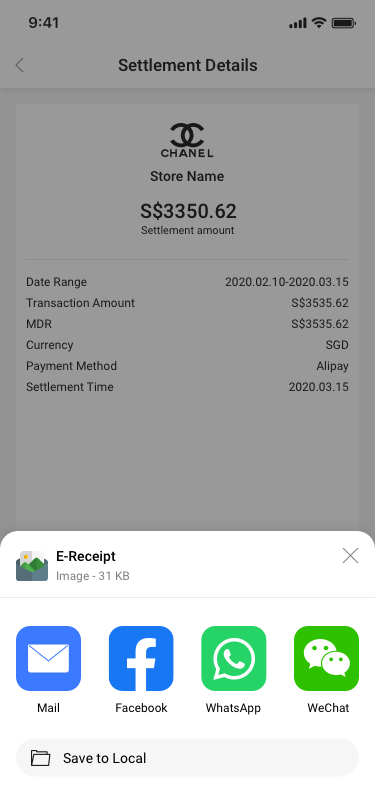
SCash settlement detail
03Reconcile

Verify amount, method, date, and settlement time.

226 artboards → 223 unique screens

Every mobile screen was re-exported from the cleaned Sketch source. Three small icon artboards were excluded from the screen archive; visually distinct interaction and system states were preserved even when their source names were similar.

COMPLETE PRODUCT RECORD

The full system, organized by merchant workflow.

223 unique mobile screens are grouped below by product area. The gallery keeps each interface large enough to inspect while preserving the full breadth of the 0-to-1 platform.

01

Access & setup

22 distinct screens and states
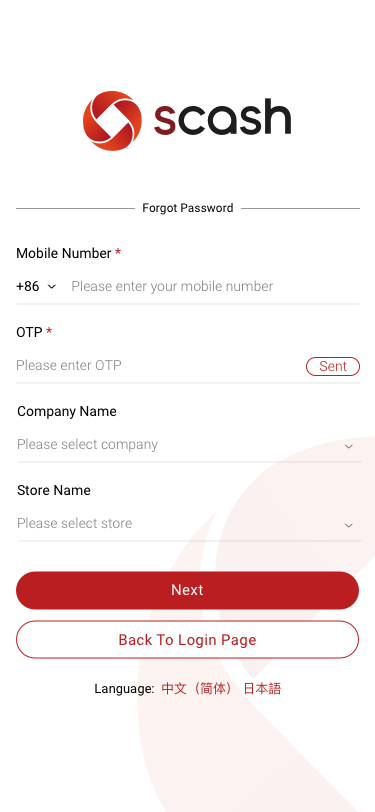
Forgot Password SCash screen
007Forgot Password
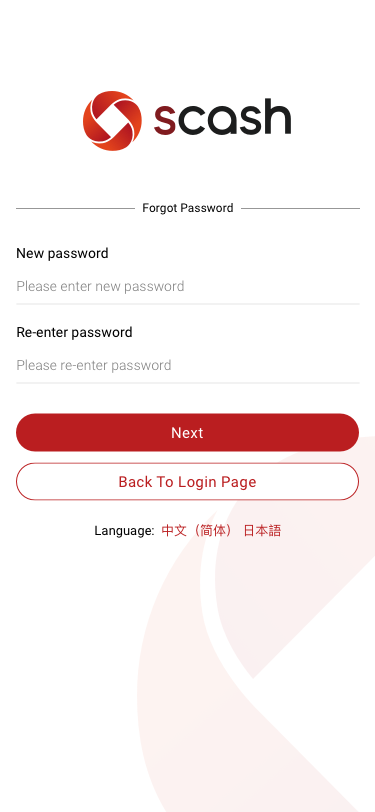
Forgot Password / set new password SCash screen
008Forgot Password / set new password
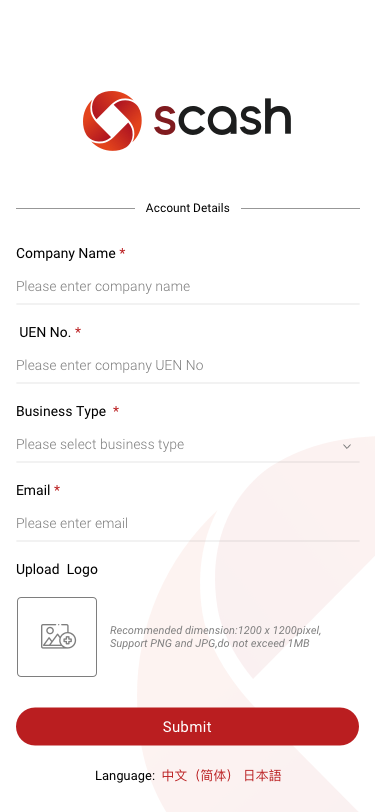
Account Details SCash screen
009Account Details
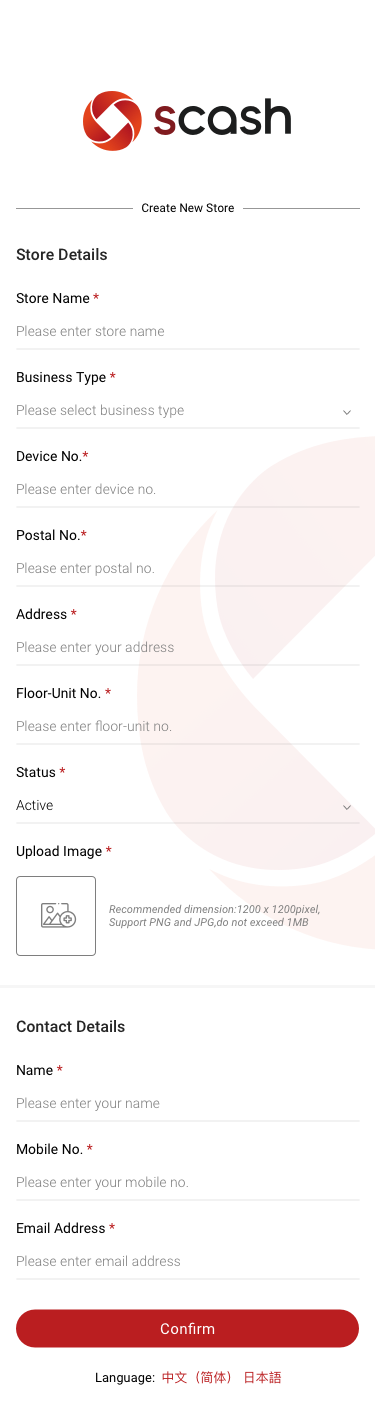
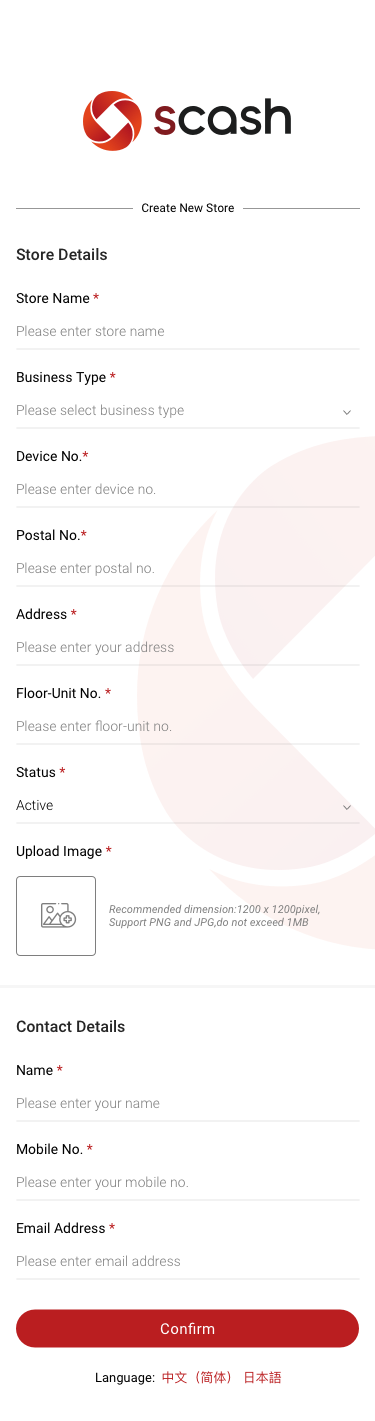
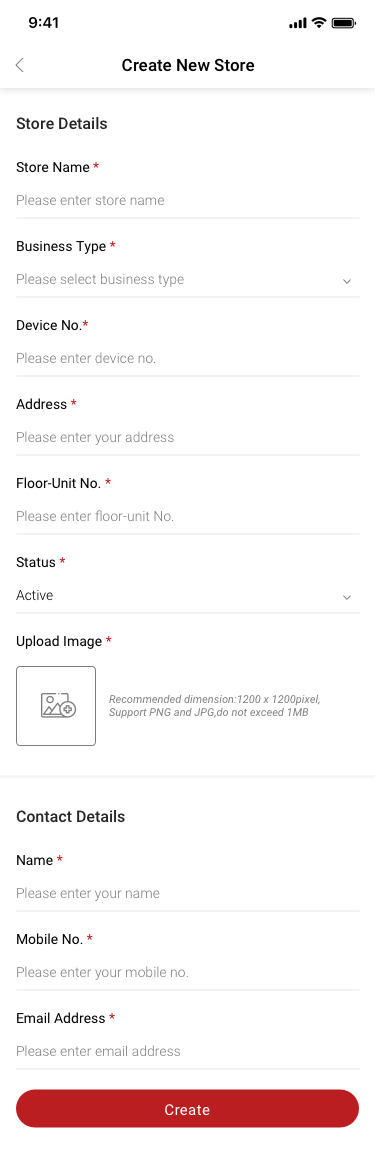
Create New Store SCash screen
010Create New Store
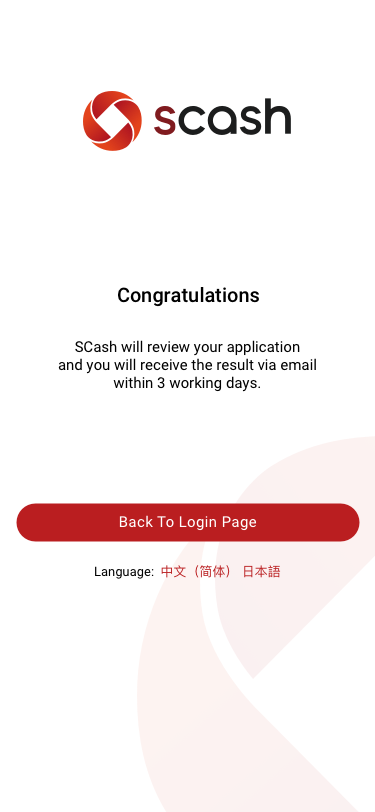
Congratulations SCash screen
011Congratulations
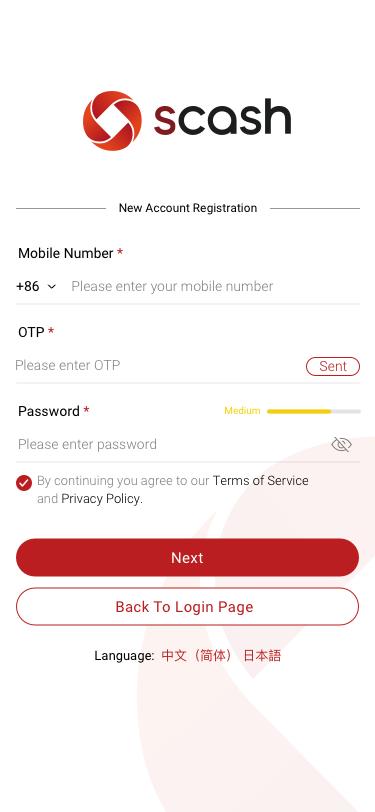
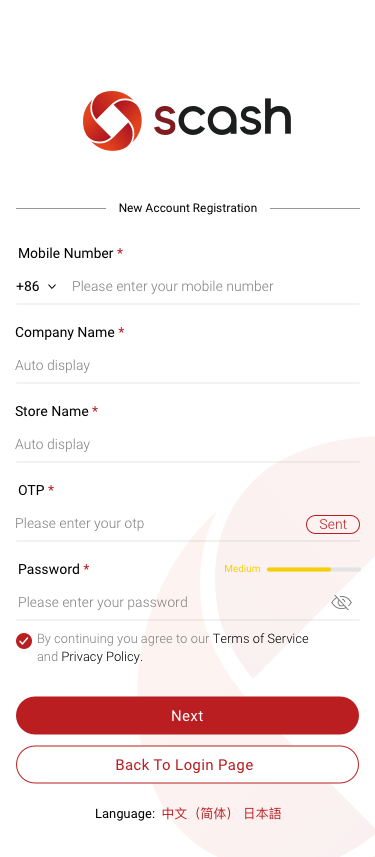
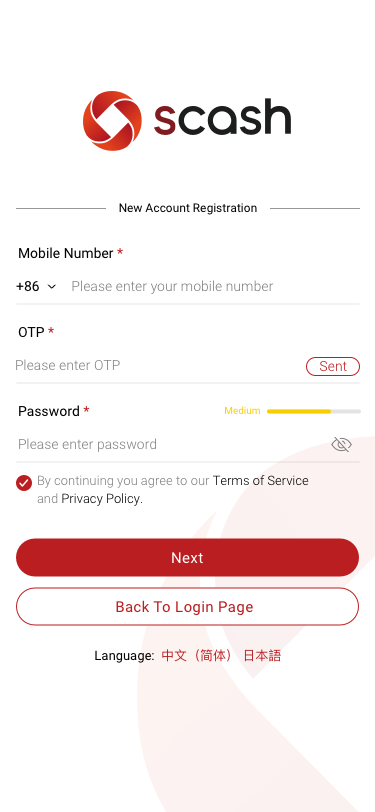
New Account Registration SCash screen
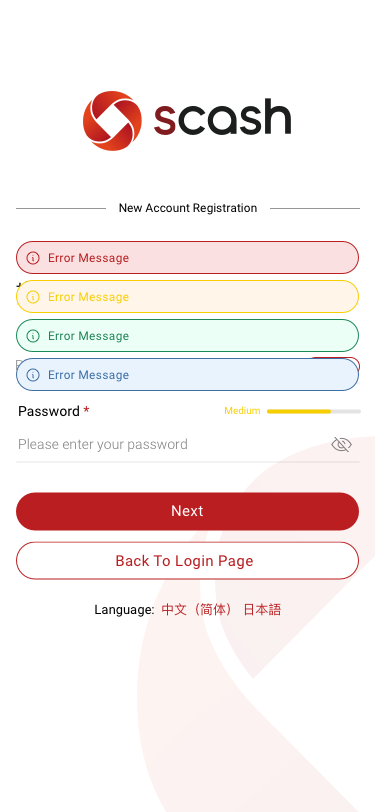
012New Account Registration
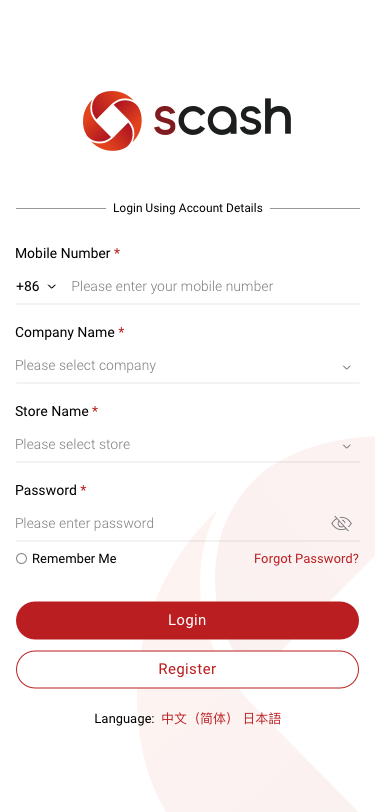
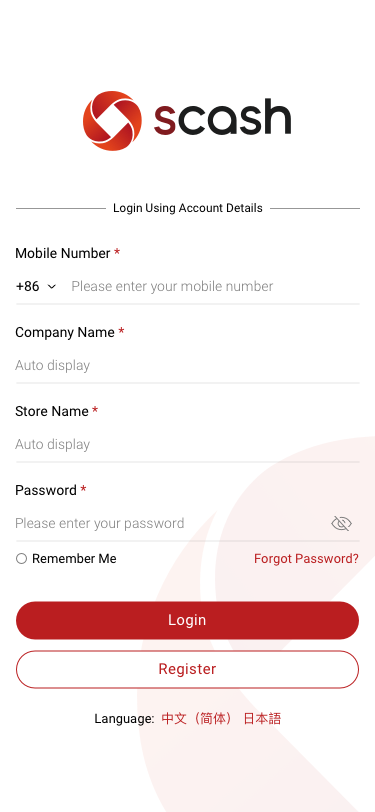
Login Using Account Details SCash screen
014Login Using Account Details
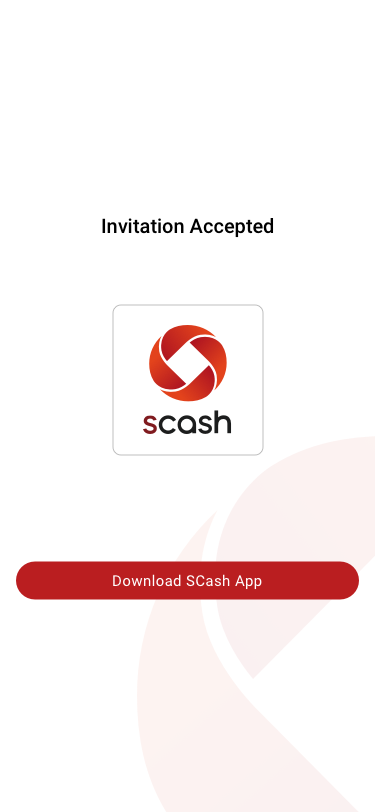
Store Manager / add storemanager / scan qr / Accept Invitation / new user SCash screen
100Store Manager / add storemanager / scan qr / Accept Invitation / new user
Store / Create New Store SCash screen
107Store / Create New Store
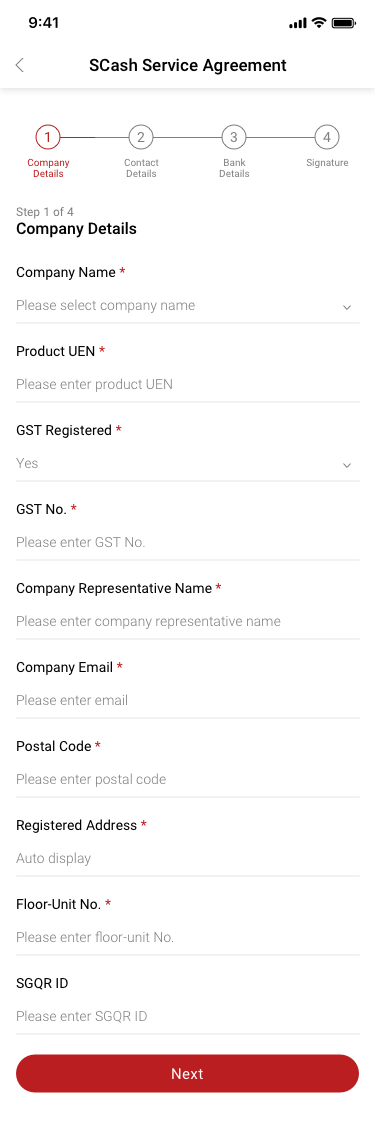
SCash Service Agreement 1Company Details SCash screen
138SCash Service Agreement 1Company Details
Alipay Payment 1 Company Details SCash screen
139Alipay Payment 1 Company Details
SCash Service Agreement 2Contact Details SCash screen
140SCash Service Agreement 2Contact Details
Alipay Payment 2 Contact Details SCash screen
141Alipay Payment 2 Contact Details
SCash Service Agreement 3Bank Details SCash screen
142SCash Service Agreement 3Bank Details
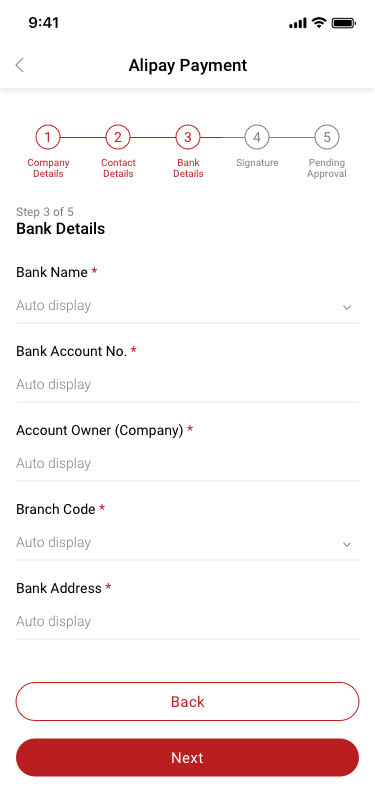
Alipay Payment 3 Bank Details SCash screen
143Alipay Payment 3 Bank Details
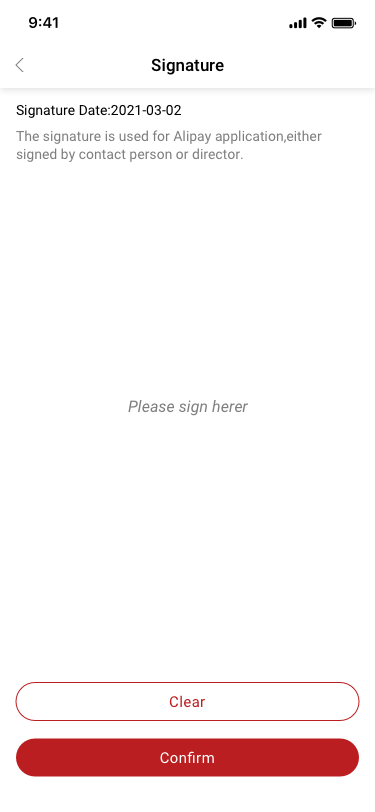
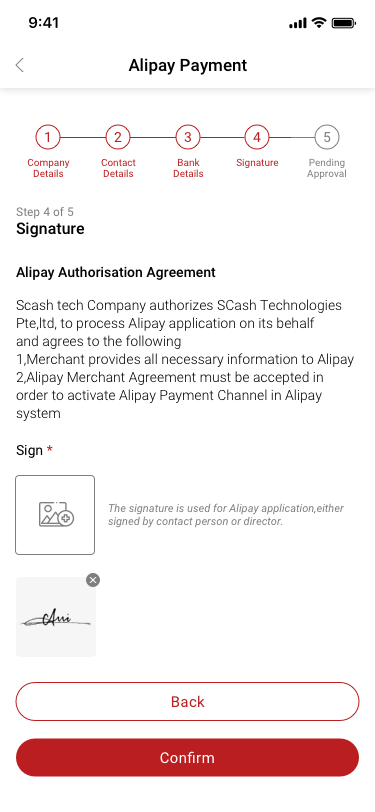
Alipay Payment 4 Signature / sign SCash screen
144Alipay Payment 4 Signature / sign
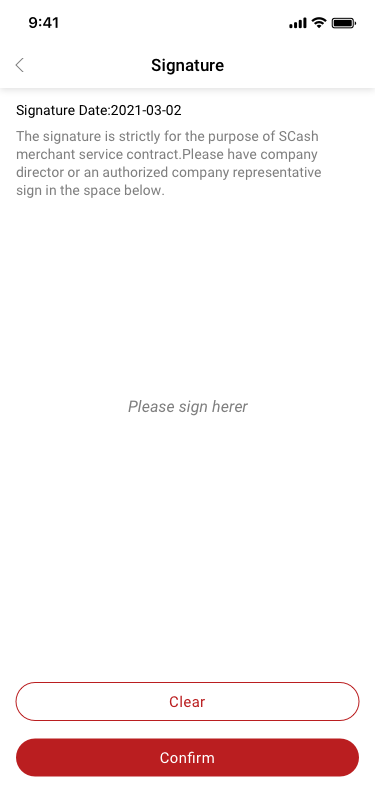
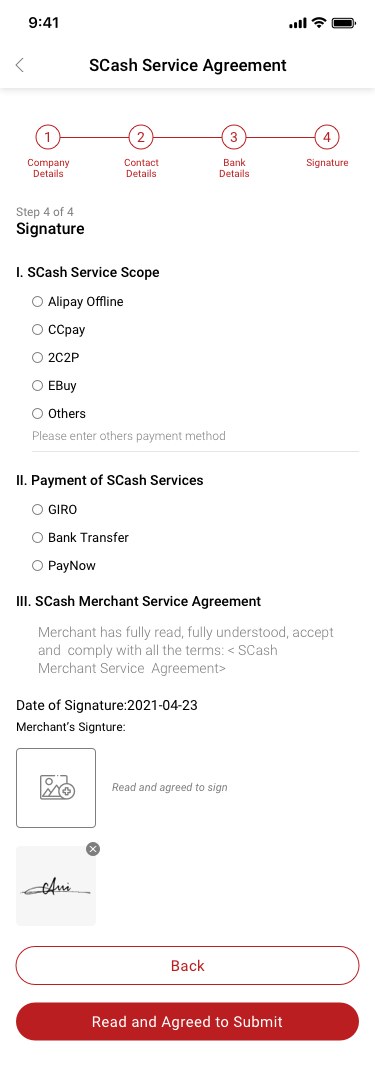
SCash Service Agreement 4Signature / sign SCash screen
145SCash Service Agreement 4Signature / sign
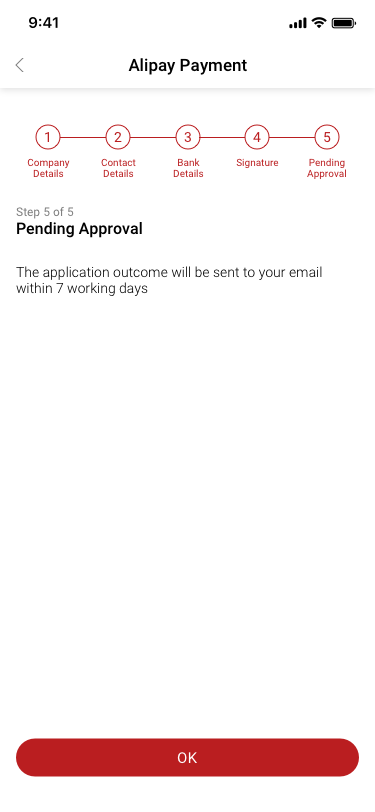
Alipay Payment 5 Pending Approval SCash screen
146Alipay Payment 5 Pending Approval
SCash Service Agreement 4Signature SCash screen
147SCash Service Agreement 4Signature
Alipay Payment 4 Signature SCash screen
148Alipay Payment 4 Signature
Store Manager / add storemanager / scan qr / Accept Invitation / sign up SCash screen
200Store Manager / add storemanager / scan qr / Accept Invitation / sign up
Store Manager / add storemanager / scan qr / Accept Invitation / log in SCash screen
201Store Manager / add storemanager / scan qr / Accept Invitation / log in
02

Dashboards & analytics

4 distinct screens and states

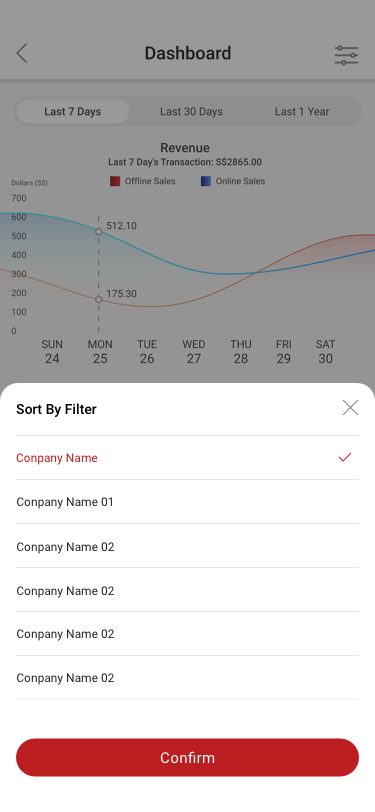
Dashboard / Sort by filter SCash screen
002Dashboard / Sort by filter
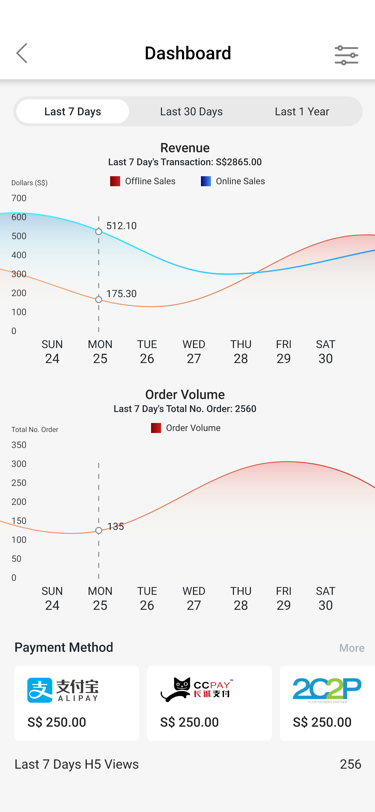
Dashboard SCash screen
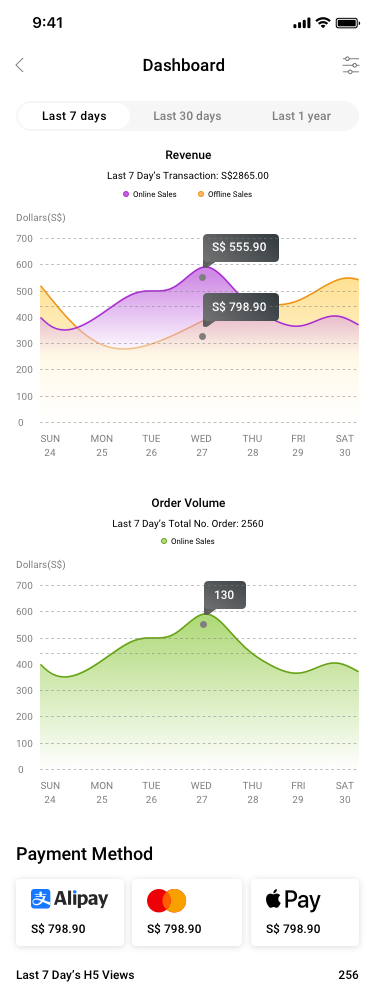
003Dashboard
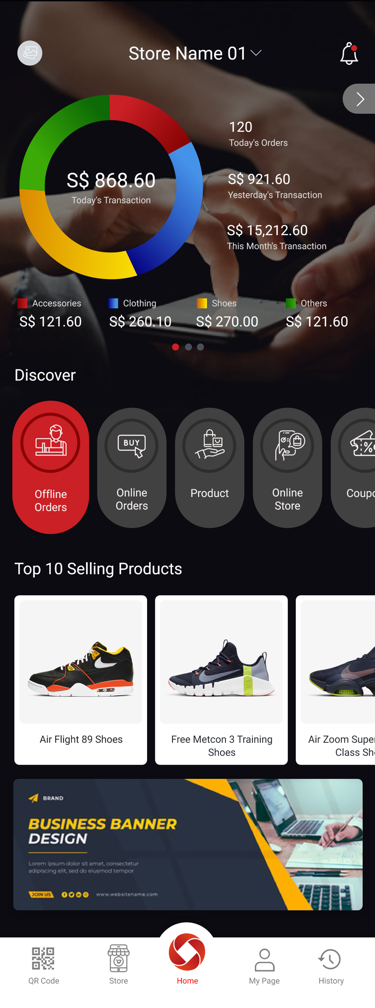
Home page for Store Manager SCash screen
004Home page for Store Manager
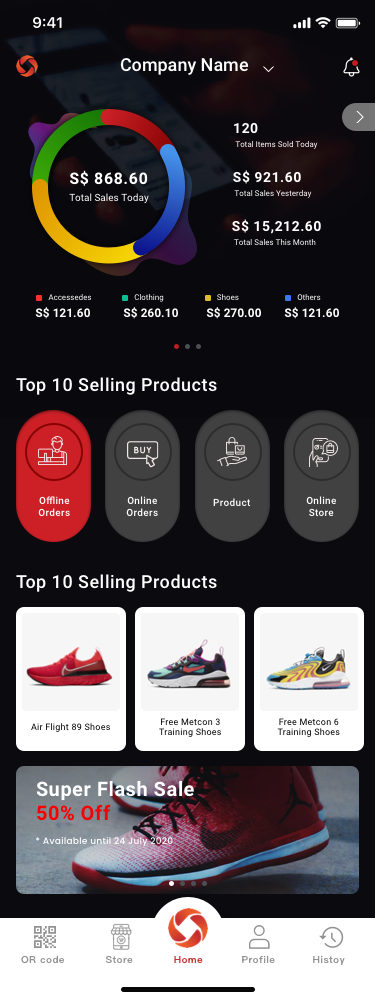
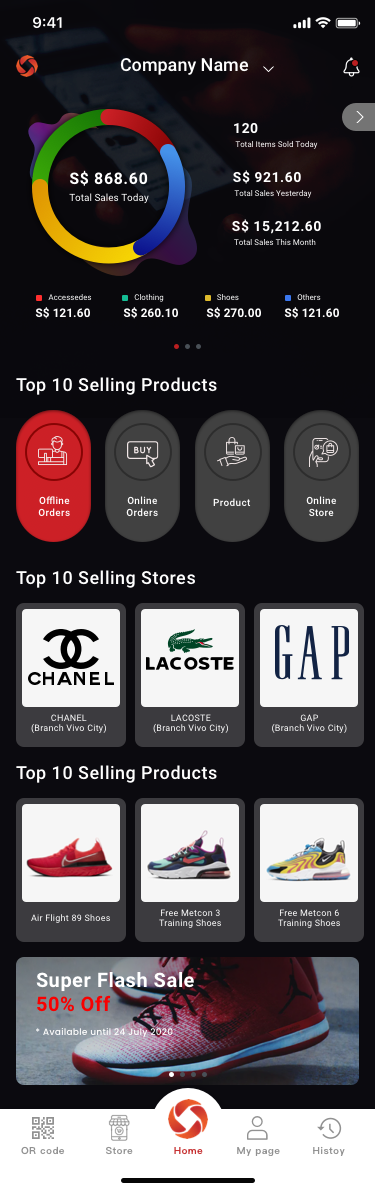
Home page for Company Creator SCash screen
005Home page for Company Creator
03

Financial services

16 distinct screens and states

Point Top Up Request SCash screen
059Point Top Up Request
Point Top Up Request_Secondary confirmation SCash screen
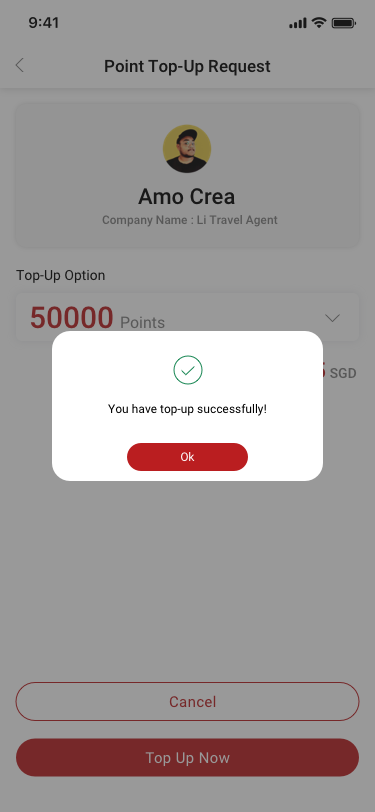
060Point Top Up Request_Secondary confirmation
My Page-NIUM Terms & Conditions SCash screen
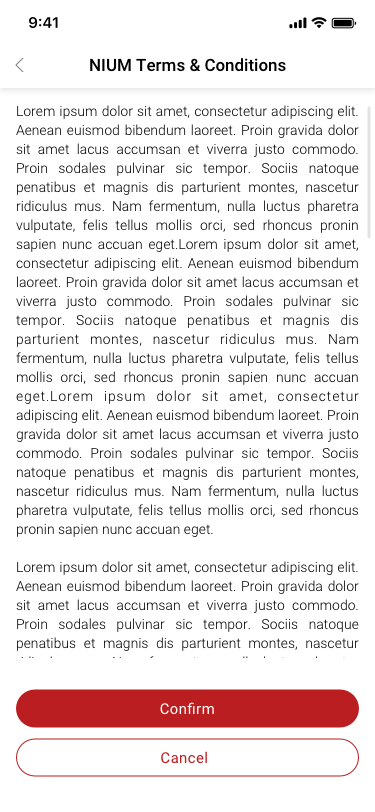
208My Page-NIUM Terms & Conditions
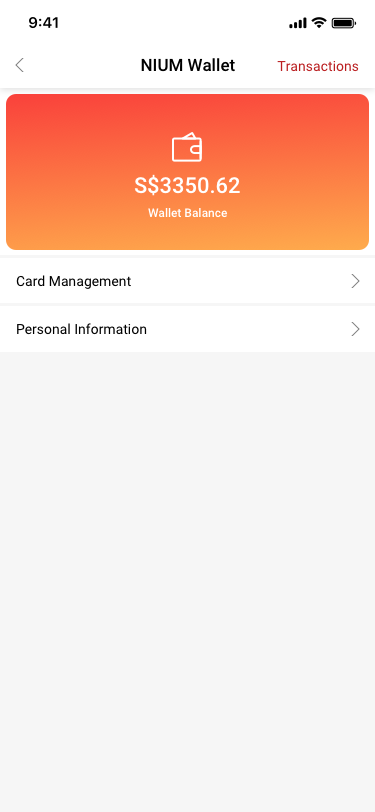
My Page-NIUM Wallet SCash screen
209My Page-NIUM Wallet
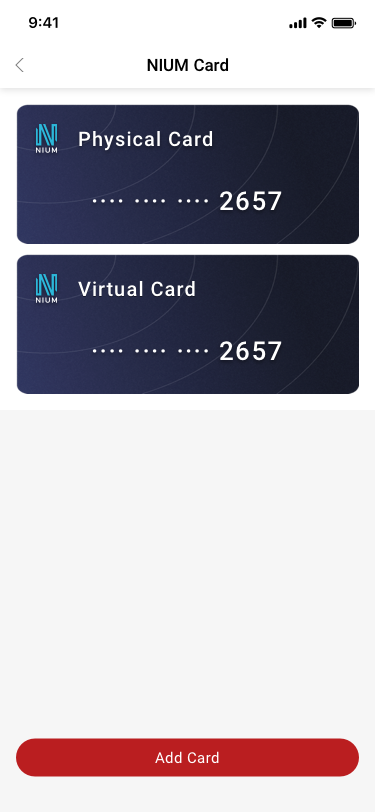
Card Management SCash screen
210Card Management
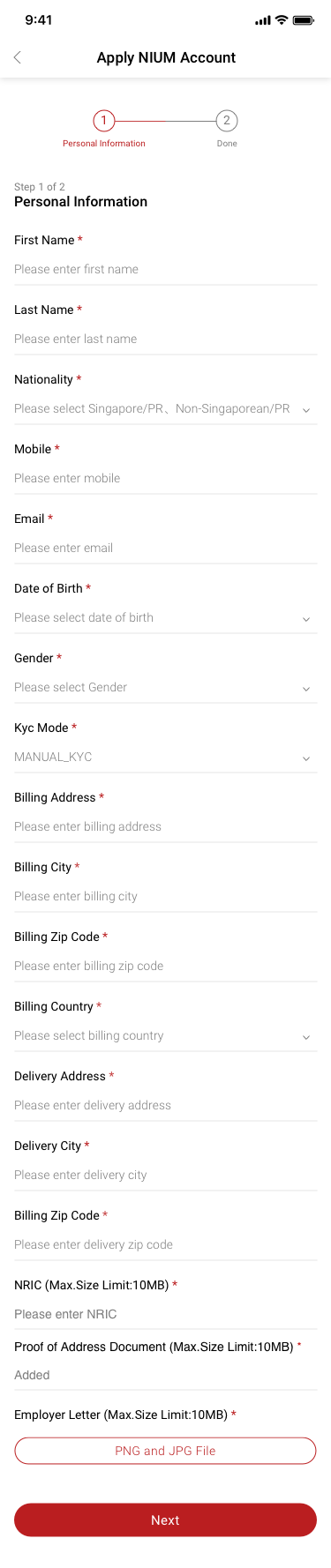
Apply NIUM Account SCash screen
211Apply NIUM Account
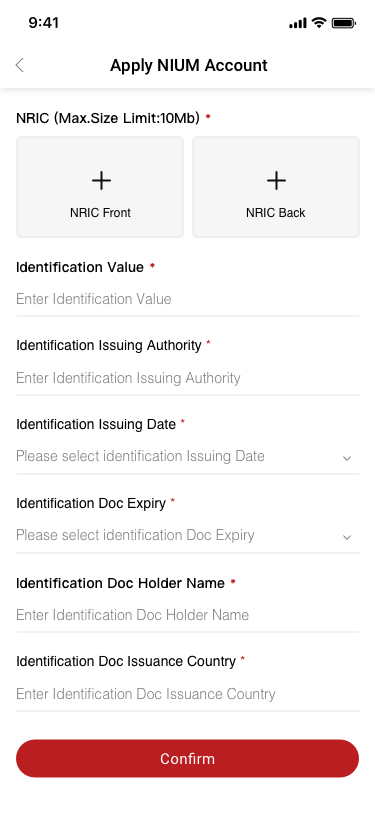
Apply NIUM Account SCash screen
212Apply NIUM Account
My Page-NIUM Wallet-Transactions SCash screen
213My Page-NIUM Wallet-Transactions
NIUM Applied Successfully SCash screen
215NIUM Applied Successfully
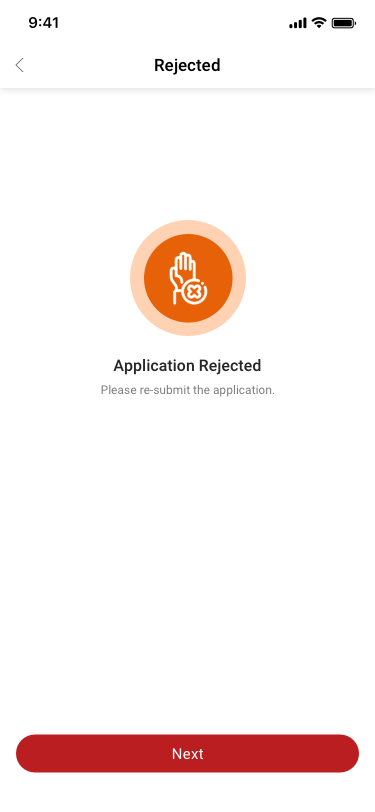
NIUM Applied Rejected SCash screen
216NIUM Applied Rejected
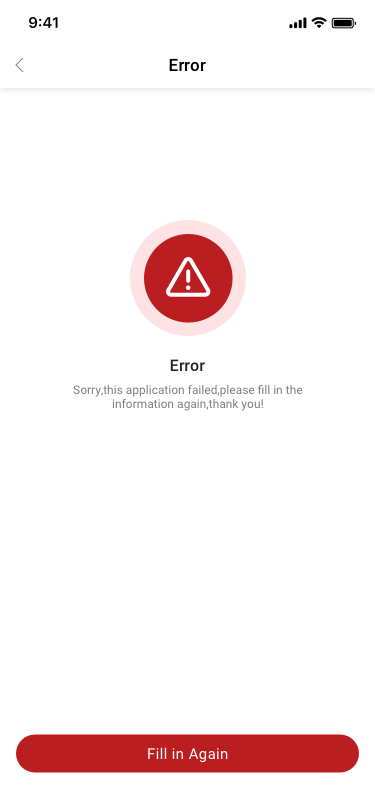
NIUM Applied Error SCash screen
217NIUM Applied Error
NIUM Applied RFI-Requested SCash screen
218NIUM Applied RFI-Requested
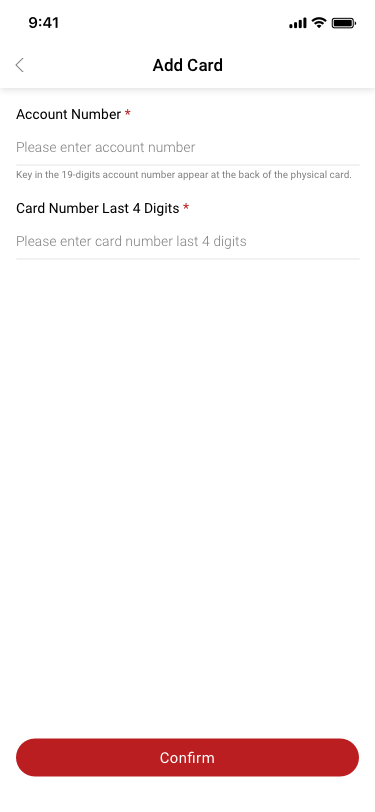
Assign/Activate Card SCash screen
220Assign/Activate Card
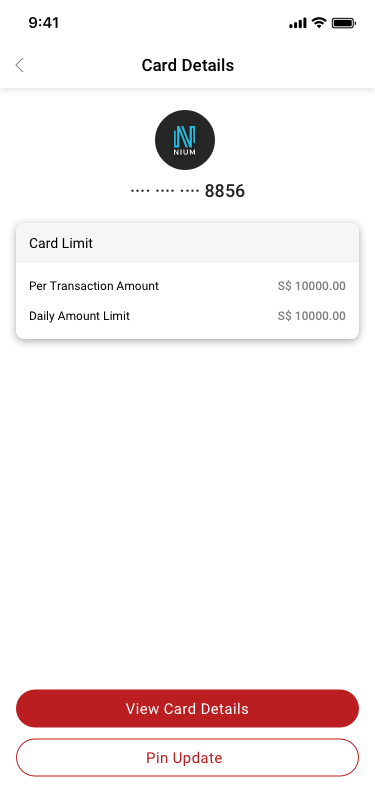
Card Details SCash screen
221Card Details
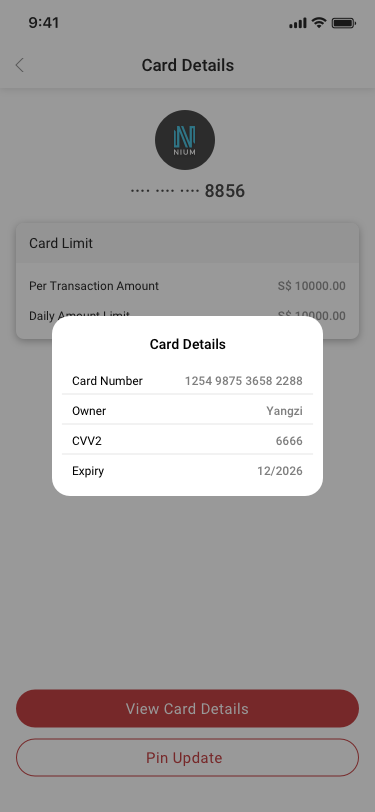
Card Details2 SCash screen
222Card Details2
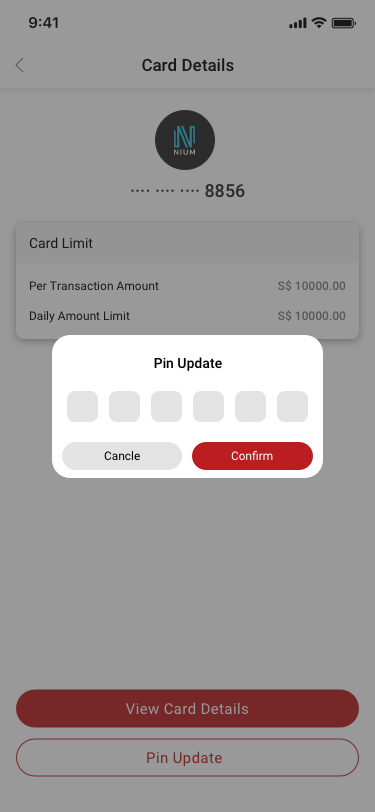
Pin Update SCash screen
223Pin Update
04

Online store & sharing

11 distinct screens and states

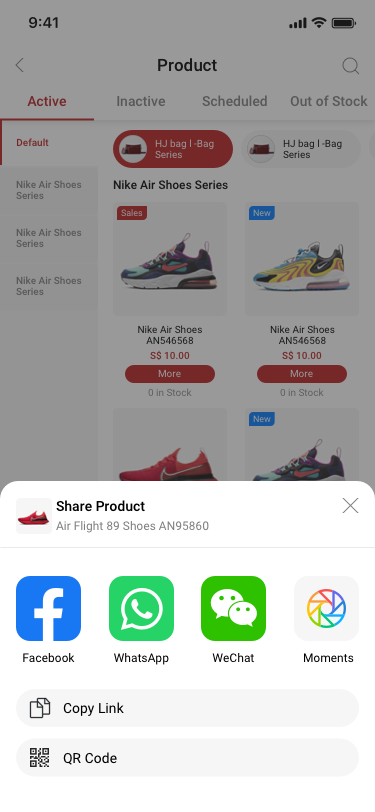
Company creator / product / share prpduct SCash screen
037Company creator / product / share prpduct
online store / QR store / more SCash screen
169online store / QR store / more
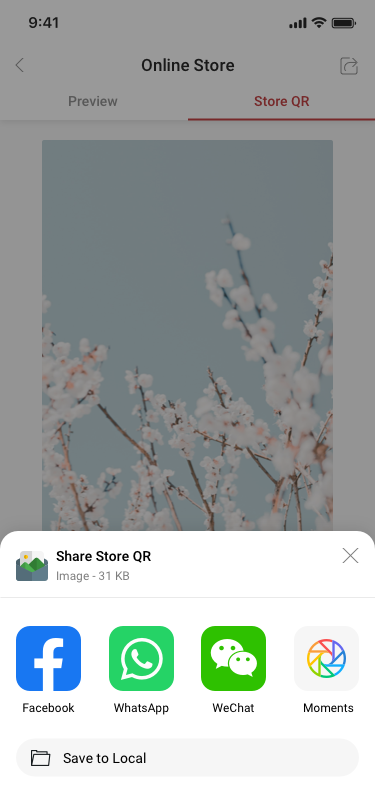
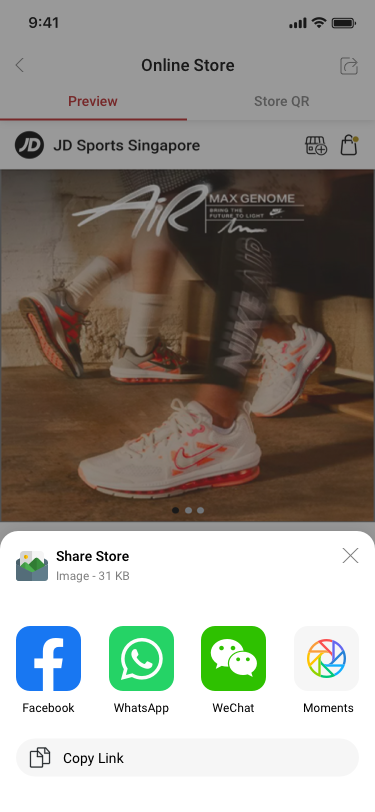
online store / QR store / share SCash screen
170online store / QR store / share
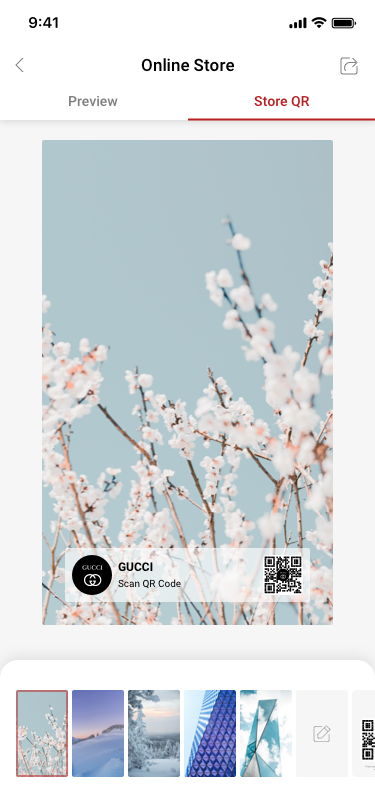
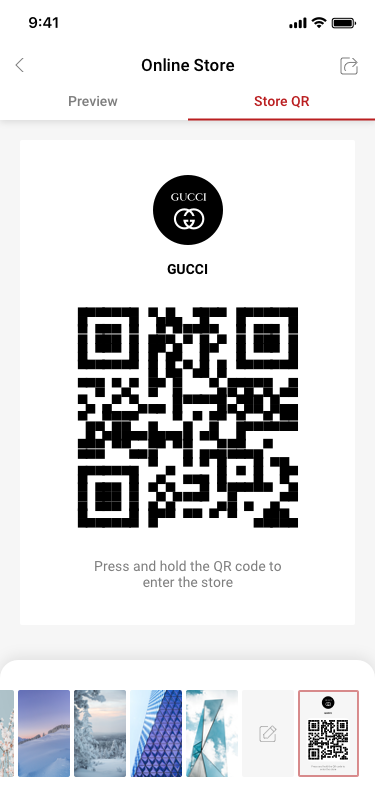
online store / QR store / just store qr SCash screen
171online store / QR store / just store qr
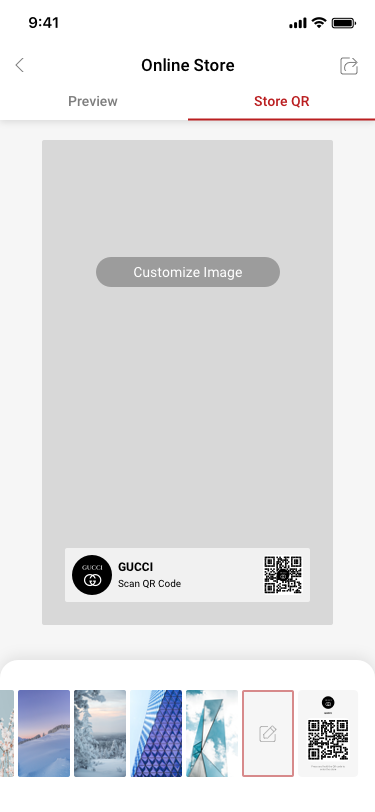
online store / QR store / Customize Image SCash screen
172online store / QR store / Customize Image
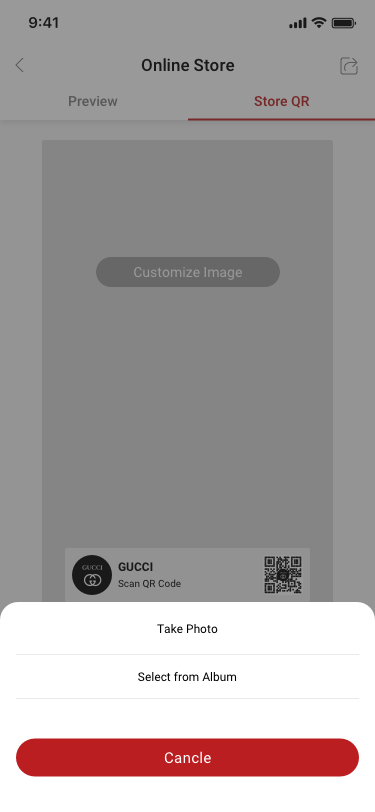
online store / QR store / Customize Image / select-take photo SCash screen
173online store / QR store / Customize Image / select-take photo
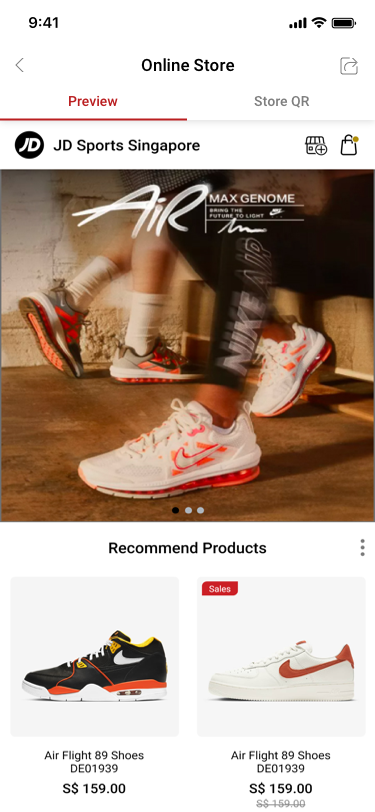
online store / Change Banner Image SCash screen
184online store / Change Banner Image
online store / Change Banner Image / share shop SCash screen
185online store / Change Banner Image / share shop
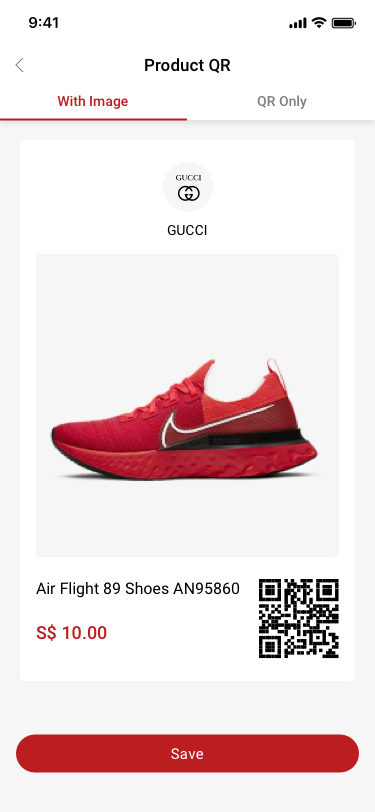
Company creator / product / share prpduct / QR code / With Image SCash screen
186Company creator / product / share prpduct / QR code / With Image
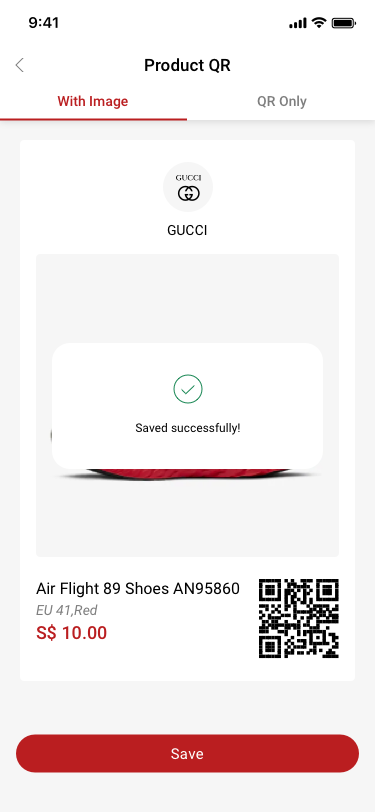
Company creator / product / share prpduct / QR code / With Image / Saved successfully! SCash screen
187Company creator / product / share prpduct / QR code / With Image / Saved successfully!
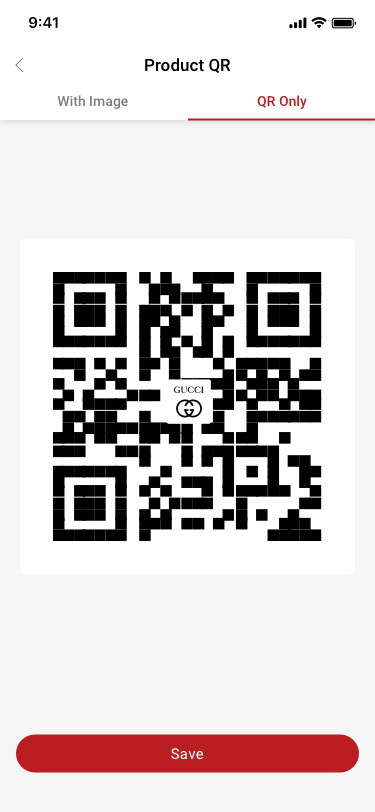
Company creator / product / share prpduct / QR code / QR Only SCash screen
188Company creator / product / share prpduct / QR code / QR Only
05

Customers & loyalty

22 distinct screens and states
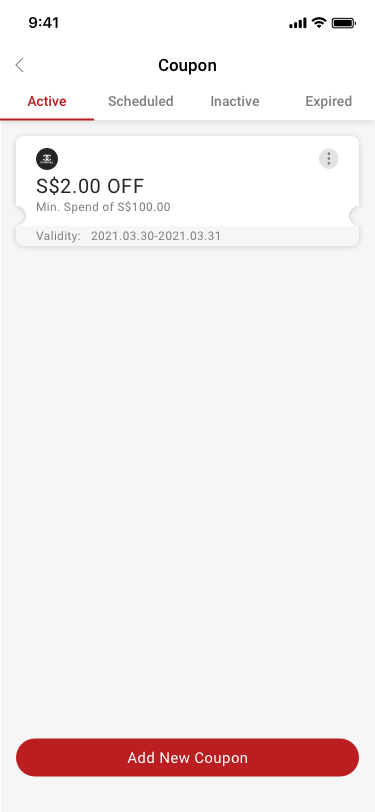
Coupon / active SCash screen
026Coupon / active
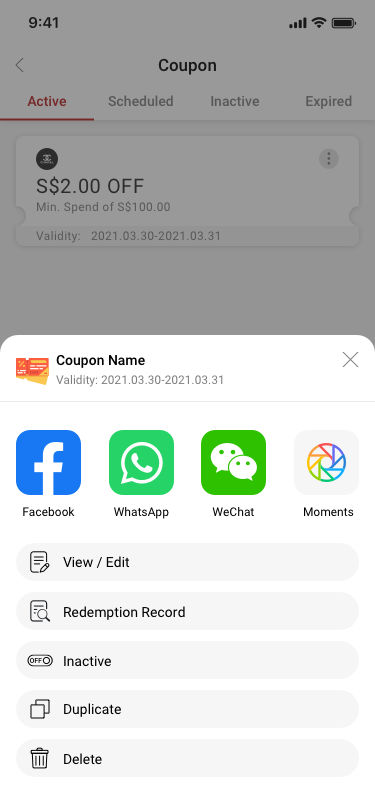
Coupon / more SCash screen
029Coupon / more
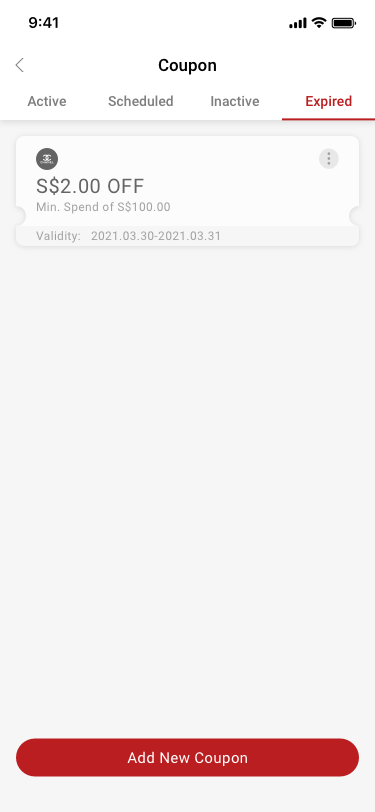
Coupon / expired SCash screen
030Coupon / expired
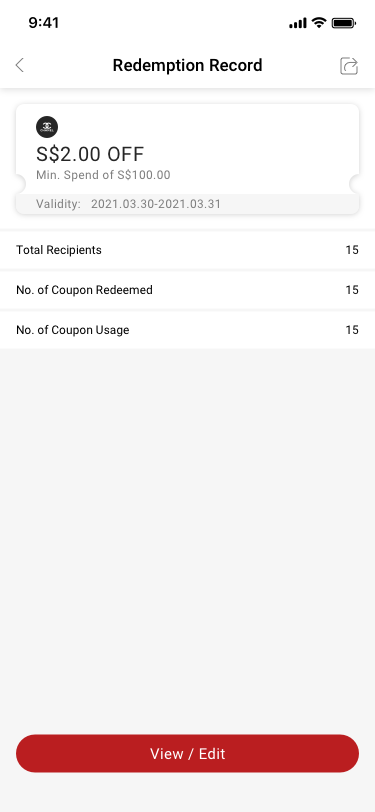
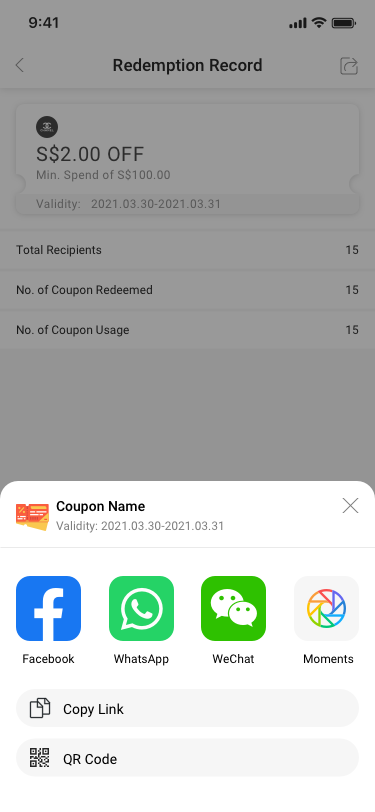
Redemption Record SCash screen
031Redemption Record
Redemption Record / Share SCash screen
032Redemption Record / Share
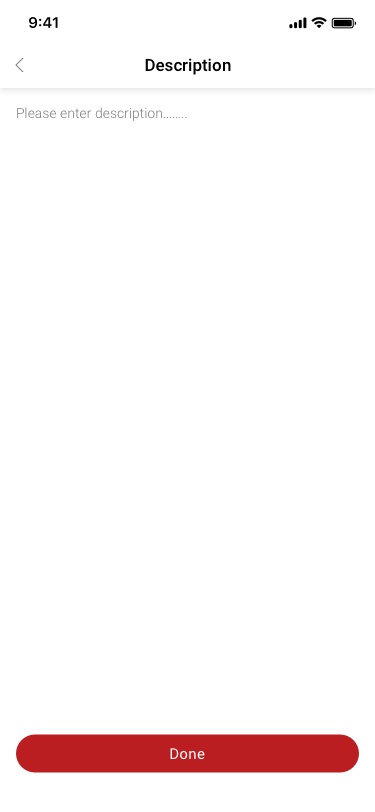
View / Edit Coupon / description SCash screen
033View / Edit Coupon / description
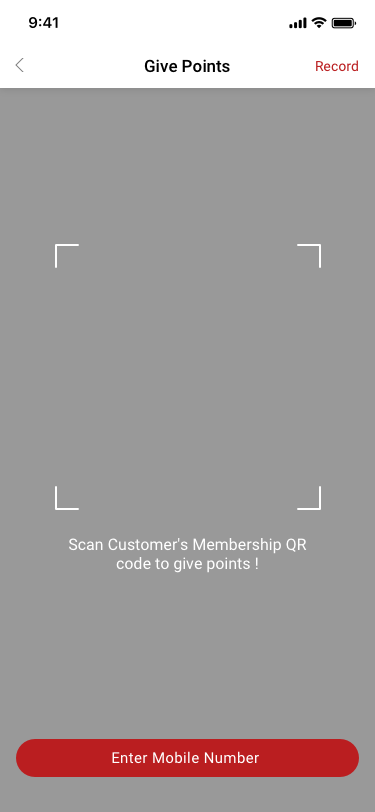
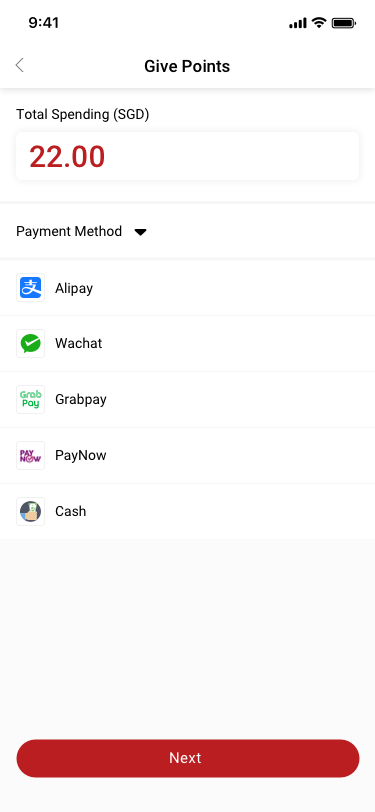
Give Points SCash screen
057Give Points
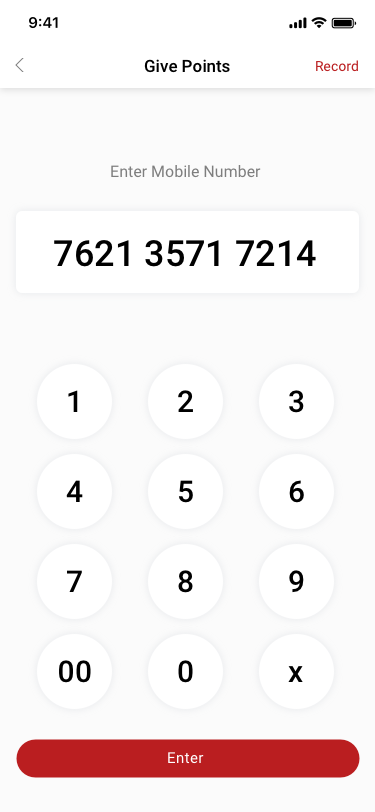
Give Points_Input Mobile Number SCash screen
058Give Points_Input Mobile Number
Give Points_Scan / Input Mobile Number SCash screen
061Give Points_Scan / Input Mobile Number
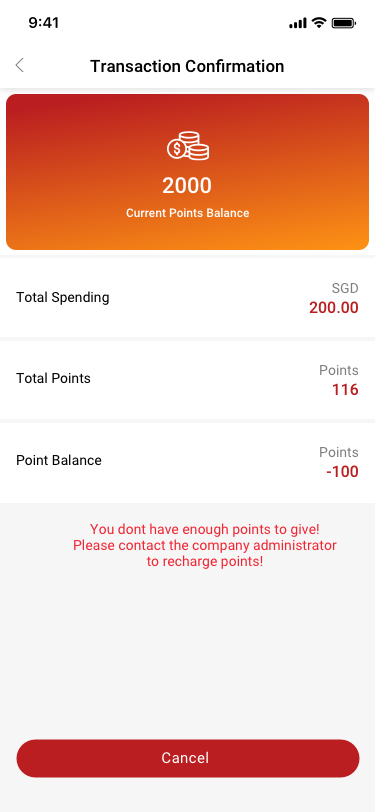
Transaction Confirmation(don’t have enough points ) SCash screen
063Transaction Confirmation(don’t have enough points )
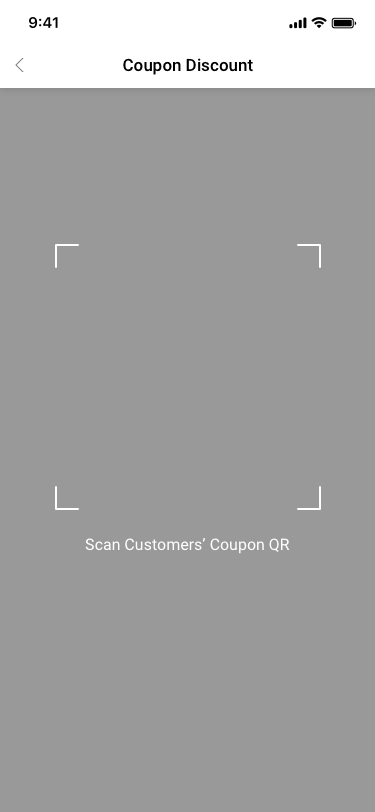
Scan Coupon QR Code SCash screen
069Scan Coupon QR Code
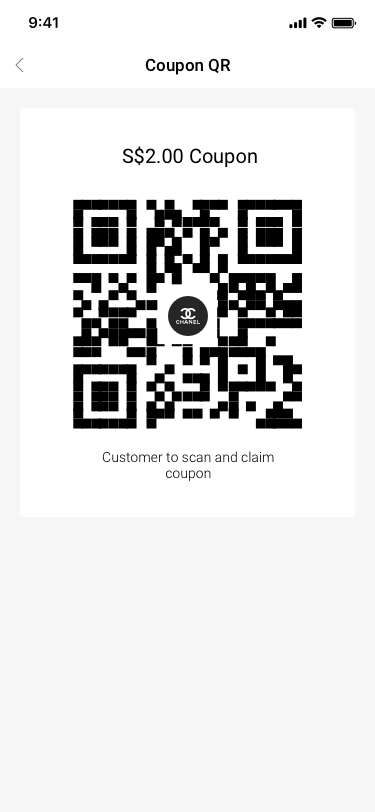
coupon / QR Code SCash screen
074coupon / QR Code
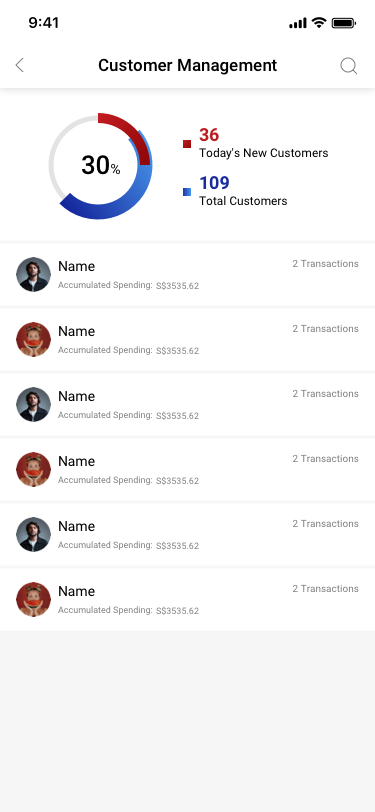
Customer Management SCash screen
075Customer Management
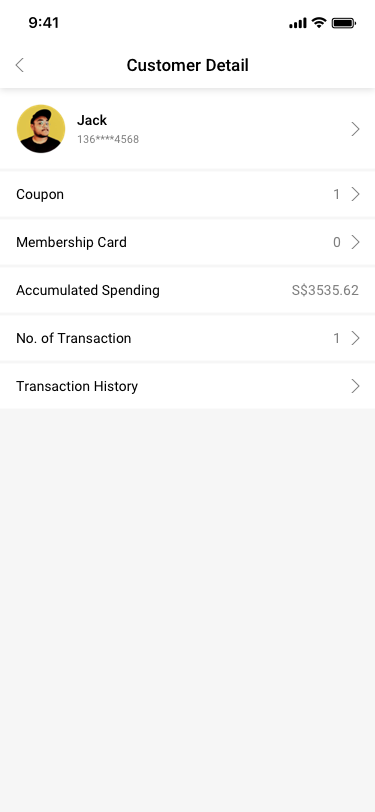
Customer Management / Customer Detail SCash screen
076Customer Management / Customer Detail
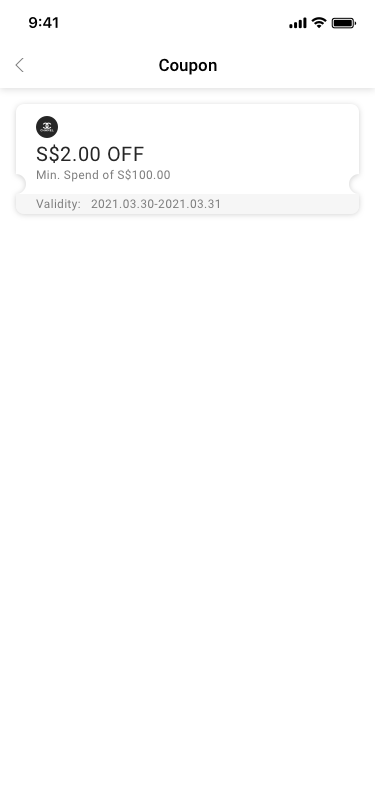
Customer Management / Customer Detail / Coupon SCash screen
077Customer Management / Customer Detail / Coupon
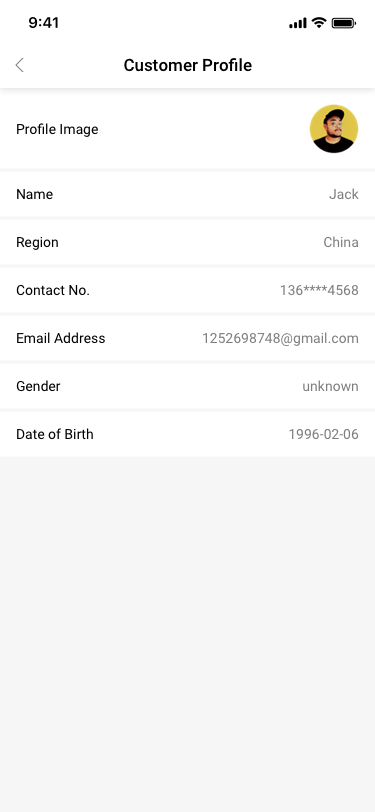
Customer Management / Customer Detail / Customer Profile SCash screen
108Customer Management / Customer Detail / Customer Profile
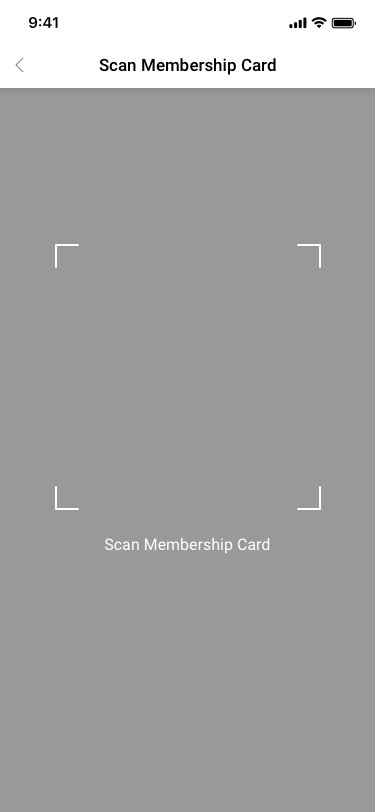
Scan VIP Card QR Code SCash screen
109Scan VIP Card QR Code
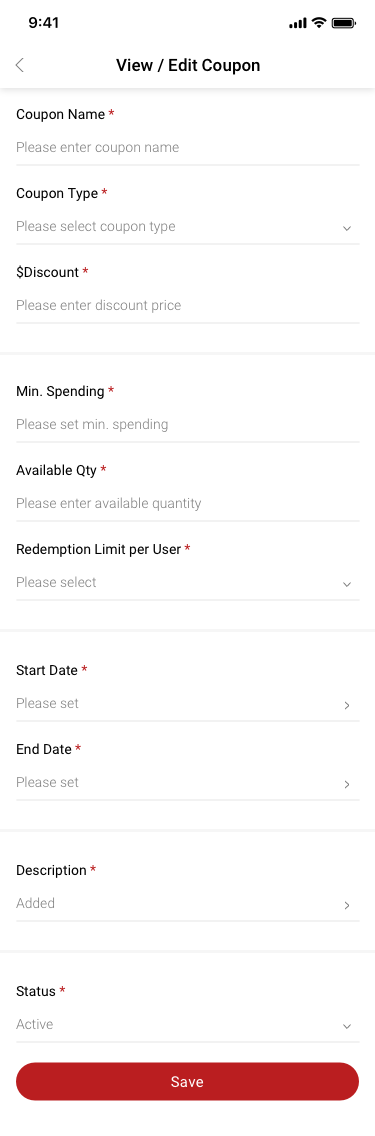
View / Edit Coupon SCash screen
154View / Edit Coupon
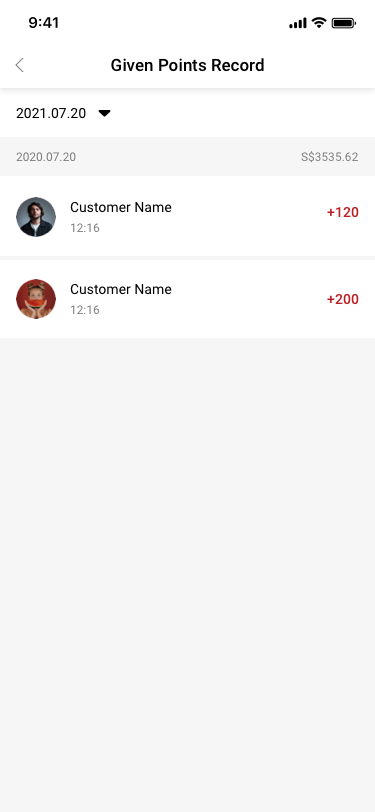
Give Point Record SCash screen
203Give Point Record
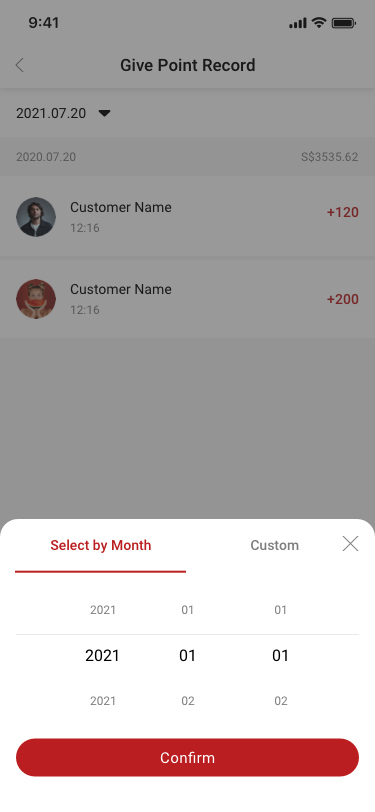
Give Point Record_Select by Month SCash screen
204Give Point Record_Select by Month
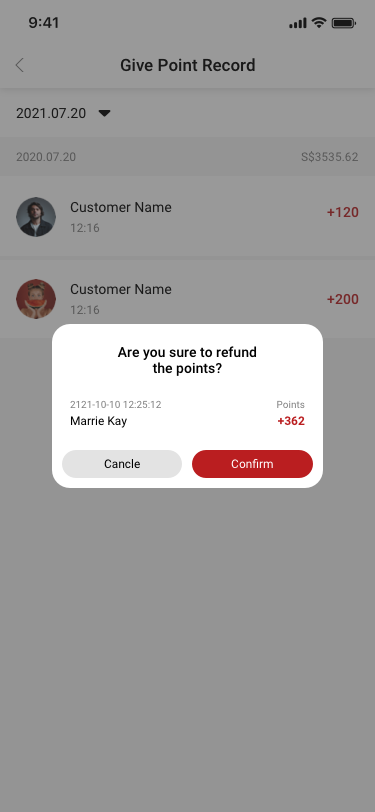
Give Point Record_Refund points SCash screen
205Give Point Record_Refund points
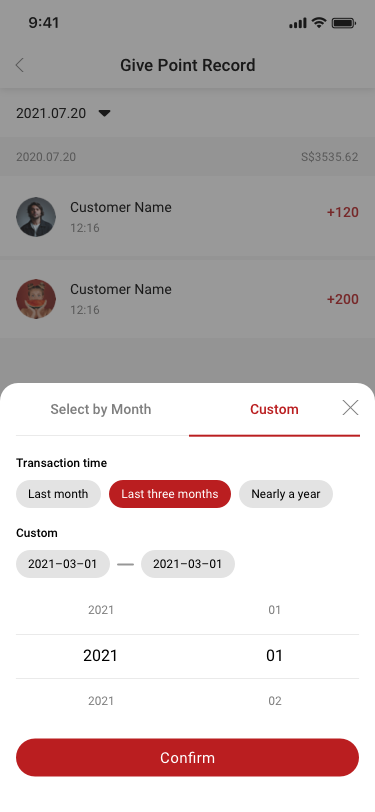
Give Point Record_Custom SCash screen
206Give Point Record_Custom
06

Products & inventory

38 distinct screens and states

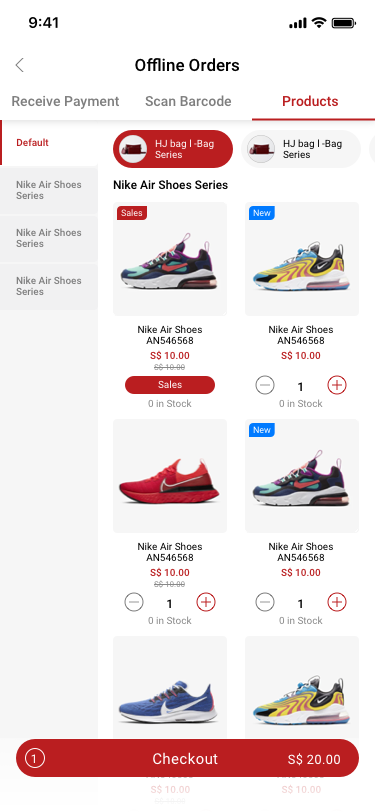
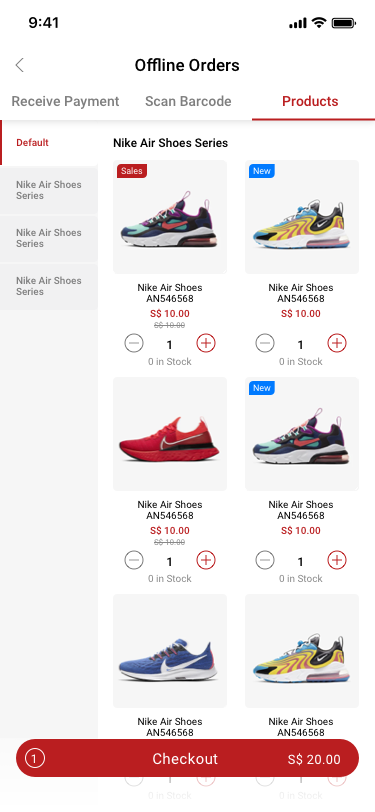
Offline Order / product / category SCash screen
019Offline Order / product / category
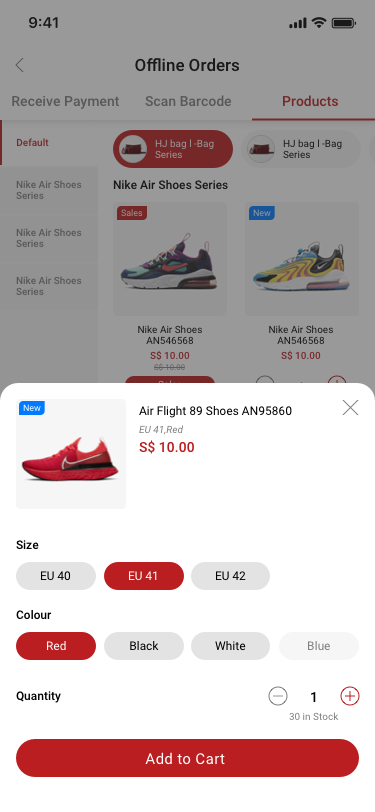
Offline Order / product / no category / add product options SCash screen
020Offline Order / product / no category / add product options
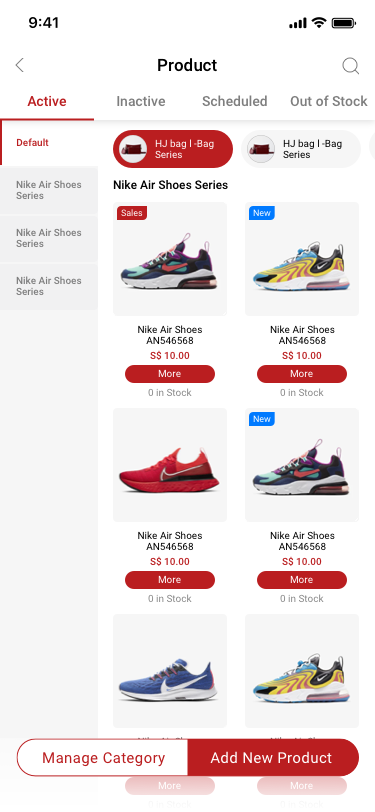
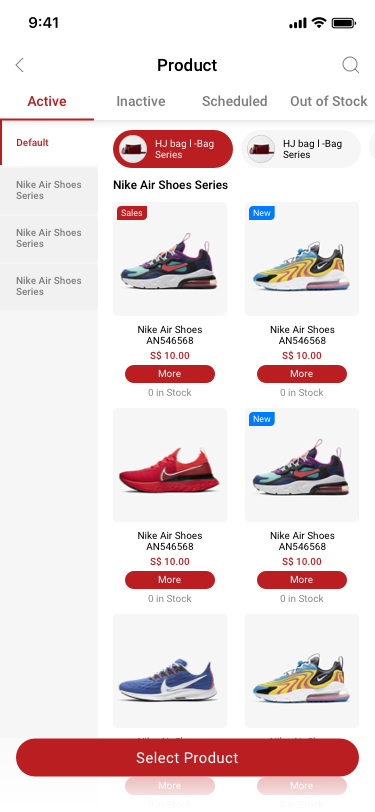
Company creator / product / active SCash screen
021Company creator / product / active
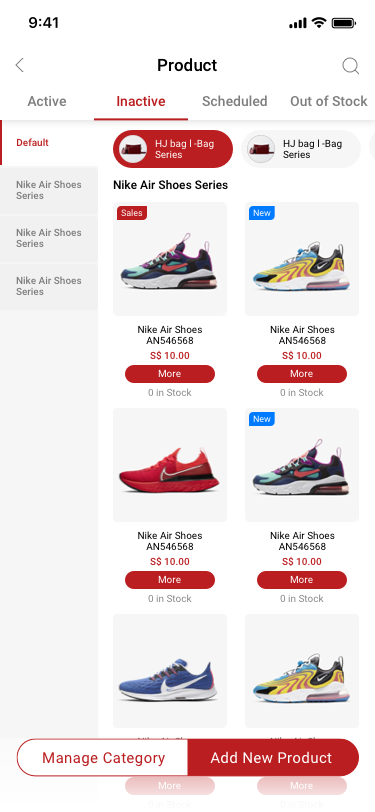
Company creator / product / inactive SCash screen
022Company creator / product / inactive
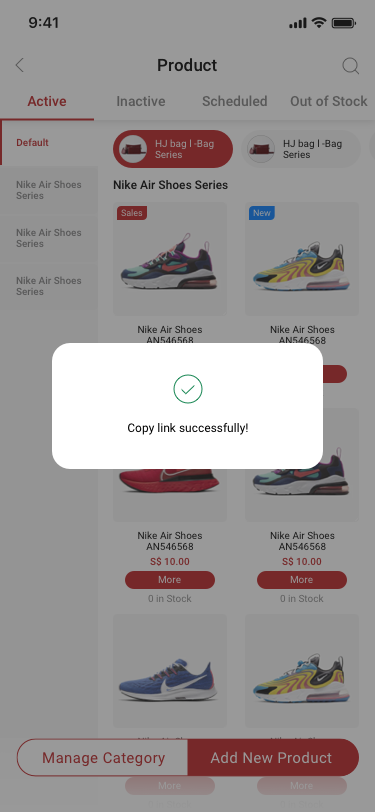
Company creator / product / copy link successfully SCash screen
023Company creator / product / copy link successfully
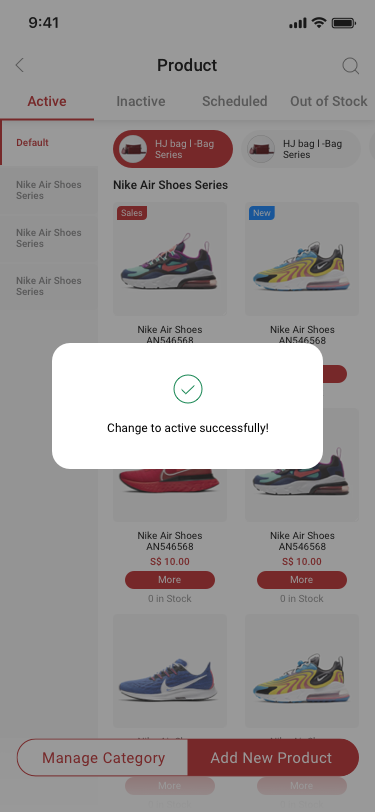
Company creator / product / change product status to active SCash screen
024Company creator / product / change product status to active
Store Managerr / product / active SCash screen
025Store Managerr / product / active
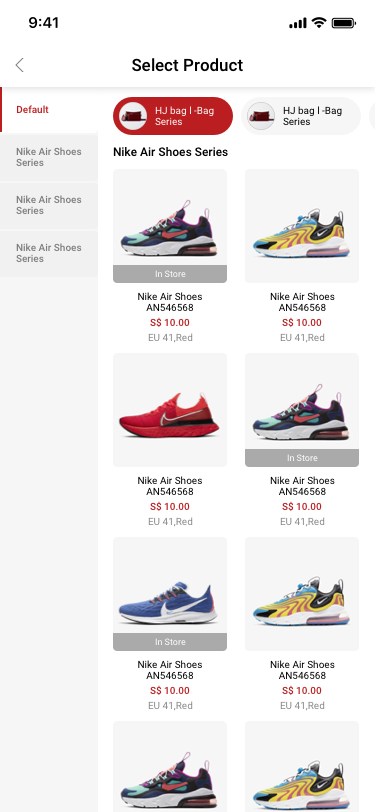
Store Managerr / Select Product SCash screen
034Store Managerr / Select Product
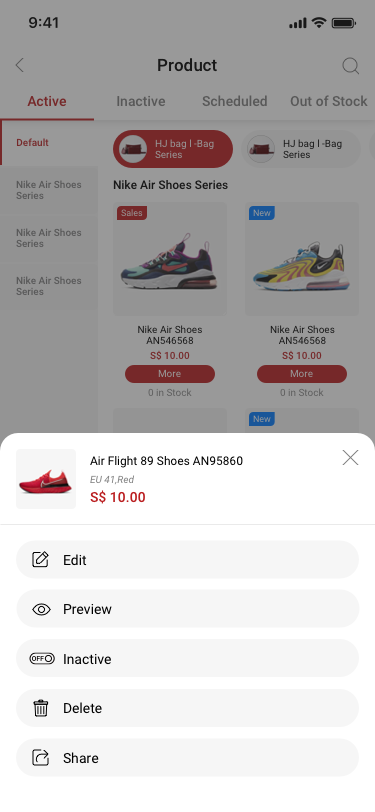
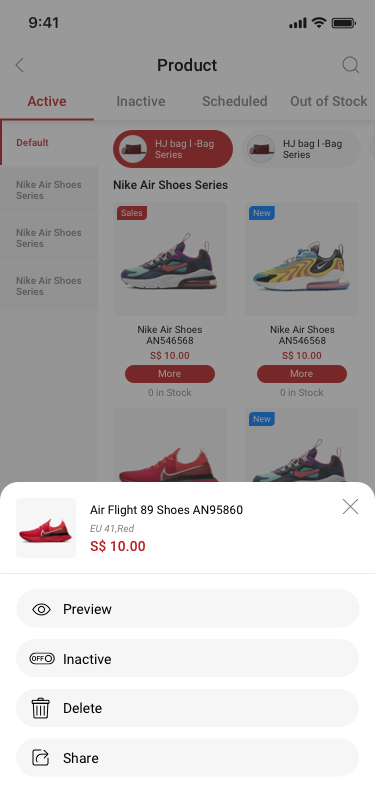
Company creator / product / active / more SCash screen
035Company creator / product / active / more
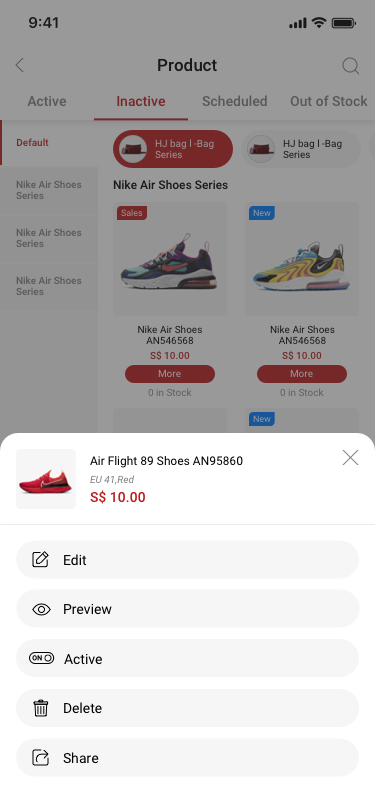
Company creator / product / inactive / more SCash screen
036Company creator / product / inactive / more
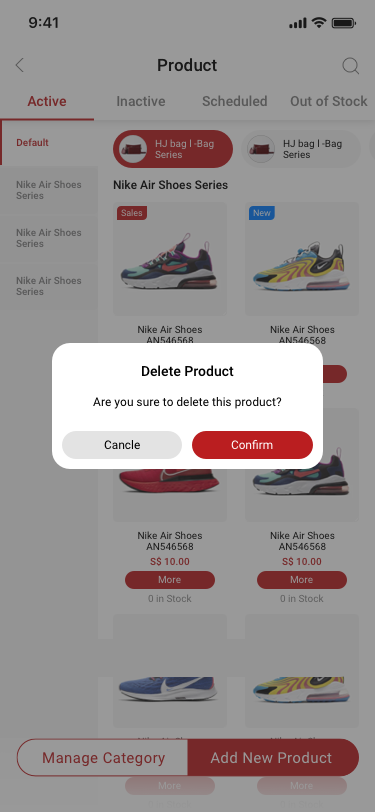
Company creator / product / delete product SCash screen
038Company creator / product / delete product
Store Manager / product / active / more SCash screen
039Store Manager / product / active / more
Offline Order / product / no category SCash screen
040Offline Order / product / no category
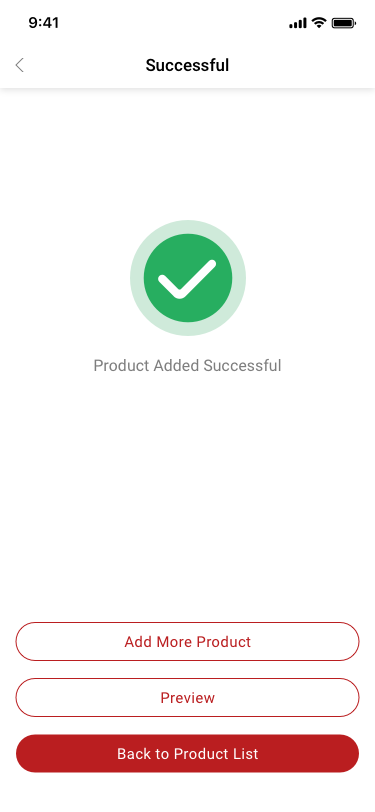
Company creator / Product Added Successful SCash screen
113Company creator / Product Added Successful
Company creator / Manage Category / no more sku SCash screen
114Company creator / Manage Category / no more sku
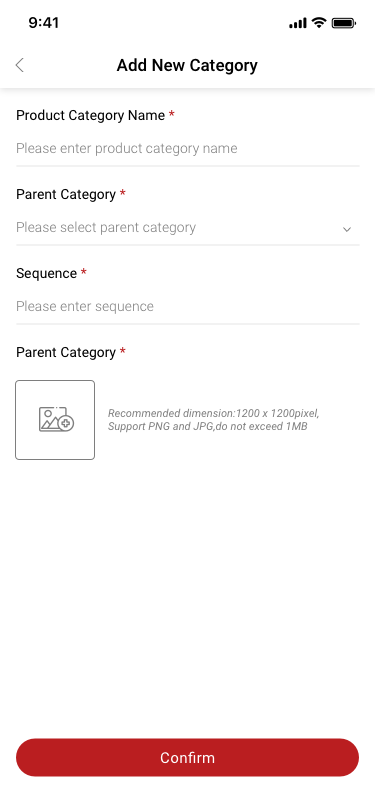
Company creator / Add new Category / popup / no more sku SCash screen
115Company creator / Add new Category / popup / no more sku
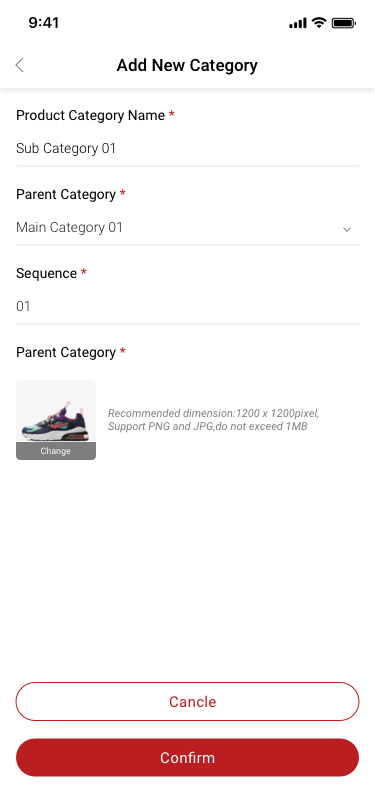
Company creator / edit Category SCash screen
116Company creator / edit Category
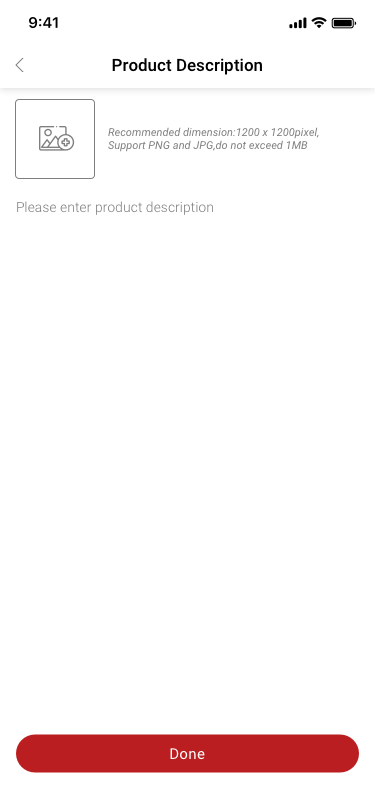
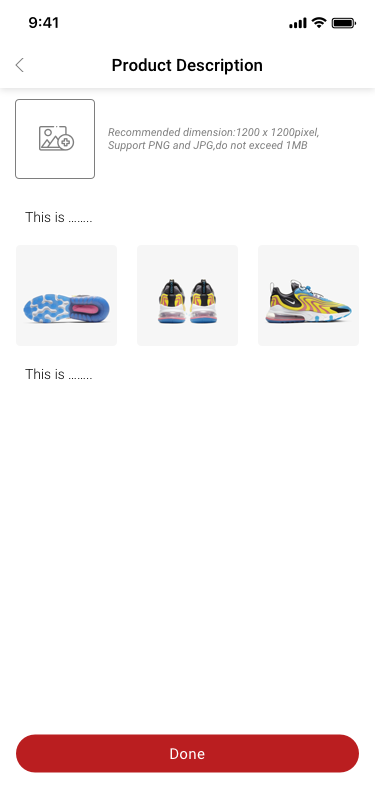
Company creator / Product Description / no more sku SCash screen
117Company creator / Product Description / no more sku
Company creator / Product Description / no more sku 2 SCash screen
118Company creator / Product Description / no more sku 2
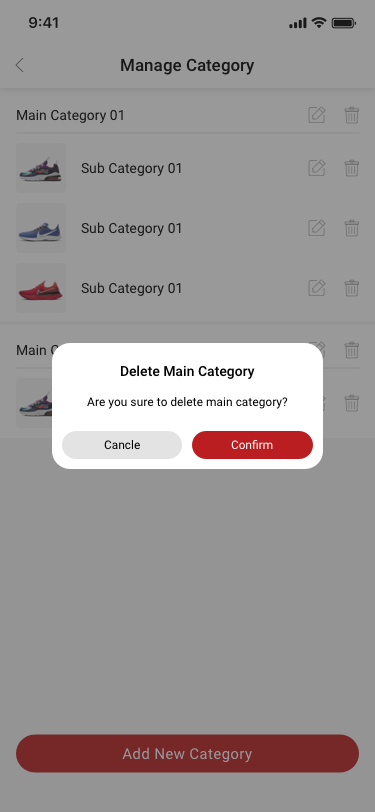
Company creator / Manage Category / delete main category / no more sku SCash screen
120Company creator / Manage Category / delete main category / no more sku
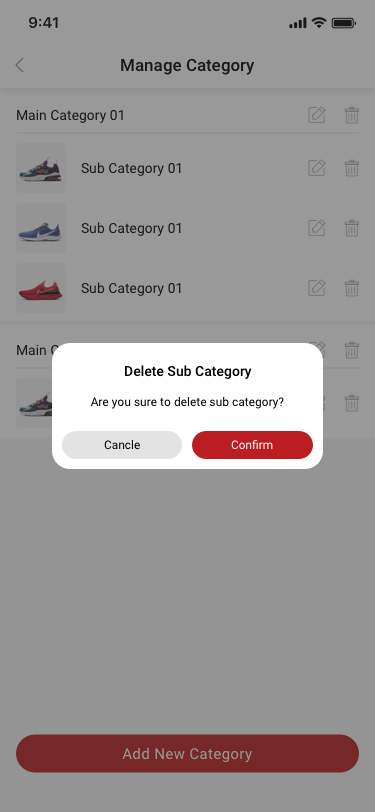
Company creator / Manage Category / delete sub category / no more sku SCash screen
121Company creator / Manage Category / delete sub category / no more sku
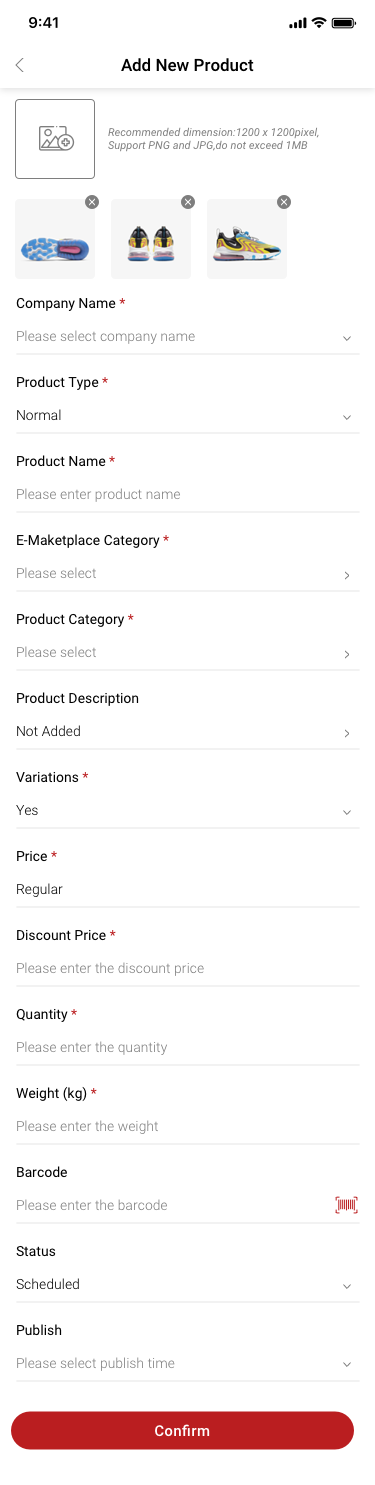
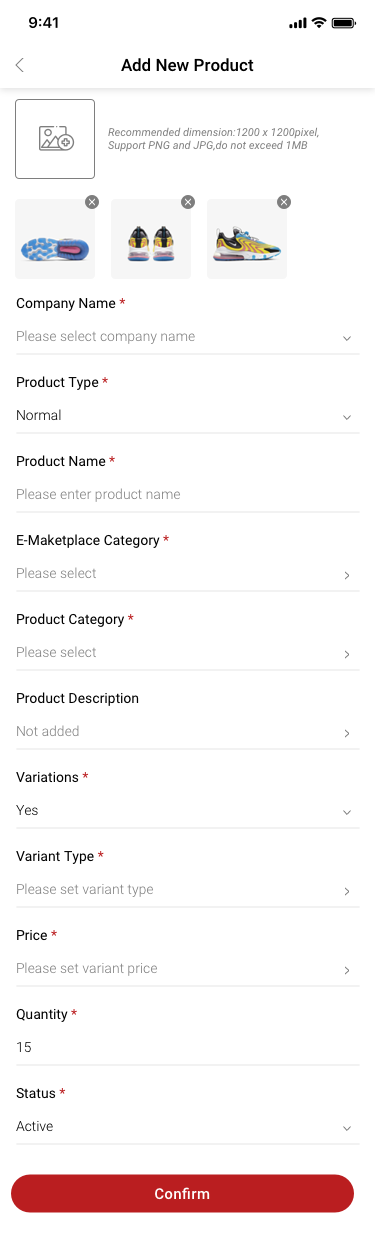
Company creator / Add New Product / no more sku SCash screen
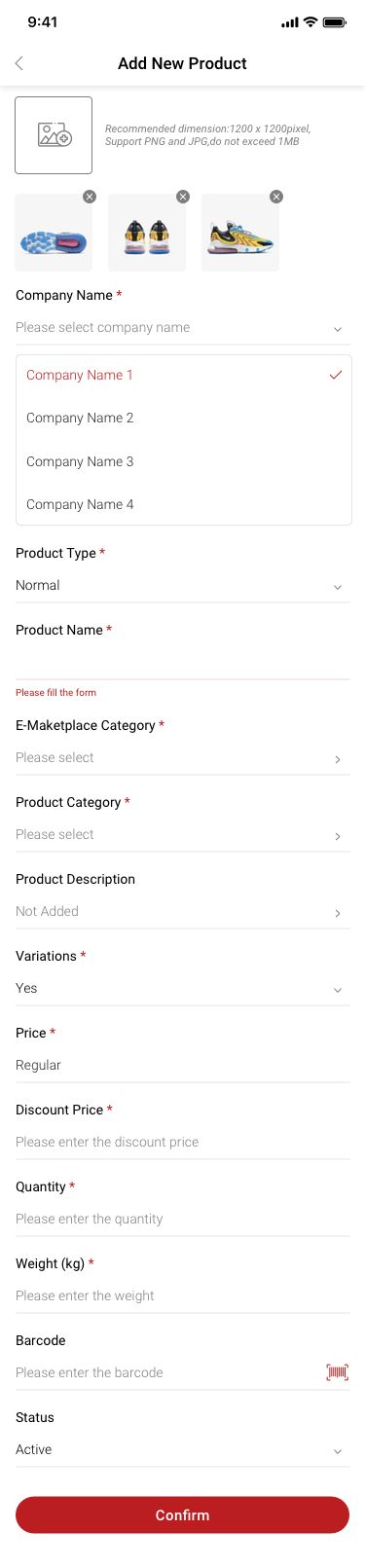
134Company creator / Add New Product / no more sku
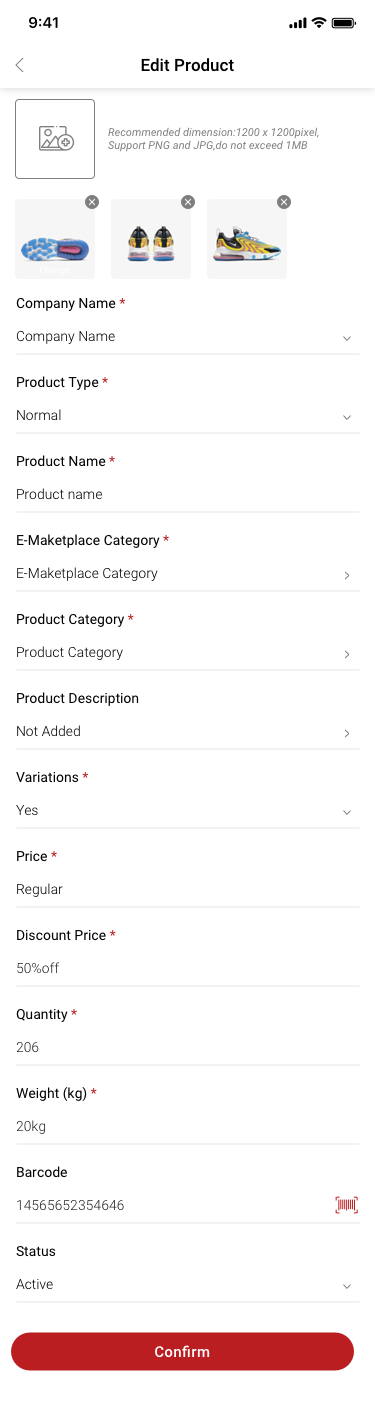
Company creator / edit Product / no more sku SCash screen
135Company creator / edit Product / no more sku
Company creator / edit Product / no more sku SCash screen
136Company creator / edit Product / no more sku
Company creator / Add New Product / have sku SCash screen
137Company creator / Add New Product / have sku
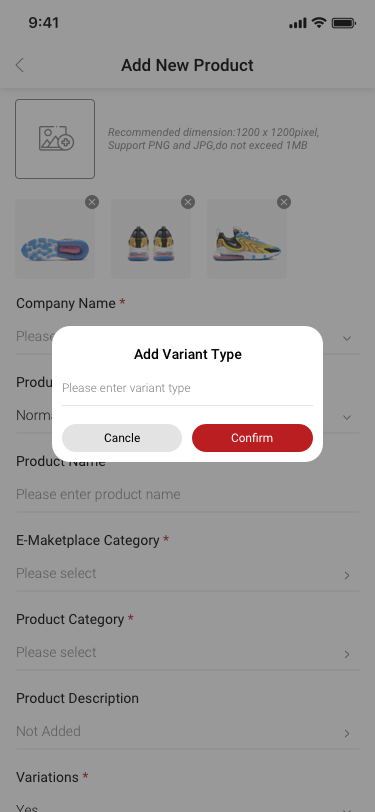
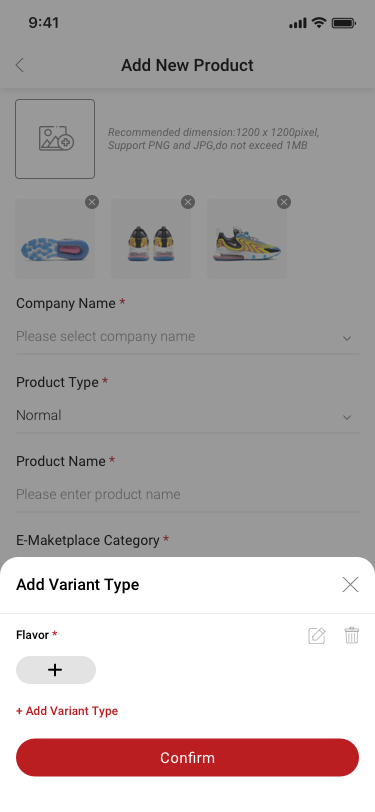
Company creator / Add variant type / popup / have sku SCash screen
149Company creator / Add variant type / popup / have sku
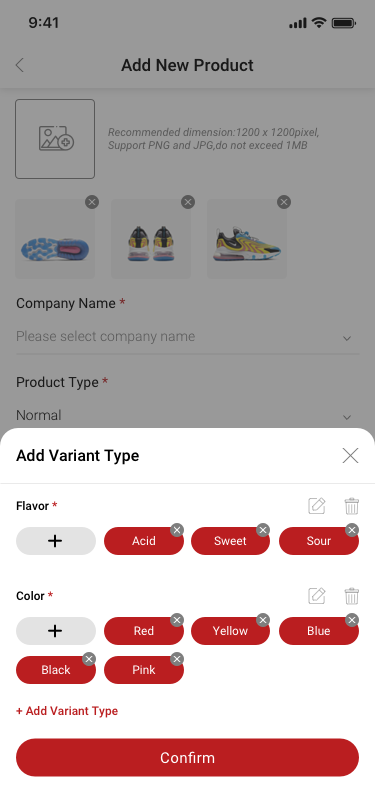
Company creator / Add variant type / tottom popup / have sku SCash screen
150Company creator / Add variant type / tottom popup / have sku
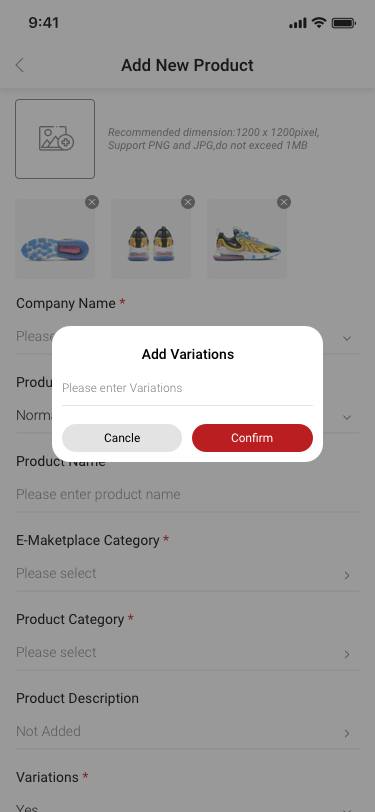
Company creator / Add variations / popup / have sku SCash screen
151Company creator / Add variations / popup / have sku
Company creator / Add variations / bottom popup / have sku SCash screen
152Company creator / Add variations / bottom popup / have sku
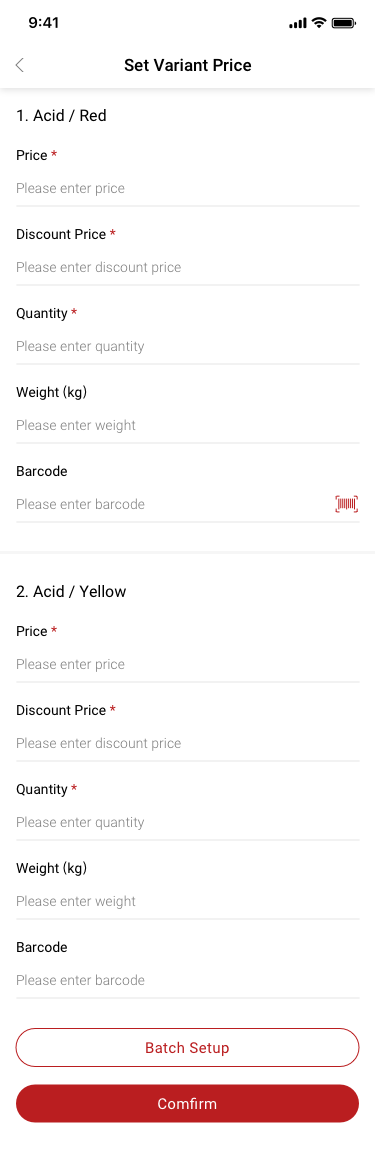
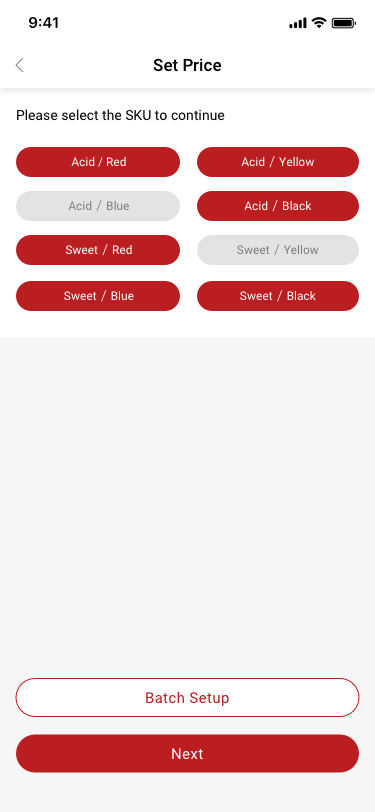
Company creator / set variant price / have sku SCash screen
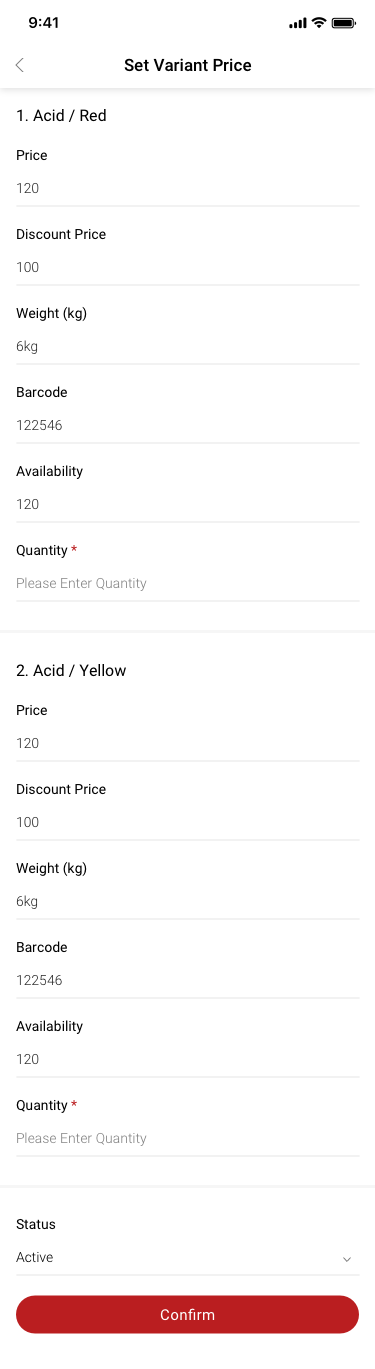
153Company creator / set variant price / have sku
Store Managerr / set variant price / have sku SCash screen
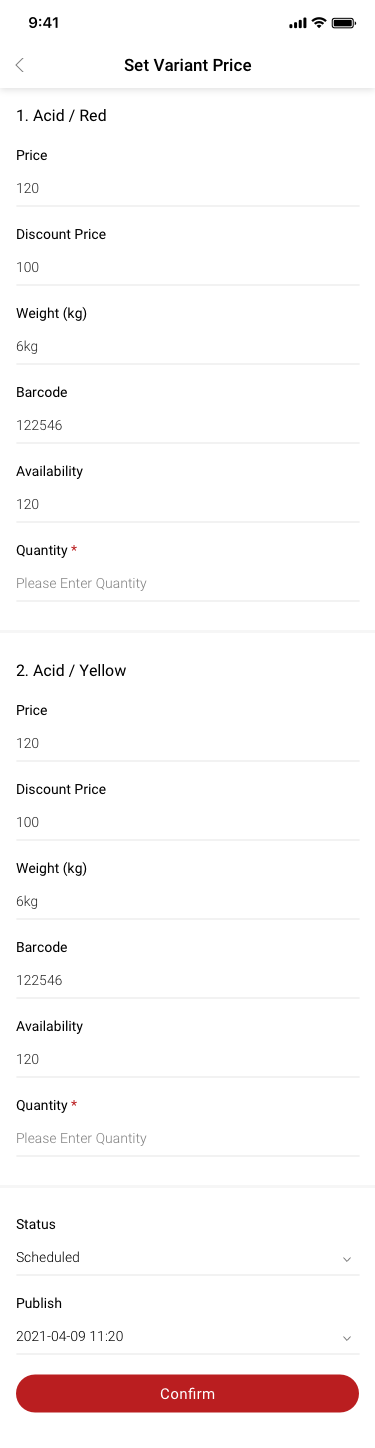
155Store Managerr / set variant price / have sku
Store Managerr / set variant price / have sku2 SCash screen
156Store Managerr / set variant price / have sku2
Company creator / set variant price / batch stetup / have sku SCash screen
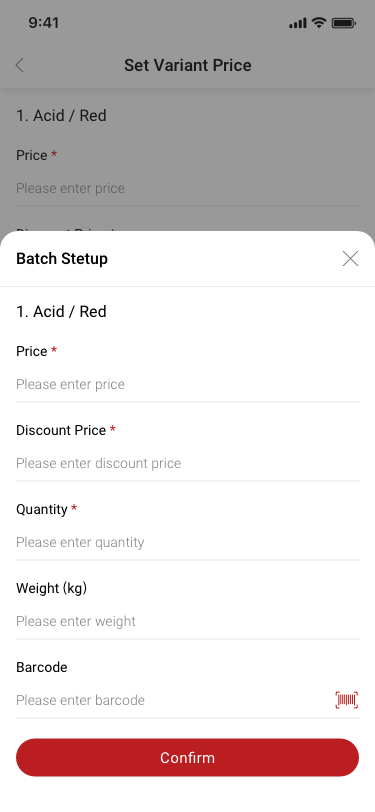
157Company creator / set variant price / batch stetup / have sku
Company creator / Add New Product2 / no more sku SCash screen
158Company creator / Add New Product2 / no more sku
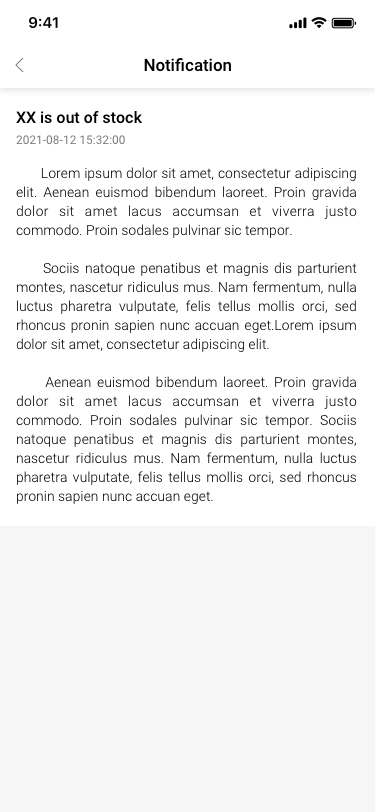
Notification / XX is out of stock SCash screen
181Notification / XX is out of stock
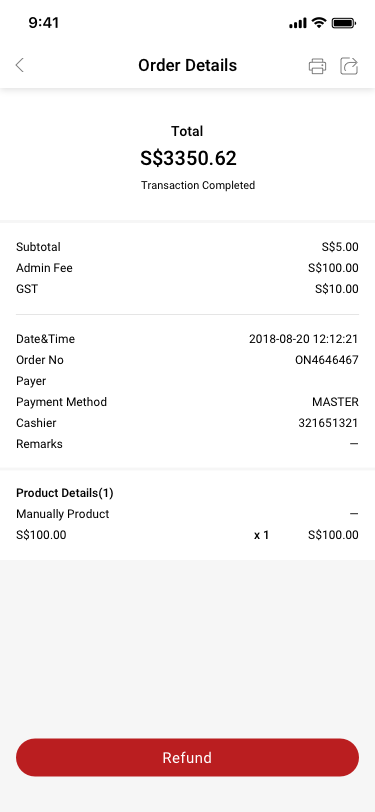
History / Order Details / Transaction Completed / Manual Product (MASTER/visa/cash) SCash screen
190History / Order Details / Transaction Completed / Manual Product (MASTER/visa/cash)
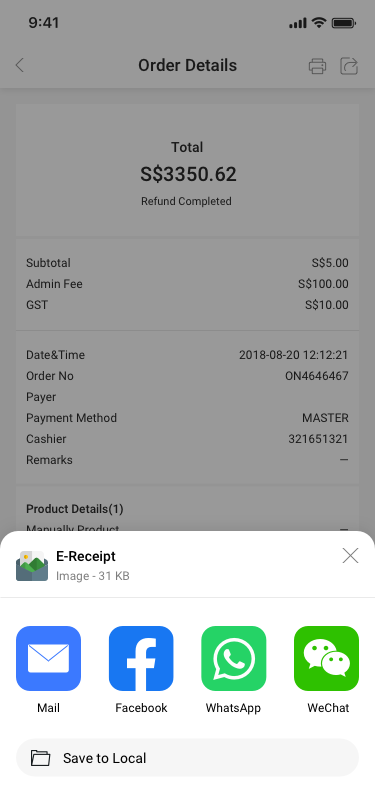
History / Order Details / Manual Product / share SCash screen
193History / Order Details / Manual Product / share
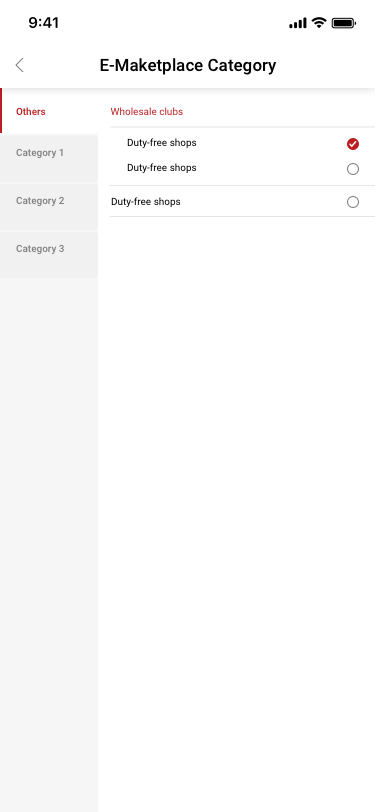
Add New Product / E-Maketplace Category SCash screen
202Add New Product / E-Maketplace Category
07

Orders & checkout

35 distinct screens and states

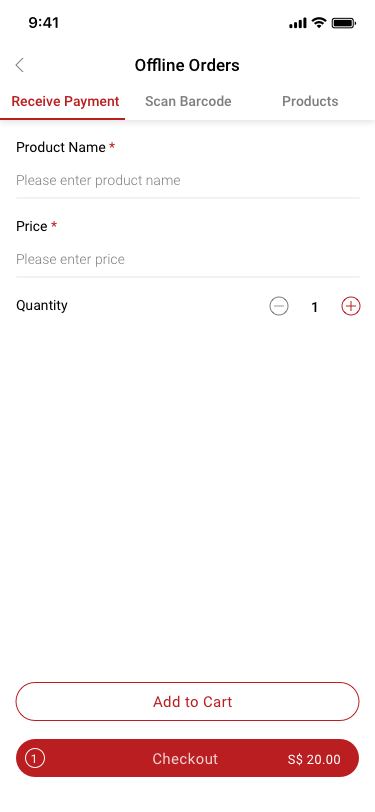
Offline Order / manual SCash screen
006Offline Order / manual
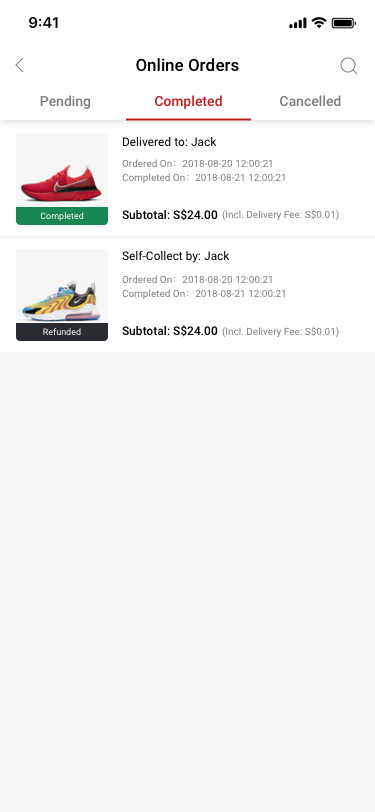
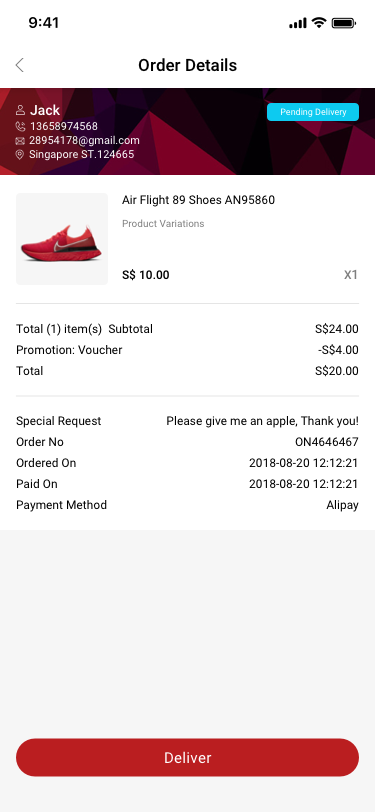
Online Orders / pending / to be processed SCash screen
041Online Orders / pending / to be processed
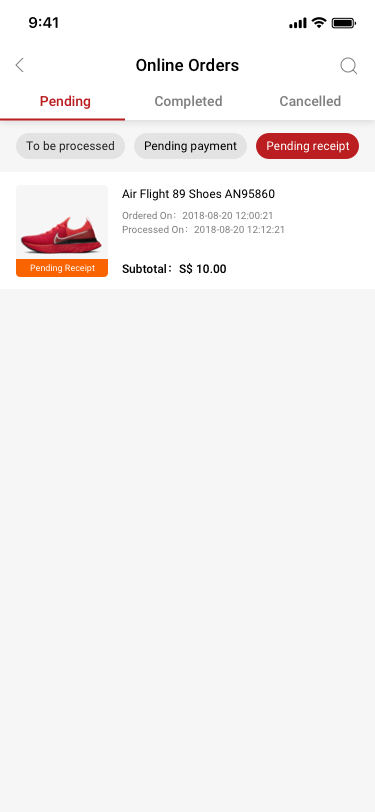
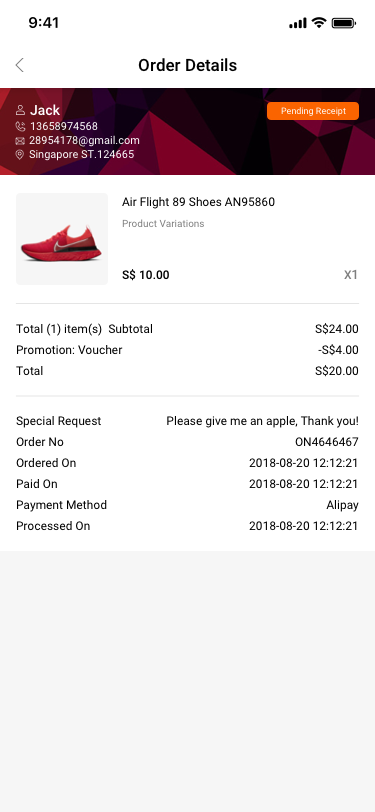
Online Orders / pending / Pending receipt SCash screen
042Online Orders / pending / Pending receipt
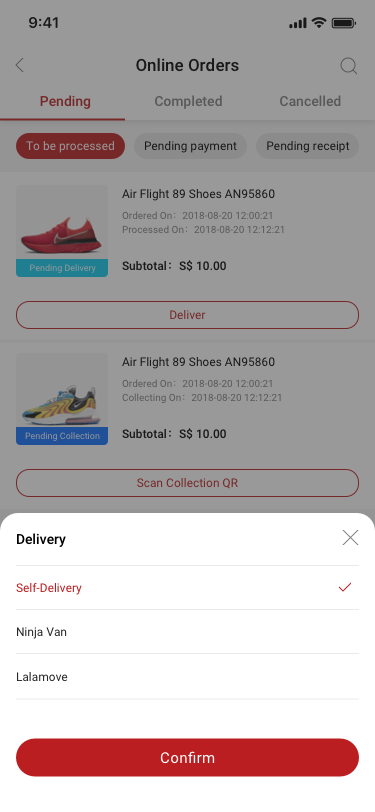
Online Orders / pending / to be processed / Deliver SCash screen
043Online Orders / pending / to be processed / Deliver
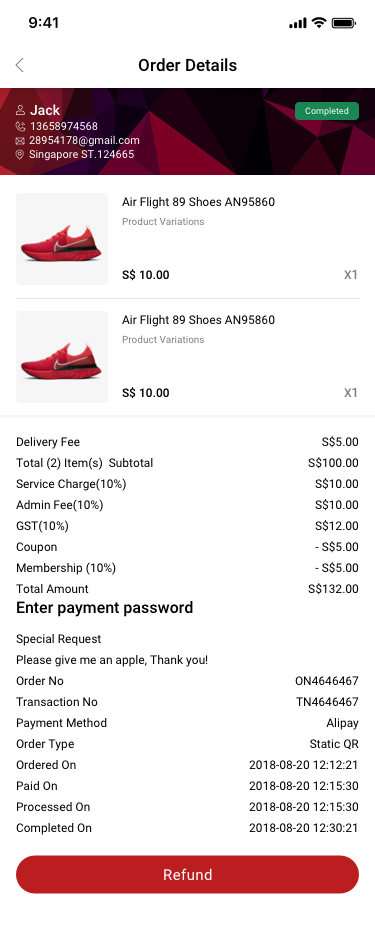
Online Orders / Completed / online oeder SCash screen
044Online Orders / Completed / online oeder
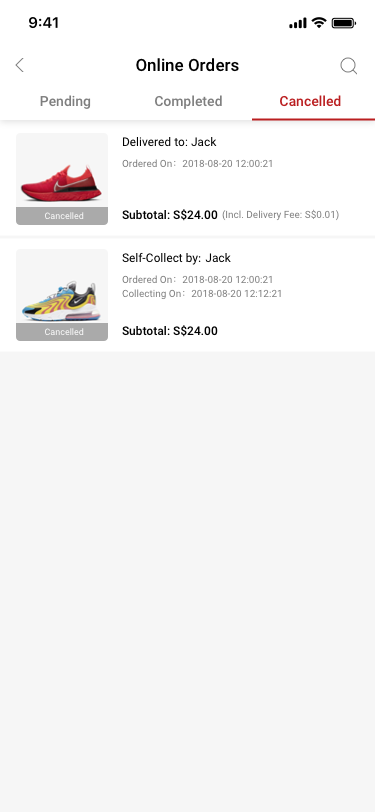
Online Orders / Completed / online oeder / Cancelled SCash screen
045Online Orders / Completed / online oeder / Cancelled
Online Orders / pending / Pending payment SCash screen
046Online Orders / pending / Pending payment
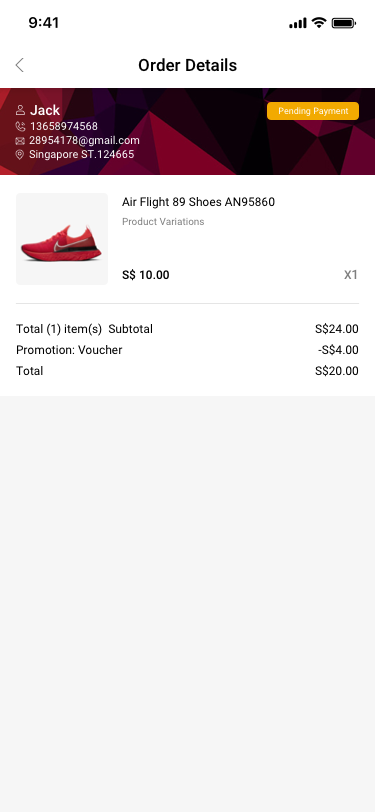
Online Orders / pending / Pending payment / Order Details SCash screen
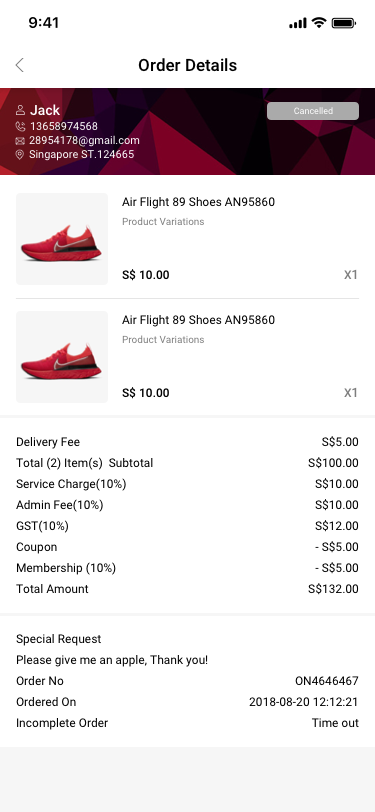
047Online Orders / pending / Pending payment / Order Details
Online Orders / pending / To be processed / Order Details SCash screen
048Online Orders / pending / To be processed / Order Details
Online Orders / pending / Pending receipt / Order details SCash screen
049Online Orders / pending / Pending receipt / Order details
Online Orders / Completed / online oeder / order details SCash screen
052Online Orders / Completed / online oeder / order details
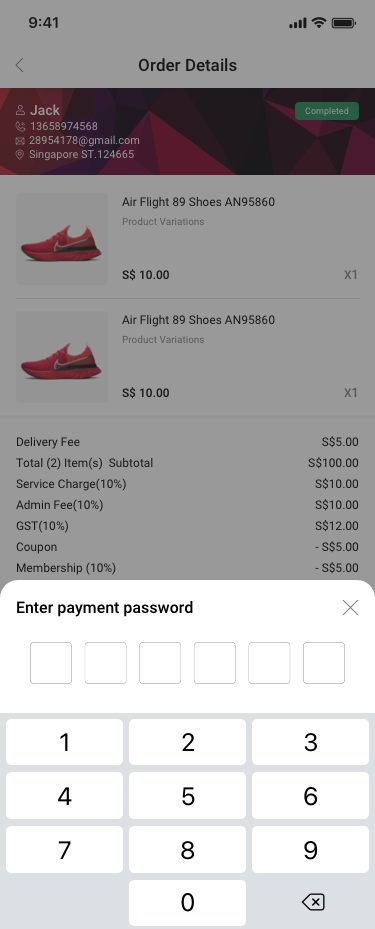
Online Orders / Completed / online oeder / order details / Enter payment password SCash screen
053Online Orders / Completed / online oeder / order details / Enter payment password
Online Orders / Completed / online oeder / Cancelled / order details SCash screen
054Online Orders / Completed / online oeder / Cancelled / order details
Offline Order / scan barcode SCash screen
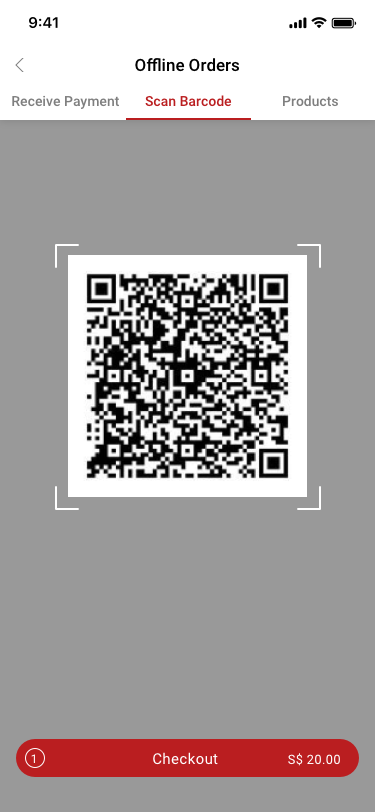
066Offline Order / scan barcode
Offline Order / scan barcode2 SCash screen
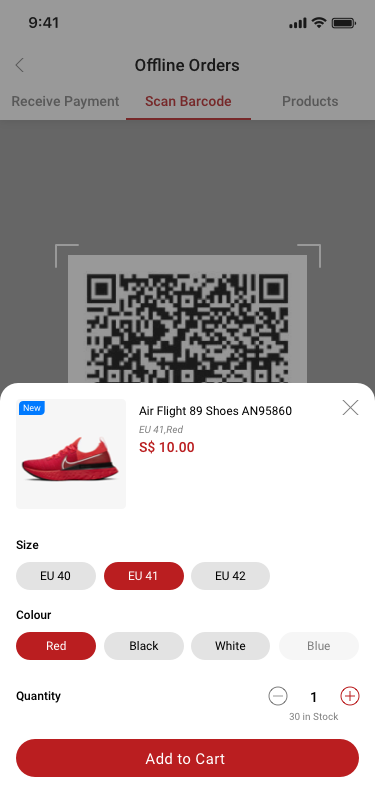
067Offline Order / scan barcode2
Offline Order / scan barcode3 SCash screen
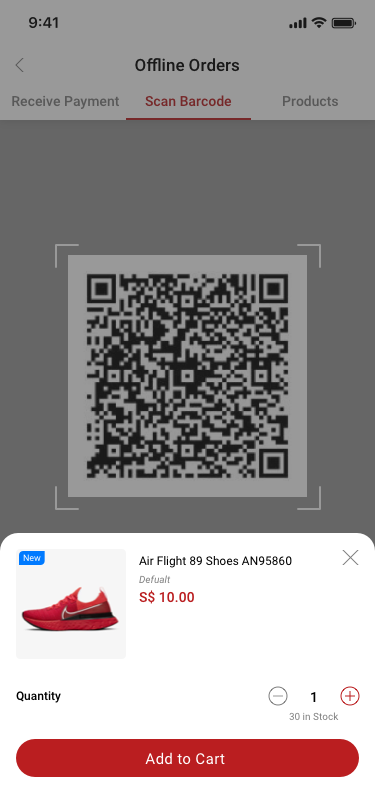
068Offline Order / scan barcode3
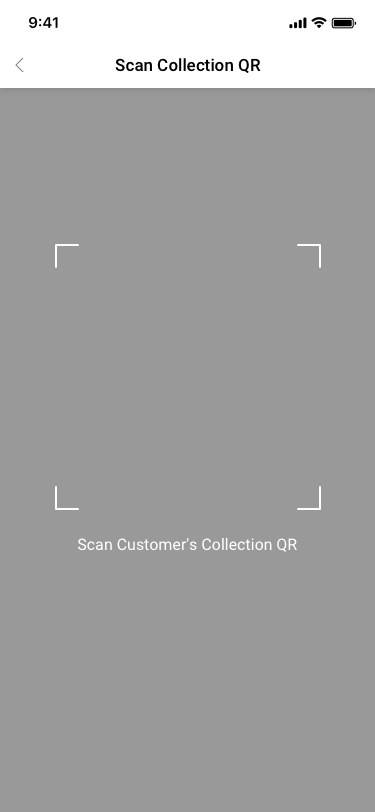
Scan Collection QR SCash screen
070Scan Collection QR
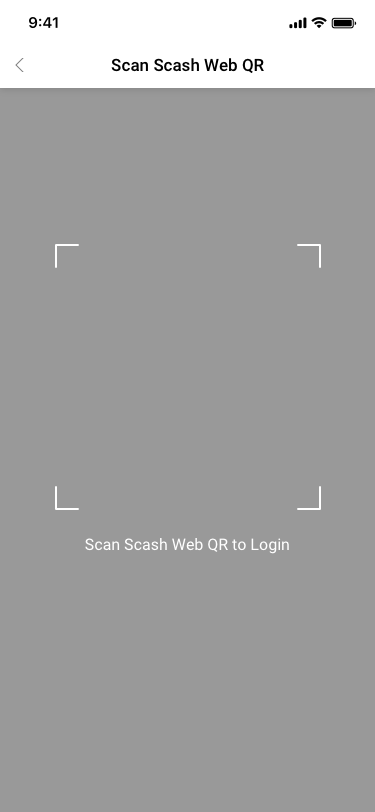
Scan Scash Web QR SCash screen
071Scan Scash Web QR
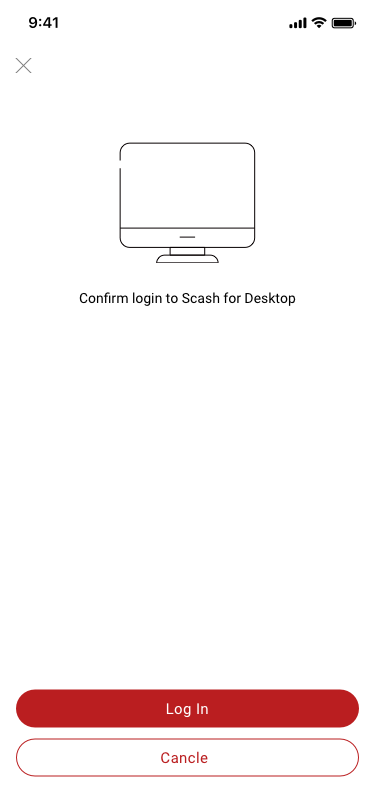
Scan Scash Web QR / confirm to logoin SCash screen
072Scan Scash Web QR / confirm to logoin
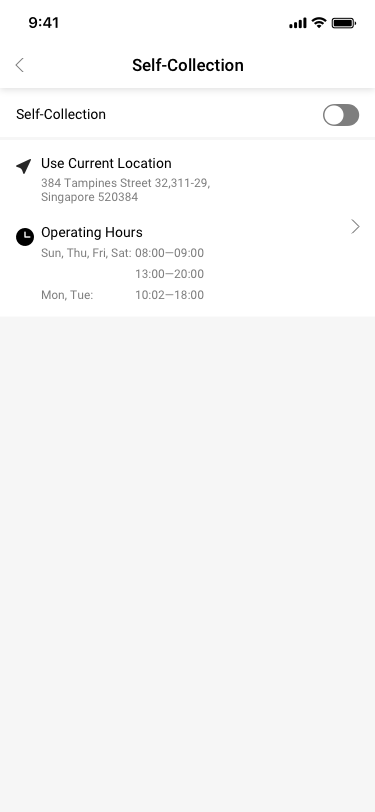
Store Settings / Transaction Settings / Self-Collection SCash screen
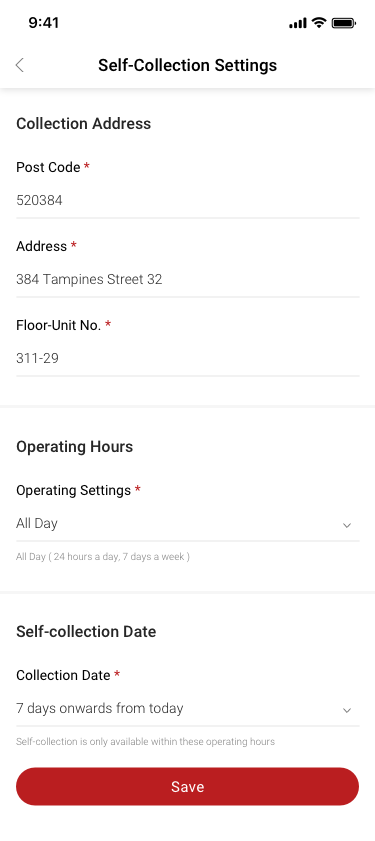
081Store Settings / Transaction Settings / Self-Collection
Store Settings / Transaction Settings / Self-Collection / Self-Collection Settings / all day SCash screen
082Store Settings / Transaction Settings / Self-Collection / Self-Collection Settings / all day
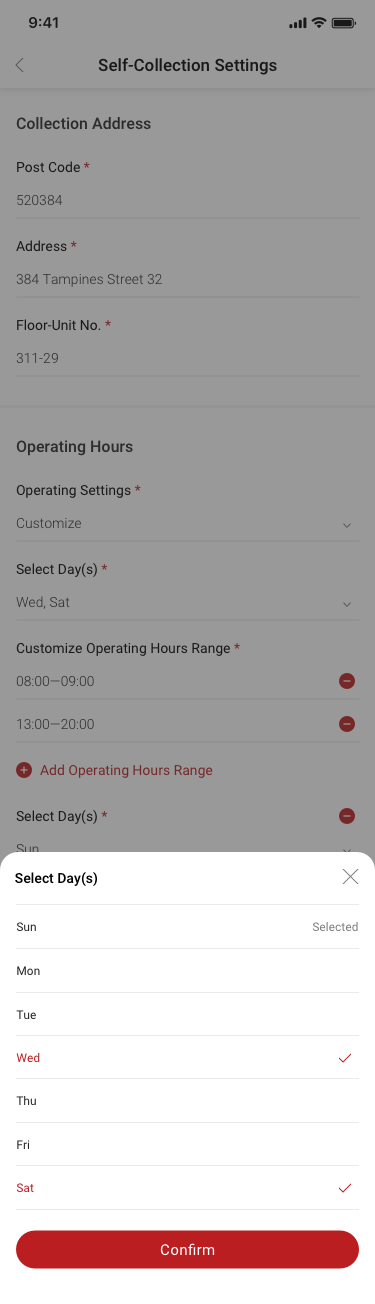
Store Settings / Transaction Settings / Self-Collection / Self-Collection Settings / customize SCash screen
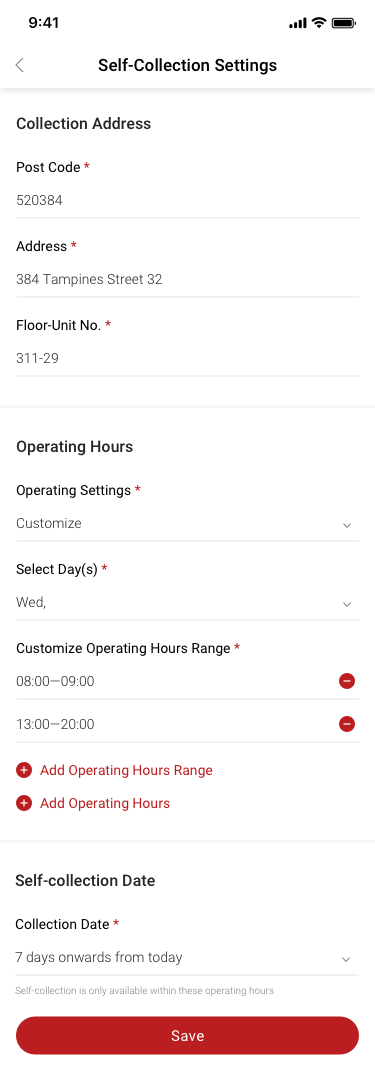
083Store Settings / Transaction Settings / Self-Collection / Self-Collection Settings / customize
Store Settings / Transaction Settings / Self-Collection / Self-Collection Settings / customize / add new operating hours SCash screen
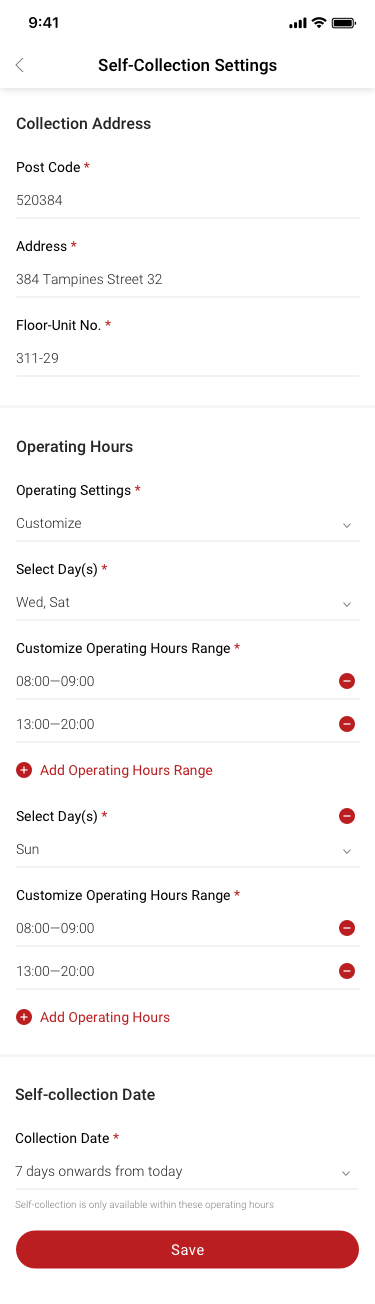
084Store Settings / Transaction Settings / Self-Collection / Self-Collection Settings / customize / add new operating hours
Store Settings / Transaction Settings / Self-Collection / Self-Collection Settings / customize / Customize Operating Hours Range SCash screen
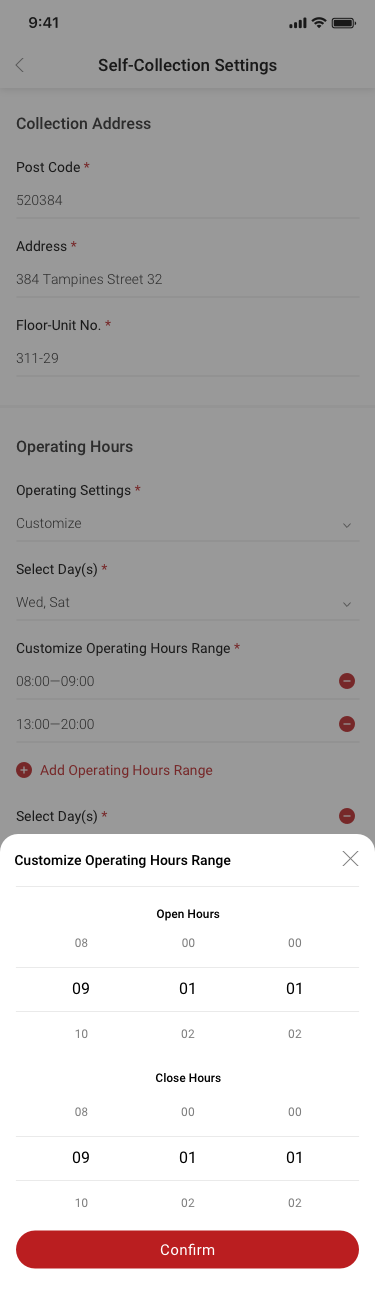
085Store Settings / Transaction Settings / Self-Collection / Self-Collection Settings / customize / Customize Operating Hours Range
Store Settings / Transaction Settings / Self-Collection / Self-Collection Settings / customize / Select Day(s) SCash screen
086Store Settings / Transaction Settings / Self-Collection / Self-Collection Settings / customize / Select Day(s)
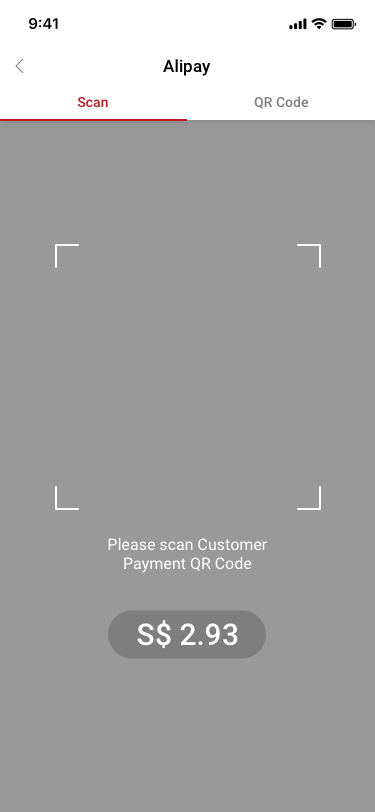
Alipay Collection / scan SCash screen
110Alipay Collection / scan
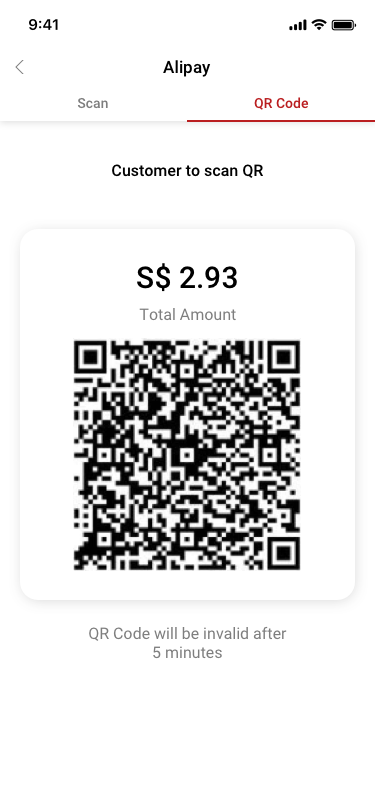
Alipay Collection / collection code SCash screen
111Alipay Collection / collection code
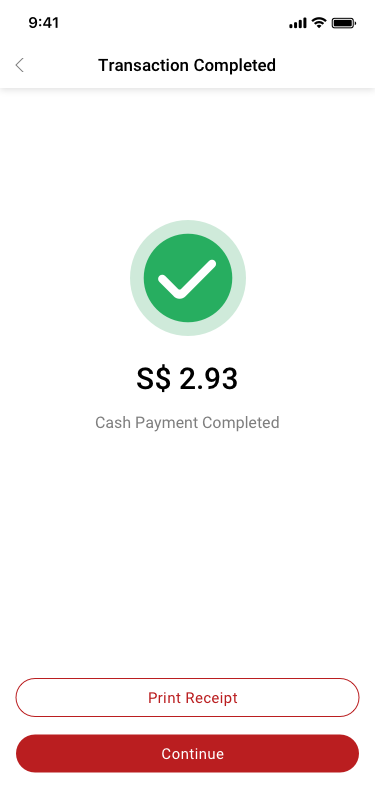
Transaction Completed SCash screen
112Transaction Completed
Receive / delete SCash screen
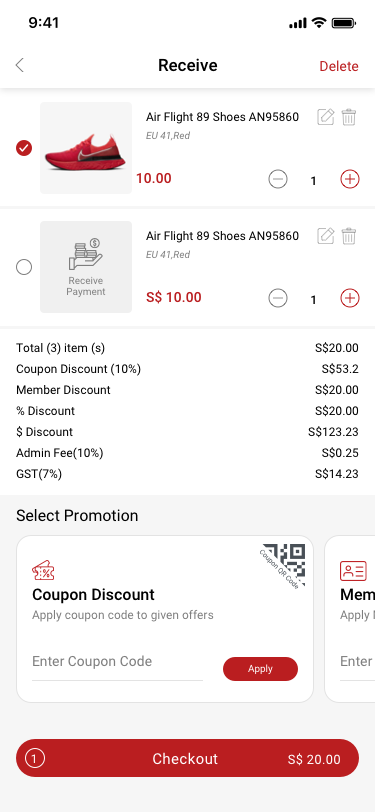
122Receive / delete
Receive SCash screen
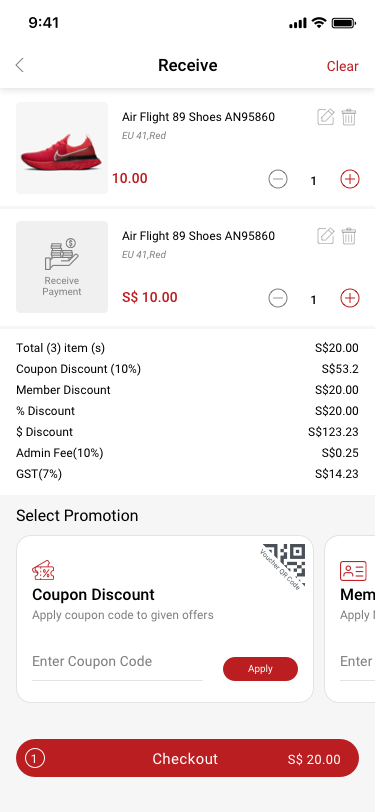
123Receive
receive / choose payment method SCash screen
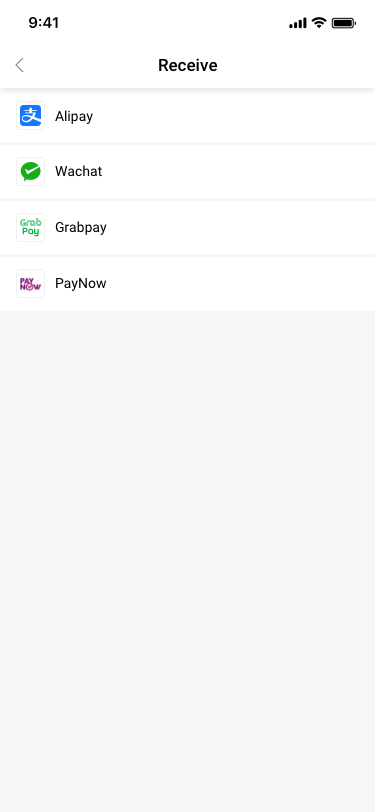
125receive / choose payment method
History / Order Details / (alipay) SCash screen
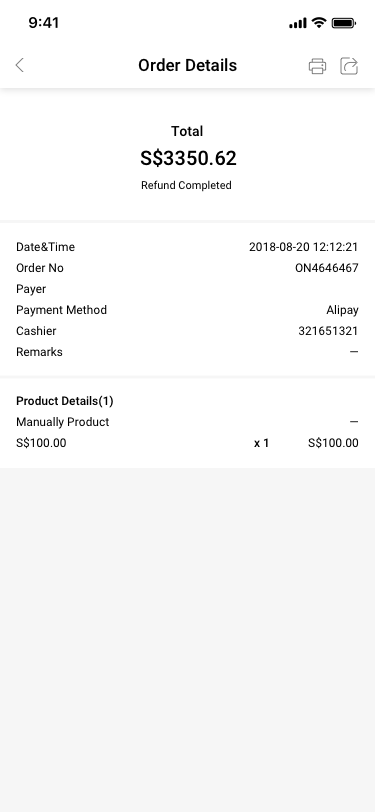
191History / Order Details / (alipay)
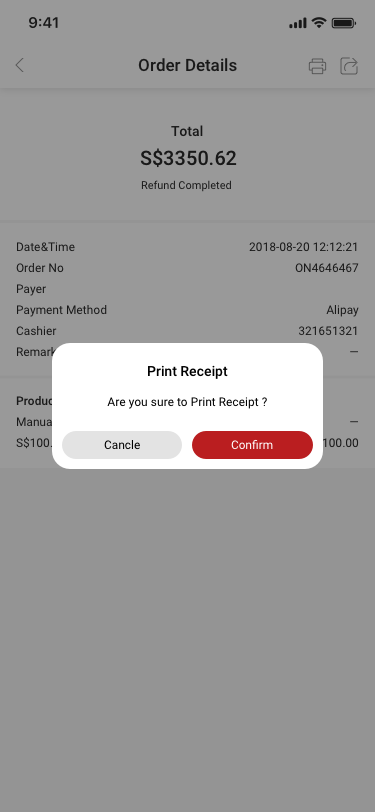
History / Order Details / (alipay) / print note SCash screen
192History / Order Details / (alipay) / print note
History / Order Details / (alipay) / print SCash screen
194History / Order Details / (alipay) / print
History / Order Details / (alipay) / print2 SCash screen
195History / Order Details / (alipay) / print2
08

Payments & settlement

22 distinct screens and states
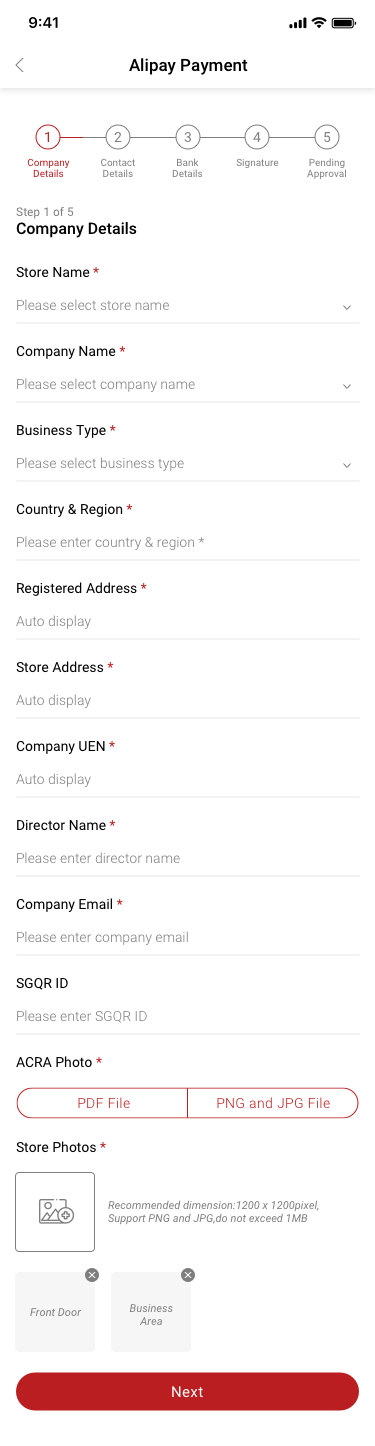
Settlement Details SCash screen
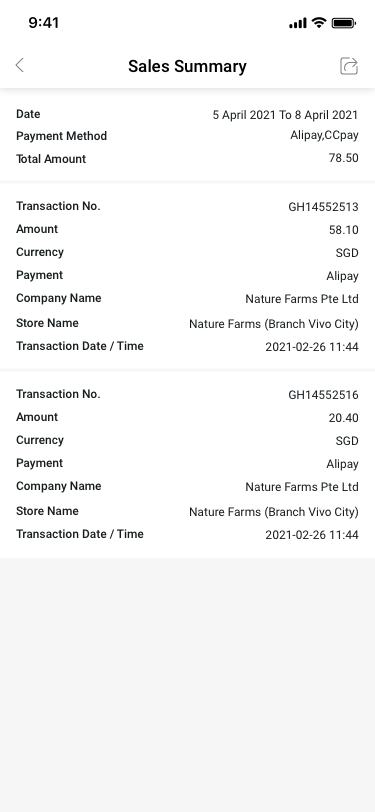
050Settlement Details
Settlement Details / share SCash screen
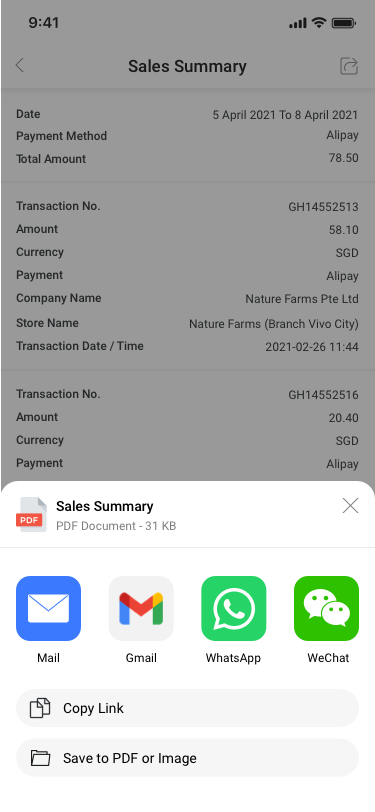
051Settlement Details / share
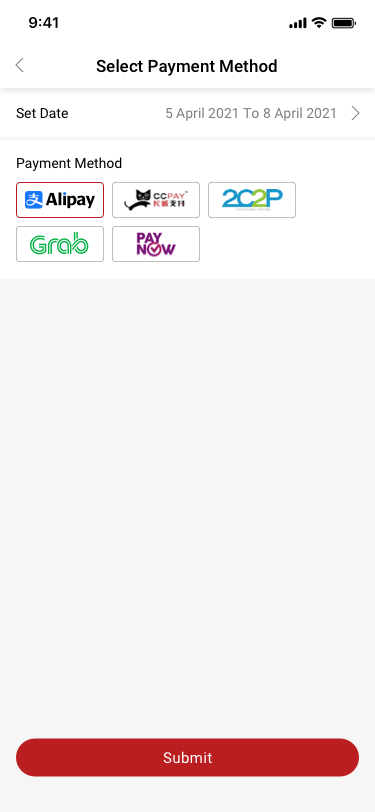
Payment method Seles / See more SCash screen
055Payment method Seles / See more
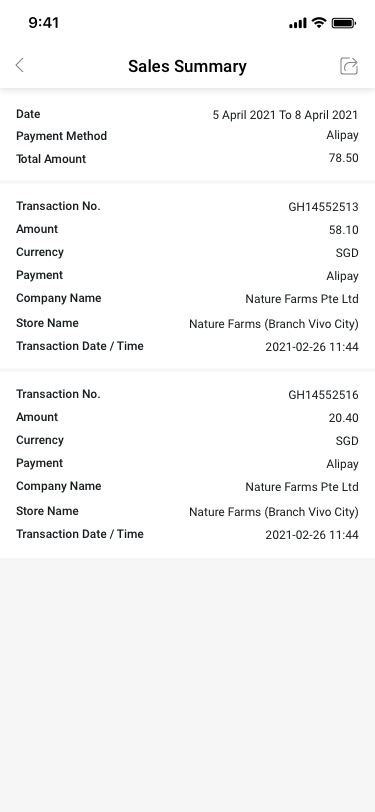
Payment method Seles Summary details SCash screen
056Payment method Seles Summary details
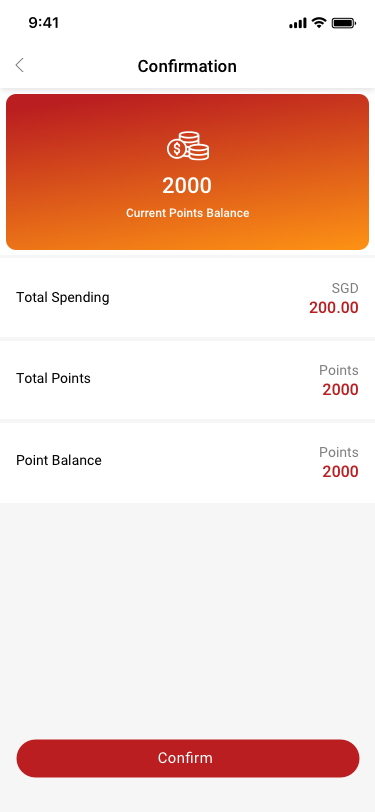
Transaction Confirmation SCash screen
062Transaction Confirmation
Payment method Seles Summary details / share SCash screen
064Payment method Seles Summary details / share
Payment method Seles / see more / Summary details SCash screen
065Payment method Seles / see more / Summary details
QR Code SCash screen
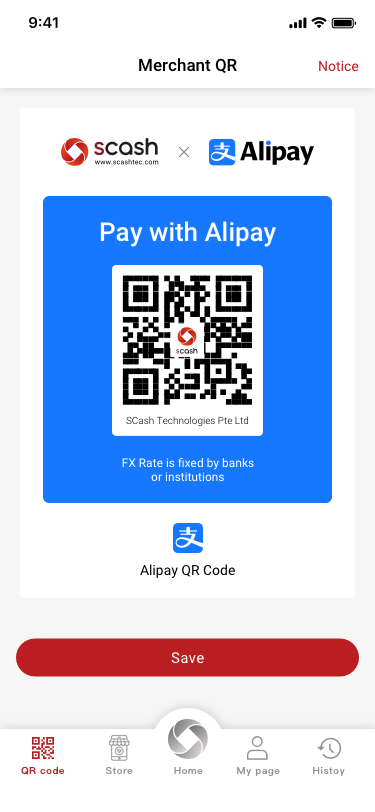
073QR Code
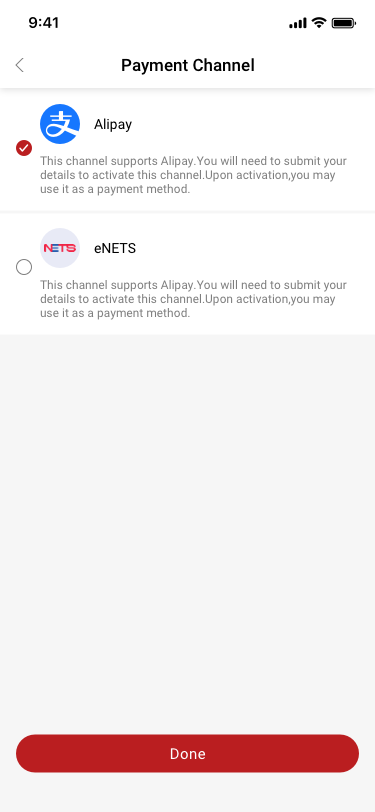
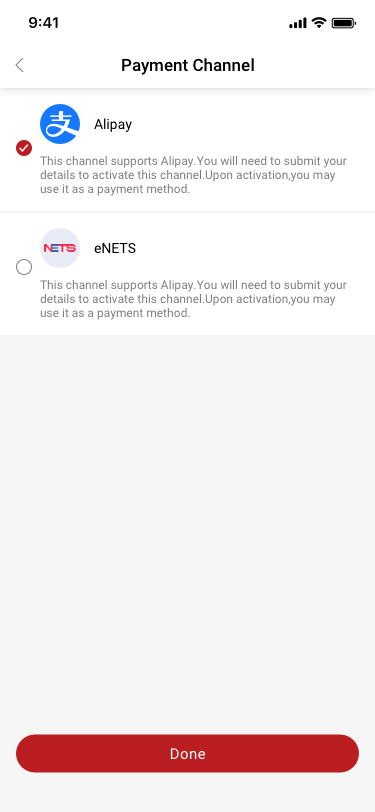
Payment Channel / Not Activated SCash screen
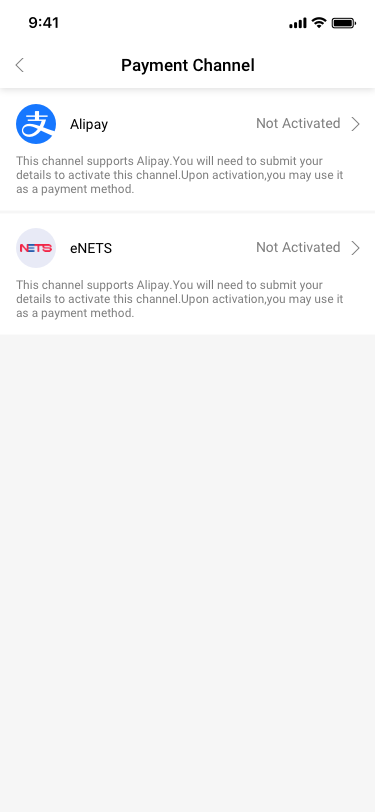
126Payment Channel / Not Activated
Payment Channel / Activated SCash screen
127Payment Channel / Activated
Payment Channel / Activated submited offline SCash screen
128Payment Channel / Activated submited offline
Payment Channel / Activated / open SCash screen
129Payment Channel / Activated / open
Payment Channel / Activated / open3 SCash screen
130Payment Channel / Activated / open3
Payment Channel / Activated / open2 SCash screen
131Payment Channel / Activated / open2
Payment Channel / This is not a transaction... SCash screen
132Payment Channel / This is not a transaction...
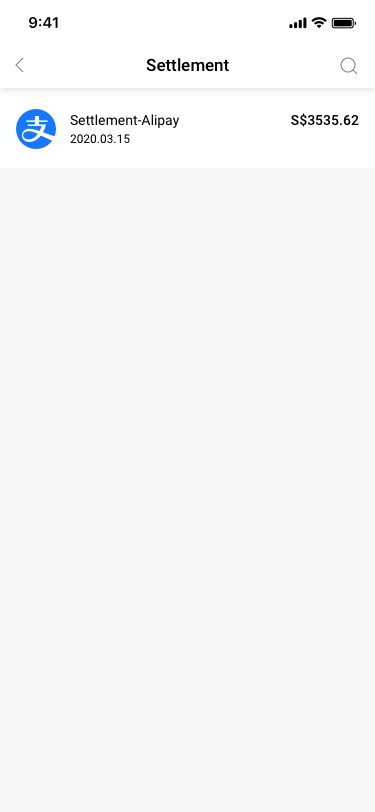
Settlement SCash screen
133Settlement
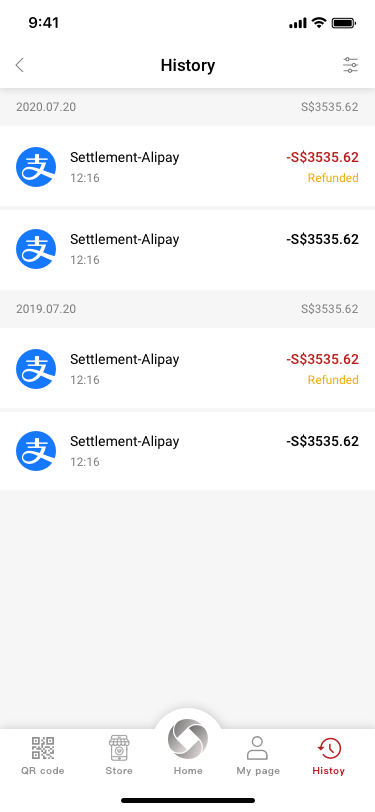
History SCash screen
168History
History / filter SCash screen
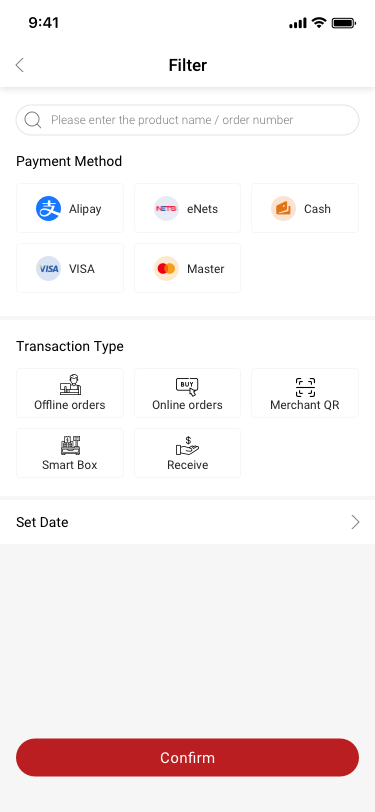
175History / filter
History / filter / Select by Month SCash screen
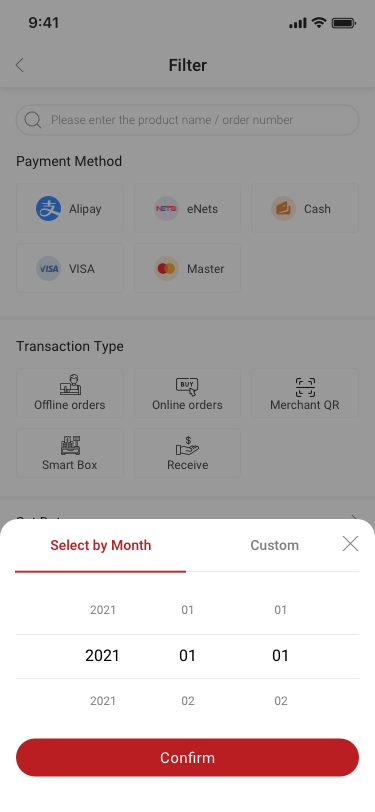
176History / filter / Select by Month
History / filter / Custom SCash screen
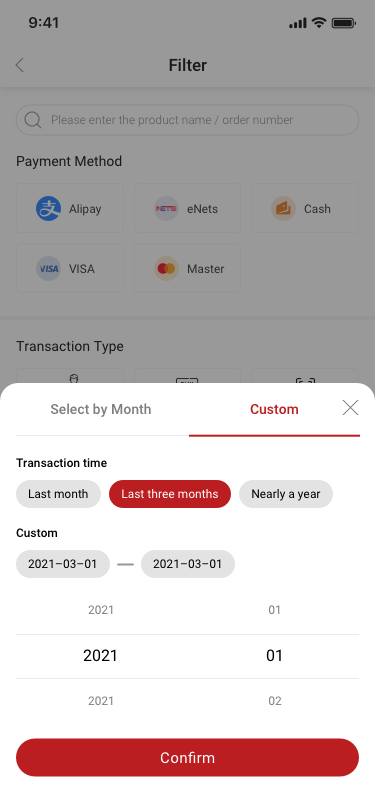
177History / filter / Custom
Settlement / search SCash screen
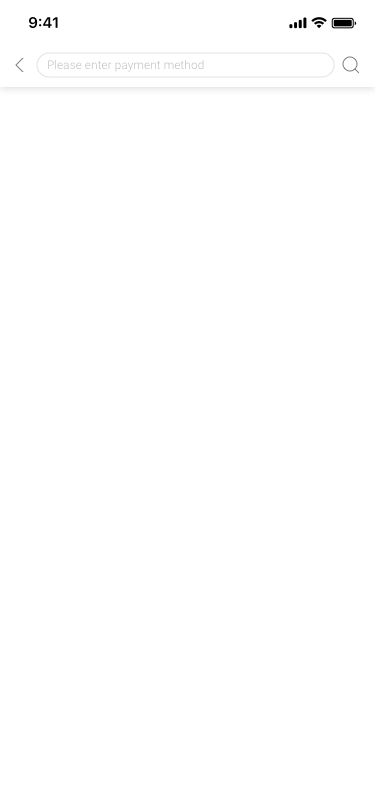
178Settlement / search
Payment Channel / Activated SCash screen
189Payment Channel / Activated
09

Stores & staff

25 distinct screens and states
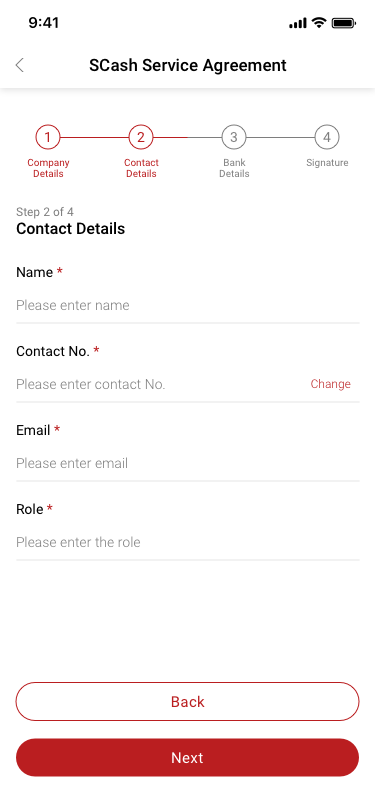
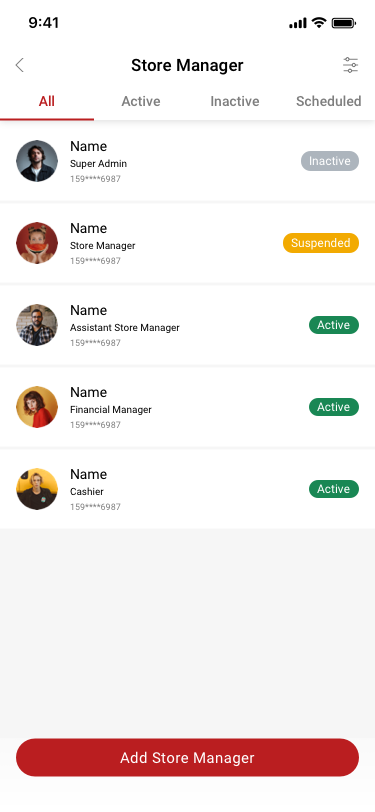
Store Manager SCash screen
027Store Manager
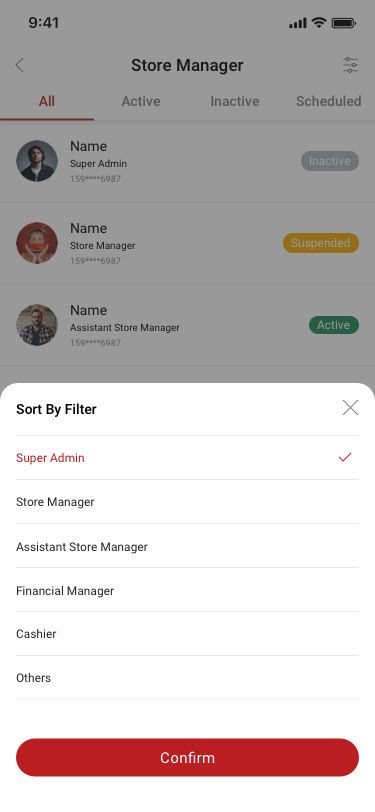
Store Manager / Sort by filter SCash screen
028Store Manager / Sort by filter
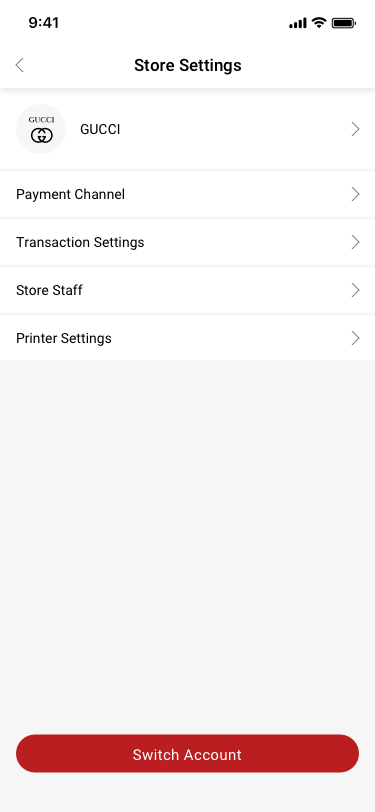
STORE / Store Settings SCash screen
078STORE / Store Settings
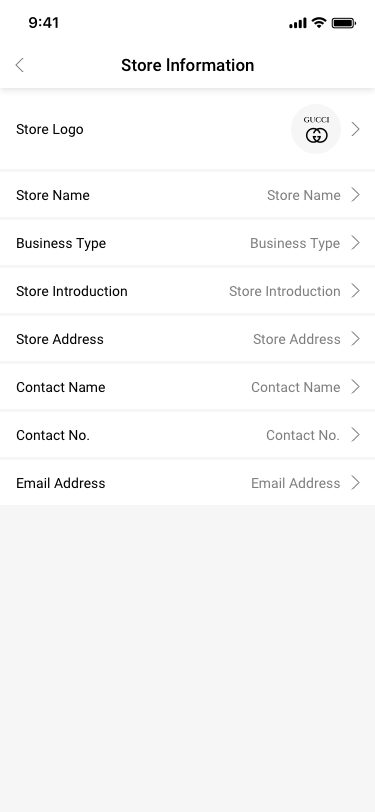
Store Settings / Store lnformation SCash screen
079Store Settings / Store lnformation
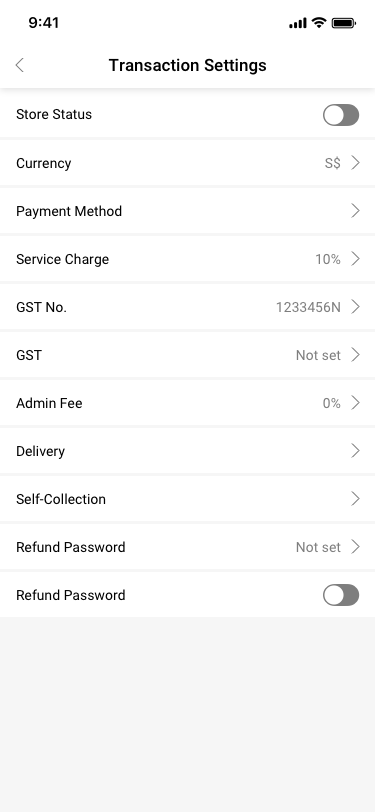
Store Settings / Transaction Settings SCash screen
080Store Settings / Transaction Settings
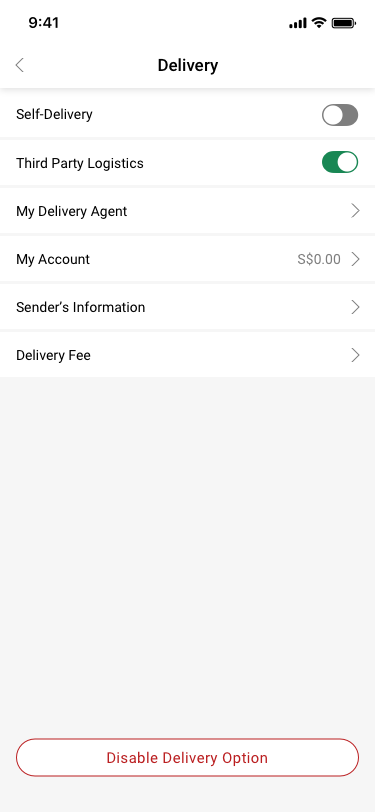
Store Settings / Transaction Settings / Delivery SCash screen
087Store Settings / Transaction Settings / Delivery
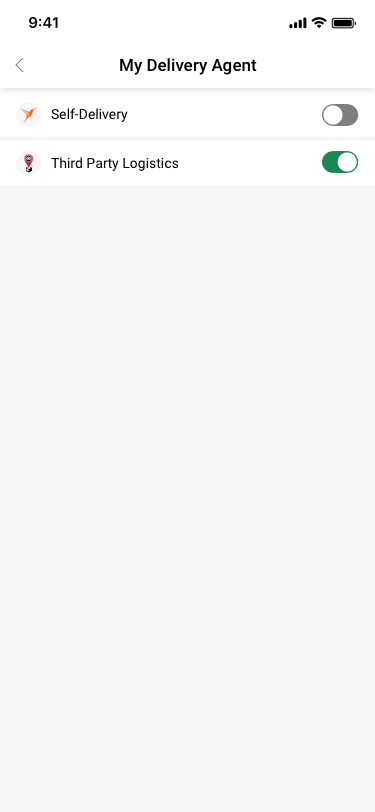
Store Settings / Transaction Settings / Delivery / My Delivery Agent SCash screen
088Store Settings / Transaction Settings / Delivery / My Delivery Agent
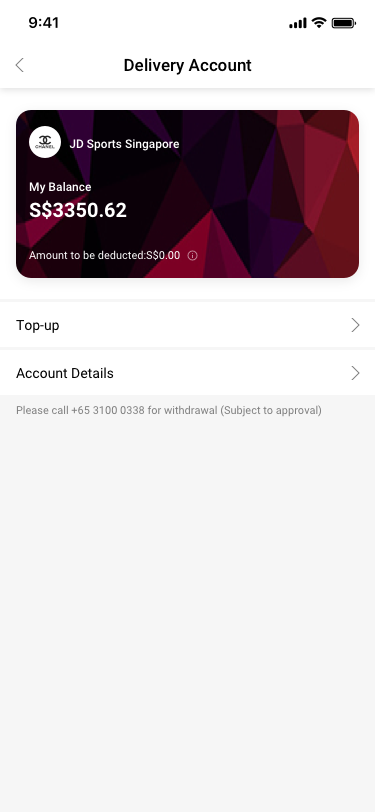
Store Settings / Transaction Settings / Delivery / Delivery Account SCash screen
089Store Settings / Transaction Settings / Delivery / Delivery Account
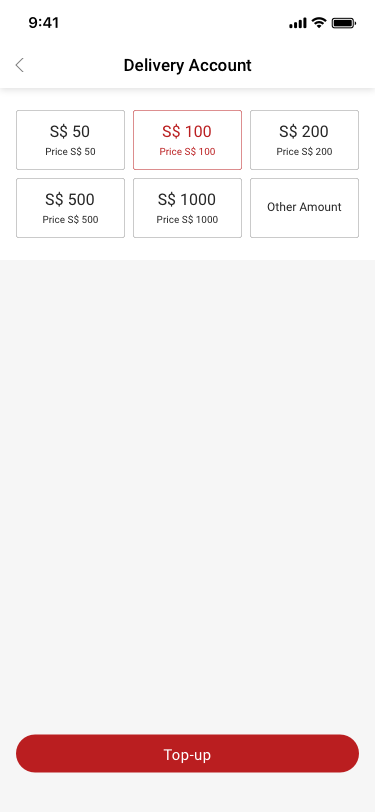
Store Settings / Transaction Settings / Delivery / Delivery Account / Top-up SCash screen
090Store Settings / Transaction Settings / Delivery / Delivery Account / Top-up
Store Settings / Transaction Settings / Delivery / Delivery Account / Top-up SCash screen
091Store Settings / Transaction Settings / Delivery / Delivery Account / Top-up
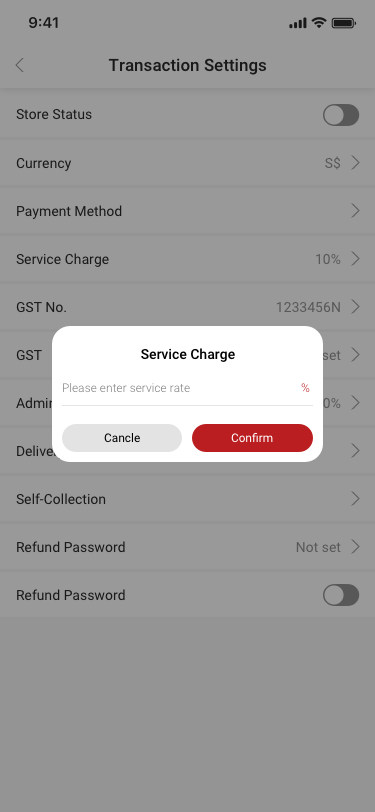
Store Settings / Transaction Settings / Service Charge SCash screen
092Store Settings / Transaction Settings / Service Charge
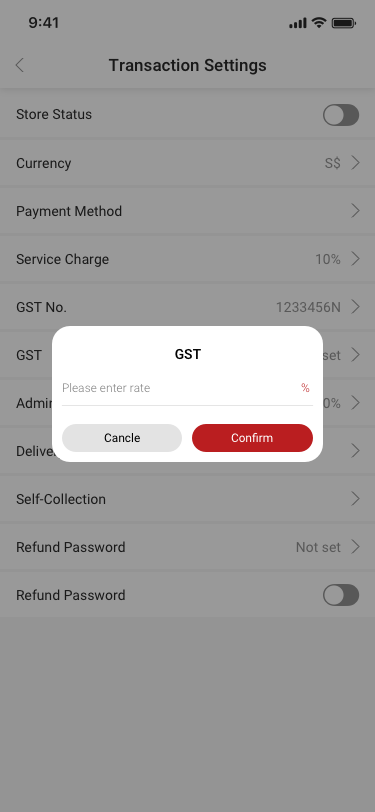
Store Settings / Transaction Settings / GST SCash screen
093Store Settings / Transaction Settings / GST
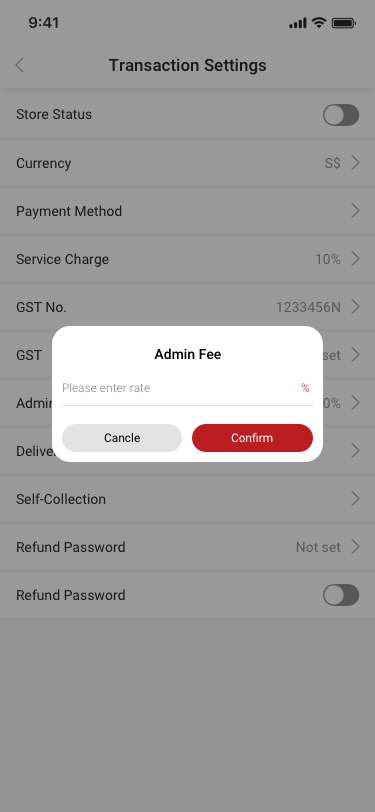
Store Settings / Transaction Settings / Admin Fee SCash screen
094Store Settings / Transaction Settings / Admin Fee
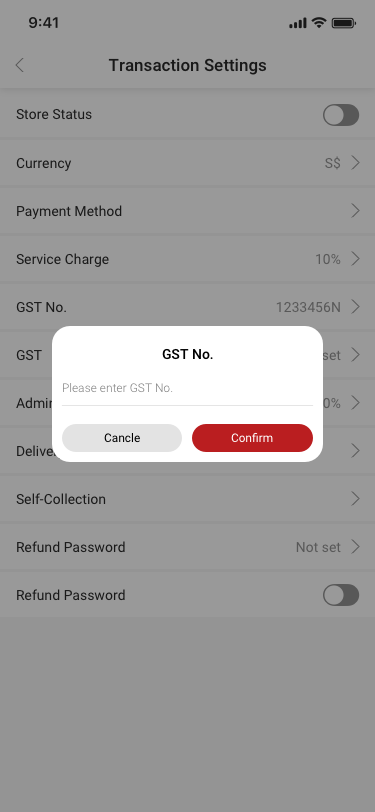
Store Settings / Transaction Settings / GST No. SCash screen
095Store Settings / Transaction Settings / GST No.
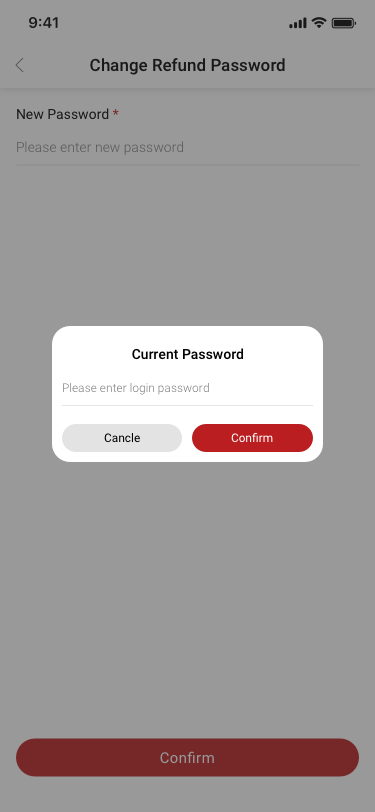
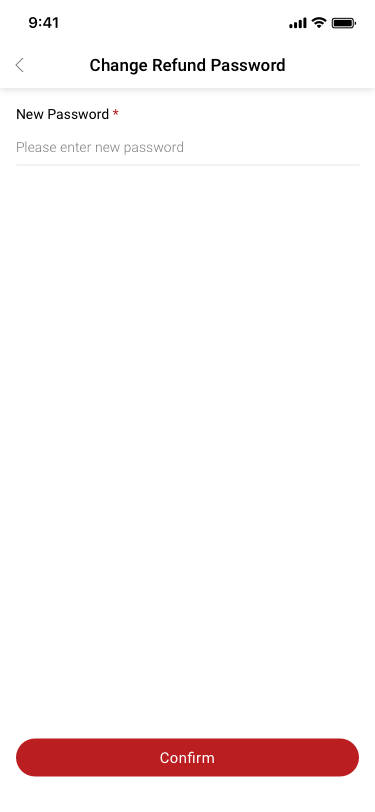
Store Settings / Transaction Settings / Change Refund Password SCash screen
097Store Settings / Transaction Settings / Change Refund Password
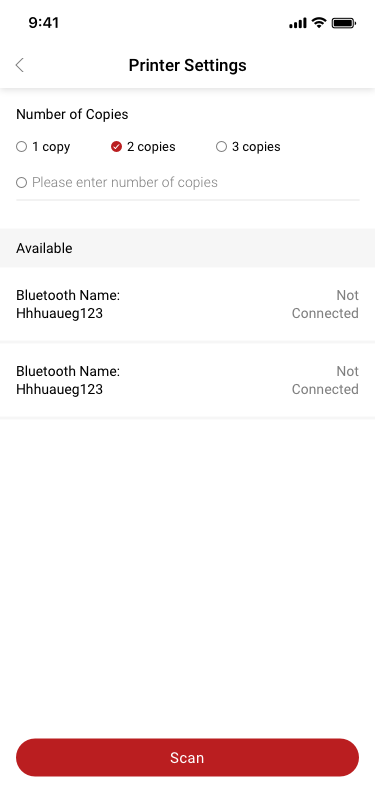
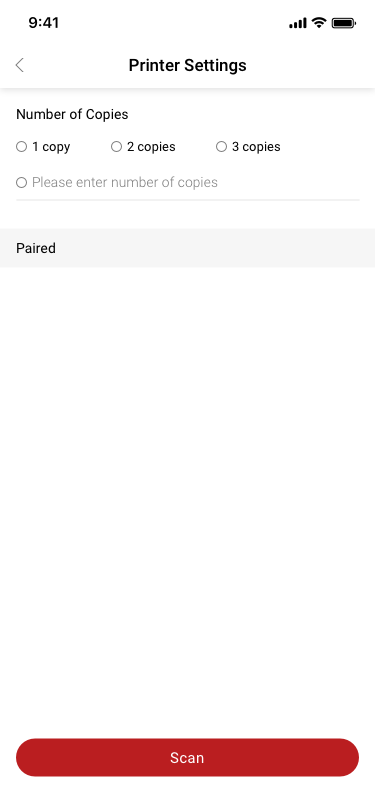
Printer Settings SCash screen
099Printer Settings
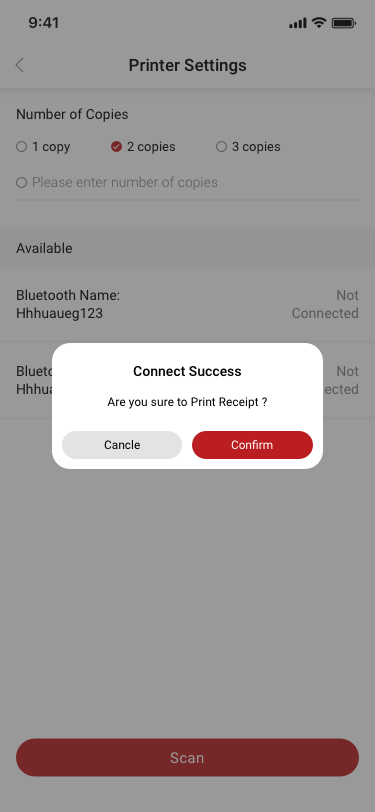
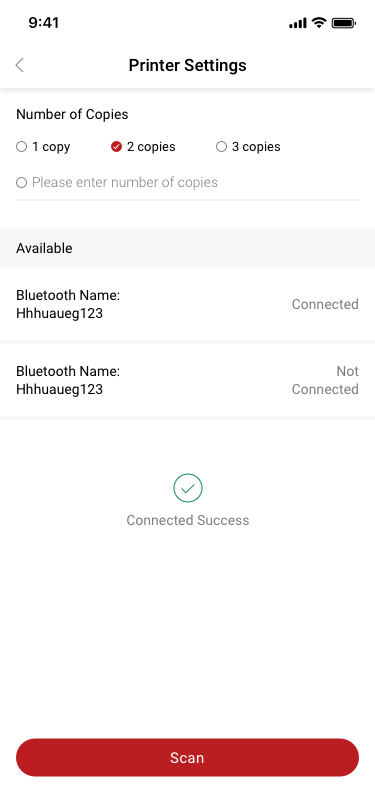
Printer Settings2 SCash screen
101Printer Settings2
Store Settings / Transaction Settings / Change Refund Password / Reset Refund Password SCash screen
102Store Settings / Transaction Settings / Change Refund Password / Reset Refund Password
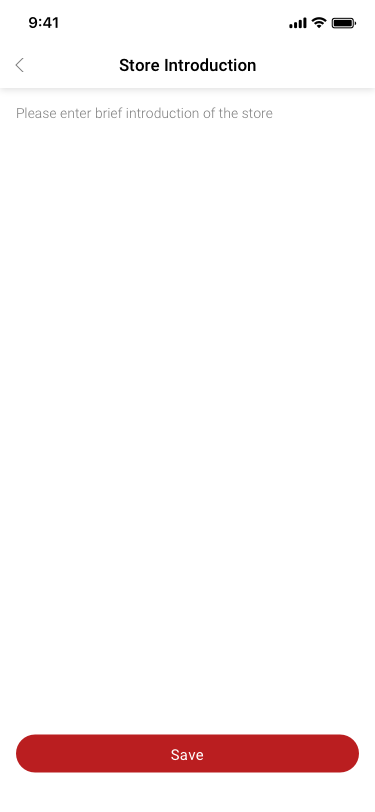
Store lnformation / store introduction SCash screen
103Store lnformation / store introduction
Store lnformation / store name SCash screen
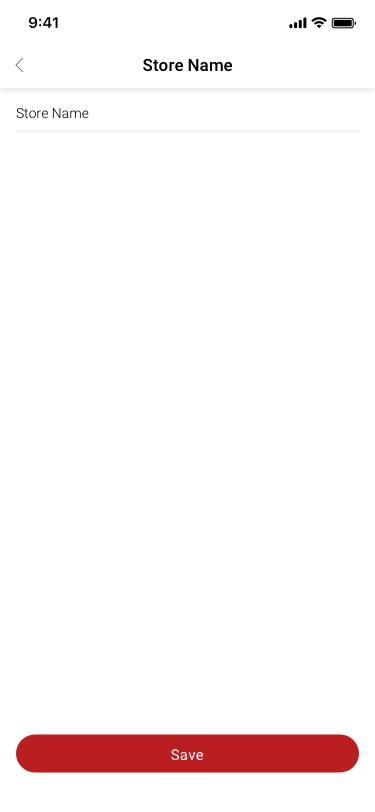
104Store lnformation / store name
Store lnformation / store type SCash screen
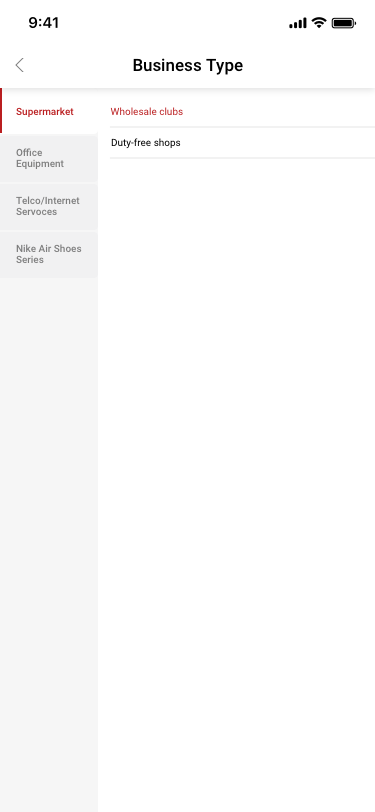
105Store lnformation / store type
Store Manager / Store Manager details SCash screen
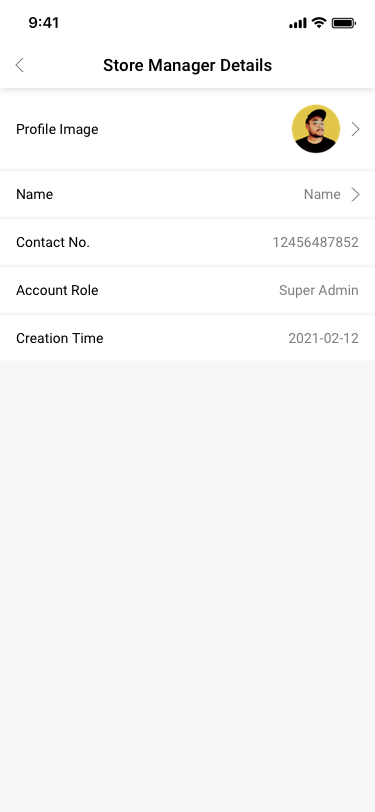
196Store Manager / Store Manager details
Store Manager / Store Manager details / change name SCash screen
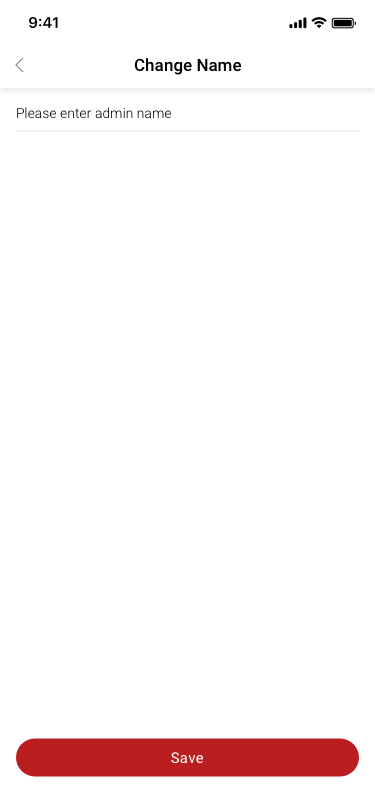
197Store Manager / Store Manager details / change name
Store Manager / add storemanager SCash screen
198Store Manager / add storemanager
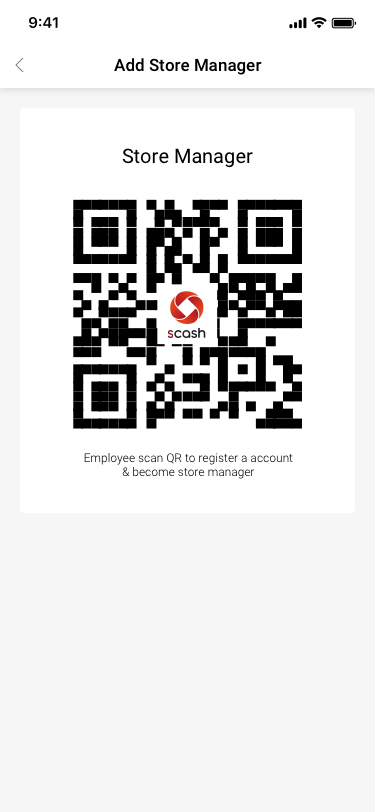
Store Manager / add storemanager / scan qr SCash screen
199Store Manager / add storemanager / scan qr
10

Settings, support & notifications

15 distinct screens and states
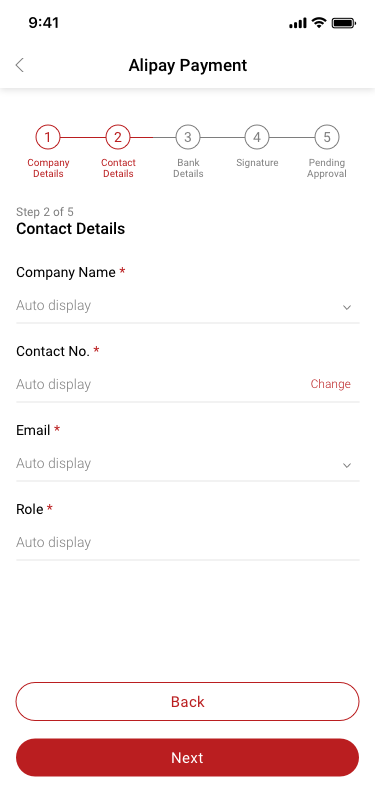
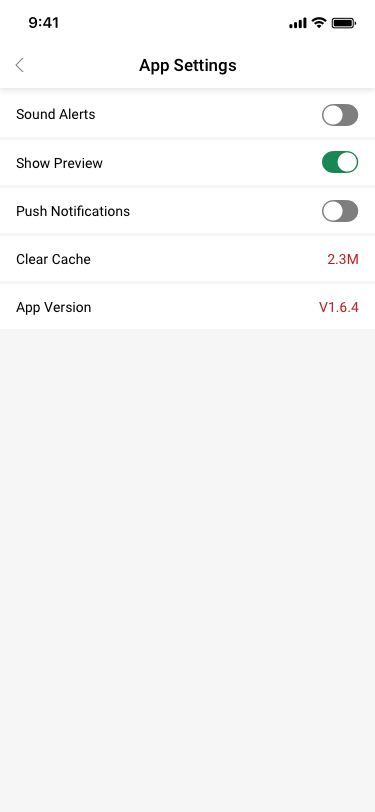
my page / App Settings SCash screen
096my page / App Settings
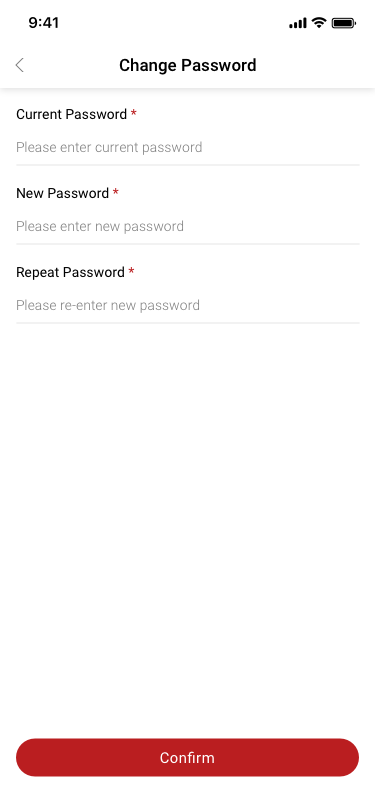
my page / Change Password SCash screen
098my page / Change Password
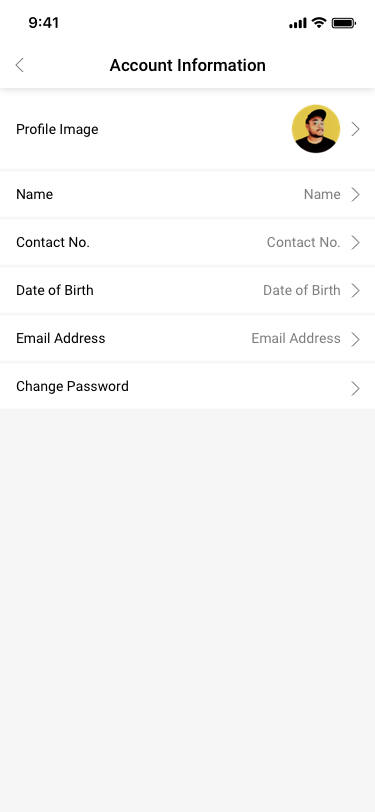
My Page / Account Information SCash screen
161My Page / Account Information
my page / Terms of Service SCash screen
162my page / Terms of Service
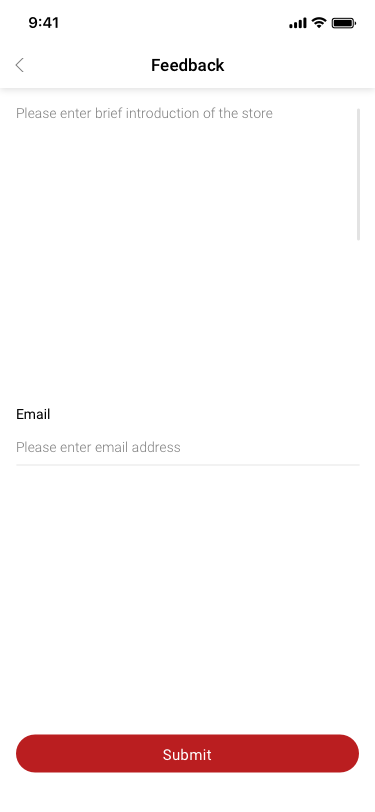
my page / Feedback SCash screen
163my page / Feedback
mypage / About SCash SCash screen
164mypage / About SCash
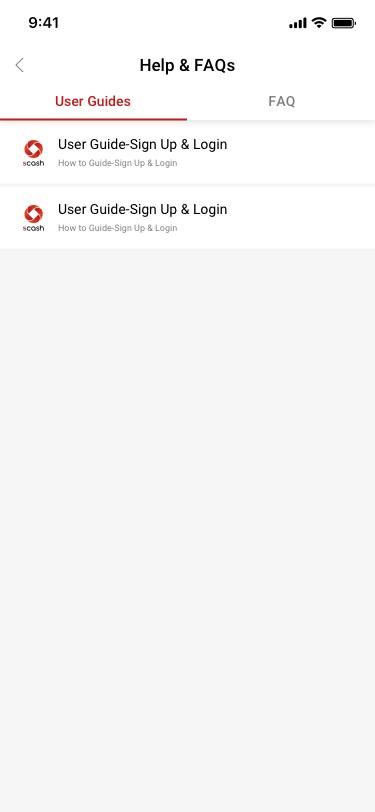
my page / Help & FAQs / User Guides SCash screen
165my page / Help & FAQs / User Guides
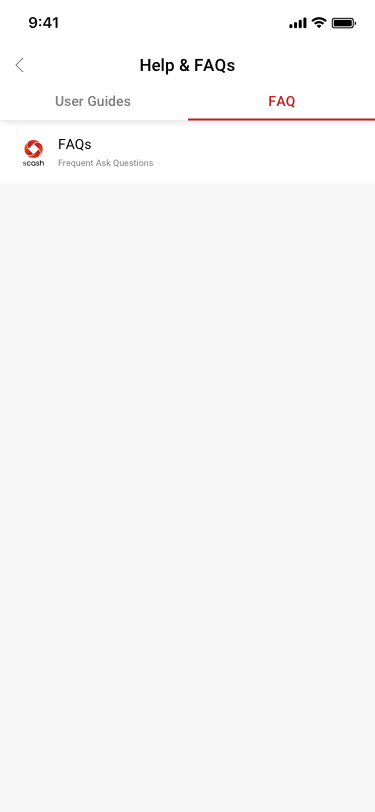
my page / Help & FAQs / faq SCash screen
166my page / Help & FAQs / faq
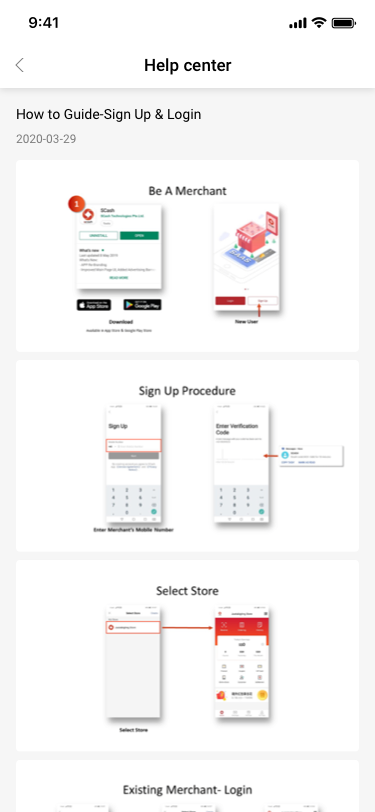
my page / Help & FAQs / User Guides / help center SCash screen
167my page / Help & FAQs / User Guides / help center
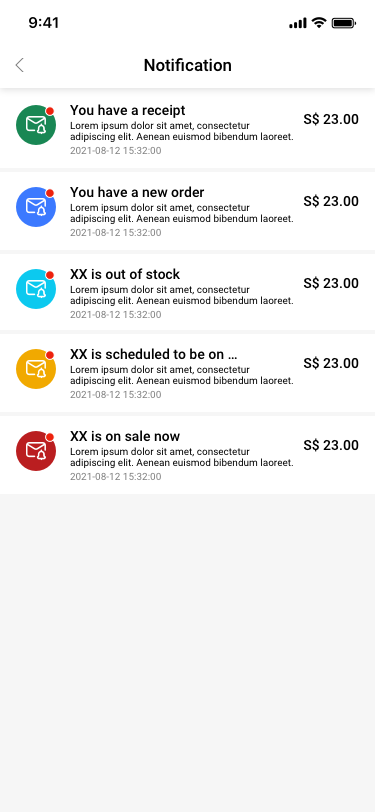
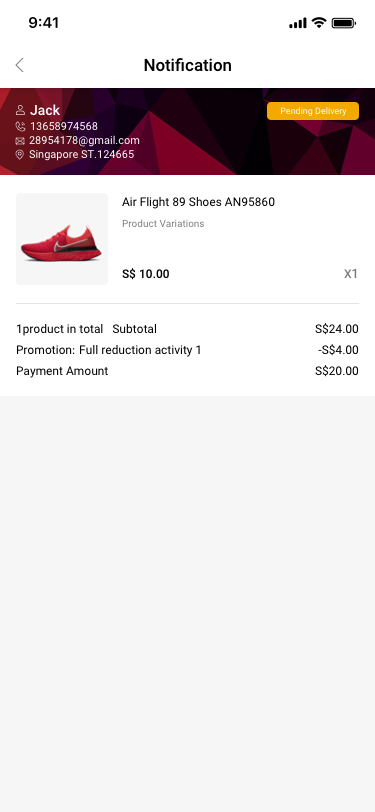
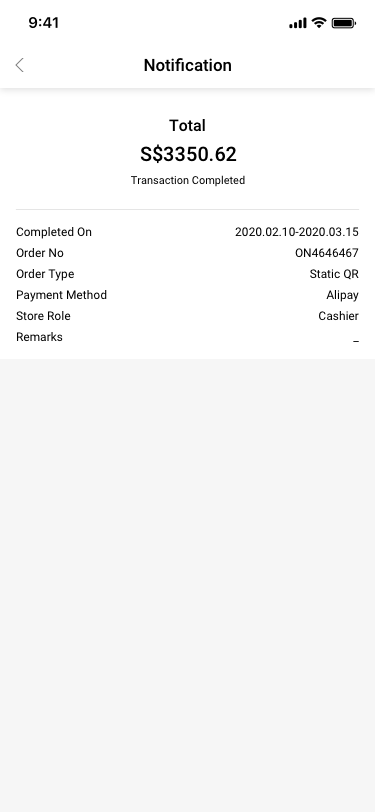
Notification SCash screen
174Notification
Notification / You have a new order SCash screen
179Notification / You have a new order
Notification / You have a receipt SCash screen
180Notification / You have a receipt
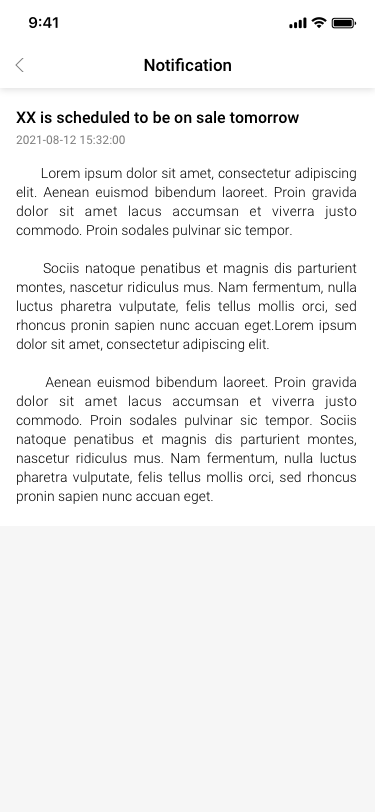
Notification / XX is scheduled to be on sale tomorrow SCash screen
182Notification / XX is scheduled to be on sale tomorrow
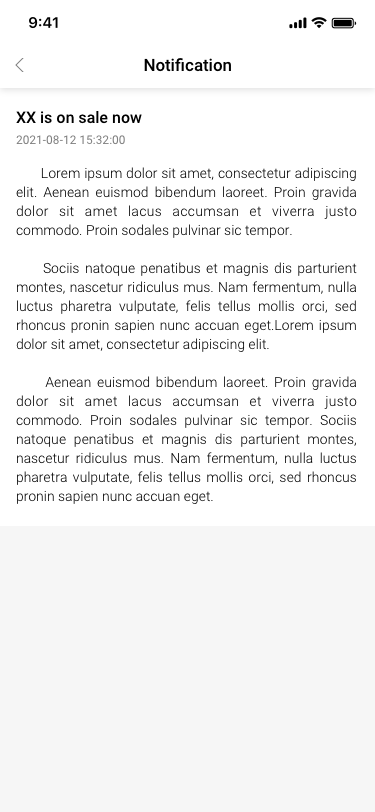
Notification / XX is on sale now SCash screen
183Notification / XX is on sale now
My Page SCash screen
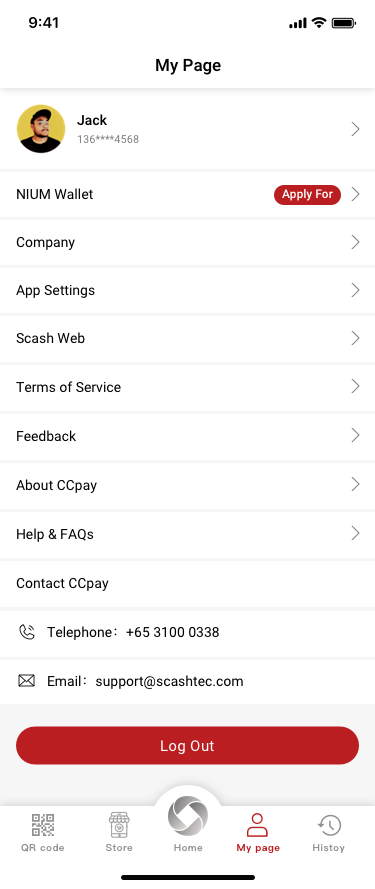
207My Page
11

Additional product states

13 distinct screens and states
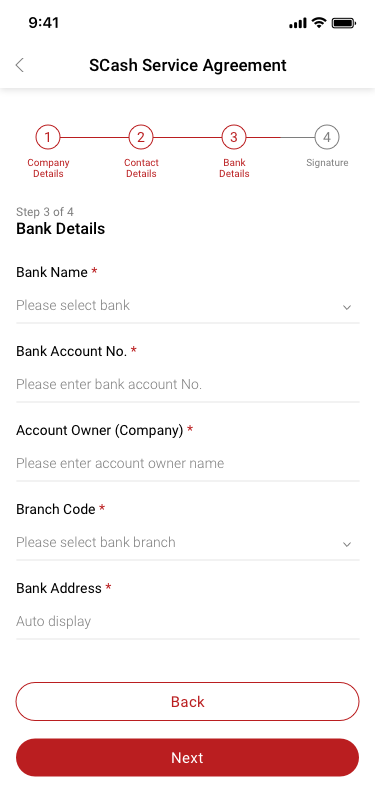
Additional product state 001 SCash screen
001Additional product state 001
Worning box SCash screen
013Worning box
Additional product state 015 SCash screen
015Additional product state 015
Additional product state 016 SCash screen
016Additional product state 016
Additional product state 017 SCash screen
017Additional product state 017
Additional product state 018 SCash screen
018Additional product state 018
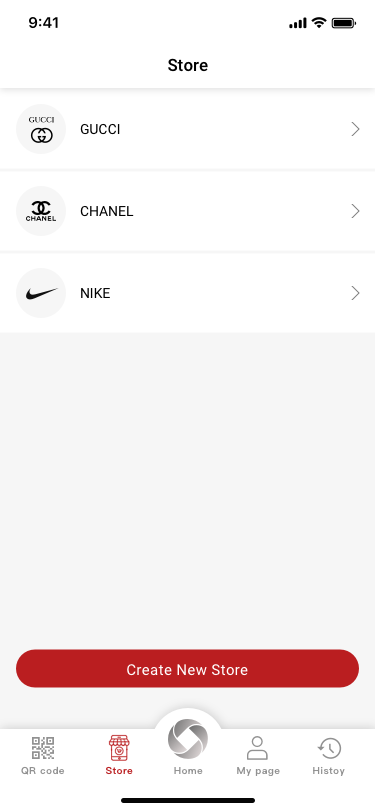
Store SCash screen
106Store
Company creator / set price / have sku SCash screen
119Company creator / set price / have sku
card SCash screen
124card
Additional product state 159 SCash screen
159Additional product state 159
Additional product state 160 SCash screen
160Additional product state 160
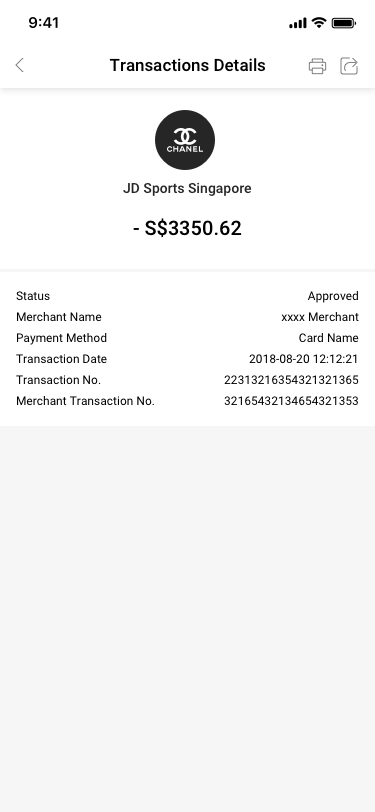
Transactions Details SCash screen
214Transactions Details
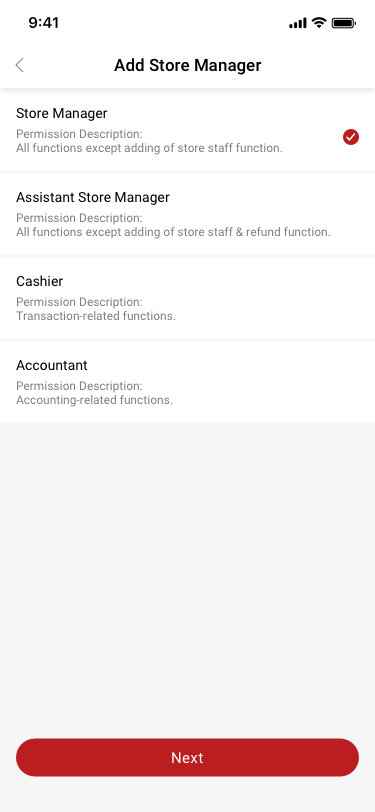
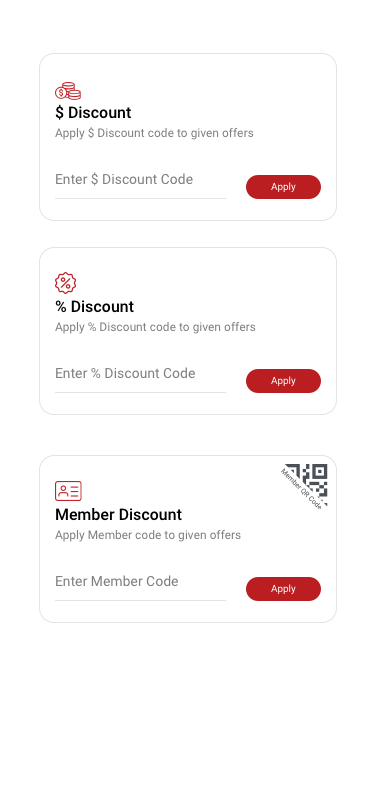
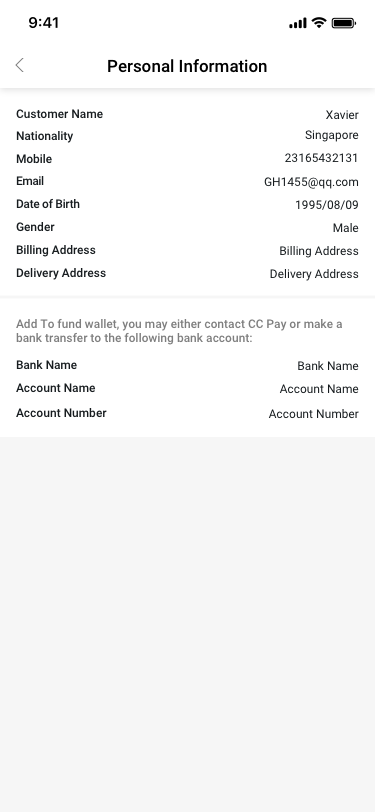
Personal Information SCash screen
219Personal Information